Restaurant POS system for the floor, the kitchen and the office
Ferculon gives your restaurant a waiter app, a kitchen display system, QR code ordering, card payments, online bookings and delivery, with a back office and AI reports that show what to change. It works in any country and in your own currency.
Card paymentsGuests pay by card on your own Stripe account, with no fee from us.
Ava, AI assistantOn the Pro plan, Ava answers questions from your own figures.
Waiter phones
Tablets at the counter
Kitchen screens
Receipt printers
Table QR codes
Delivery riders
Bills and invoices
The whole team
The problem
Why restaurants move to one system
Many restaurants run service on a till, paper tickets, a booking book and a delivery tablet that share nothing with each other. Ferculon puts the floor, the kitchen, guests and the office in one system, so every order is followed from the table to the bill.
Before Ferculon
Table 7’s main courseLost at the pass
A table for four at 8 pmDouble-booked in the book
A delivery orderMissed on the tablet
An order from table 9Typed into the till again
The bill for table 4Split on a calculator
Tonight’s stockCounted after closing
With Ferculon
Table 7’s main courseReady at the pass, and the waiter is told
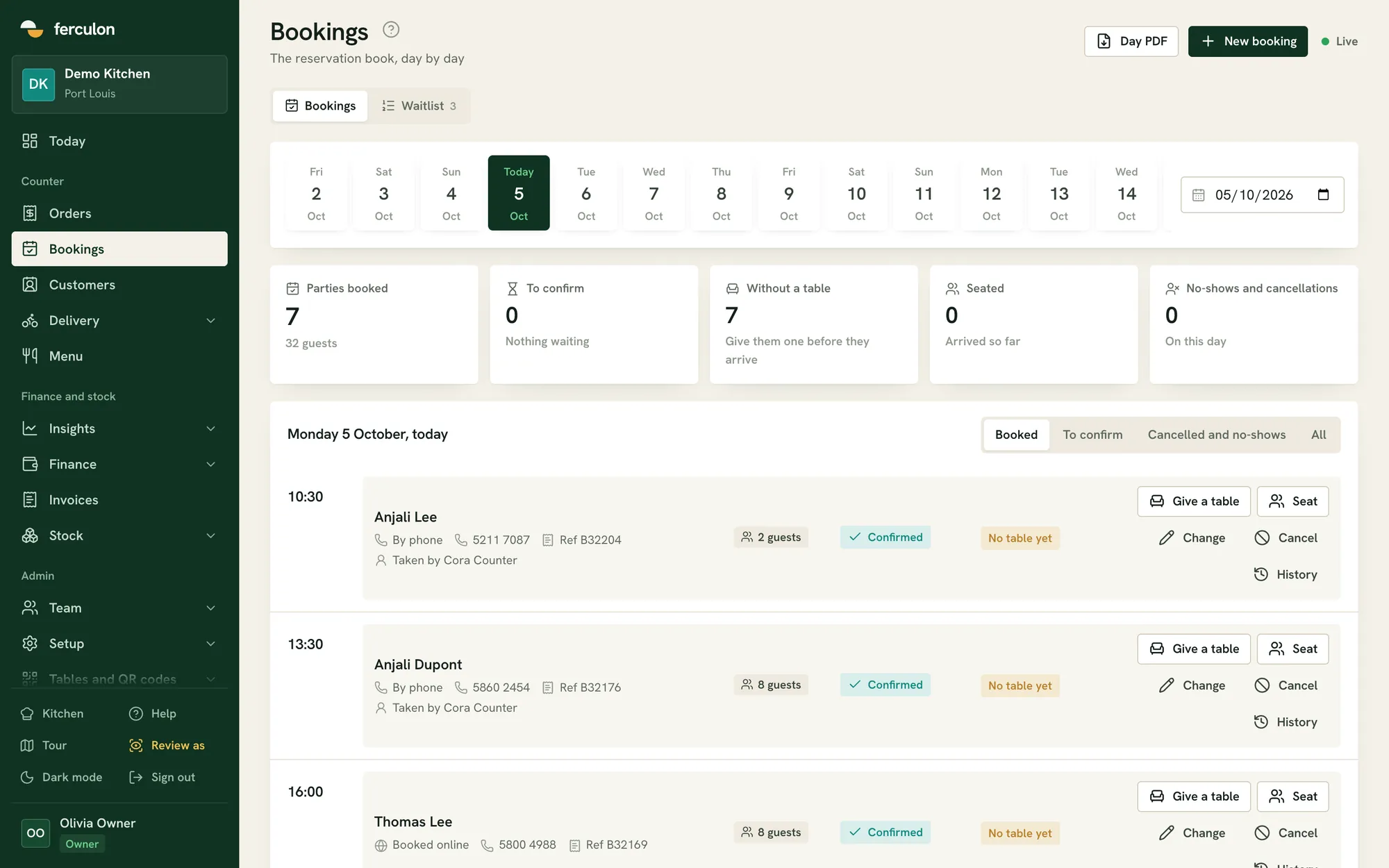
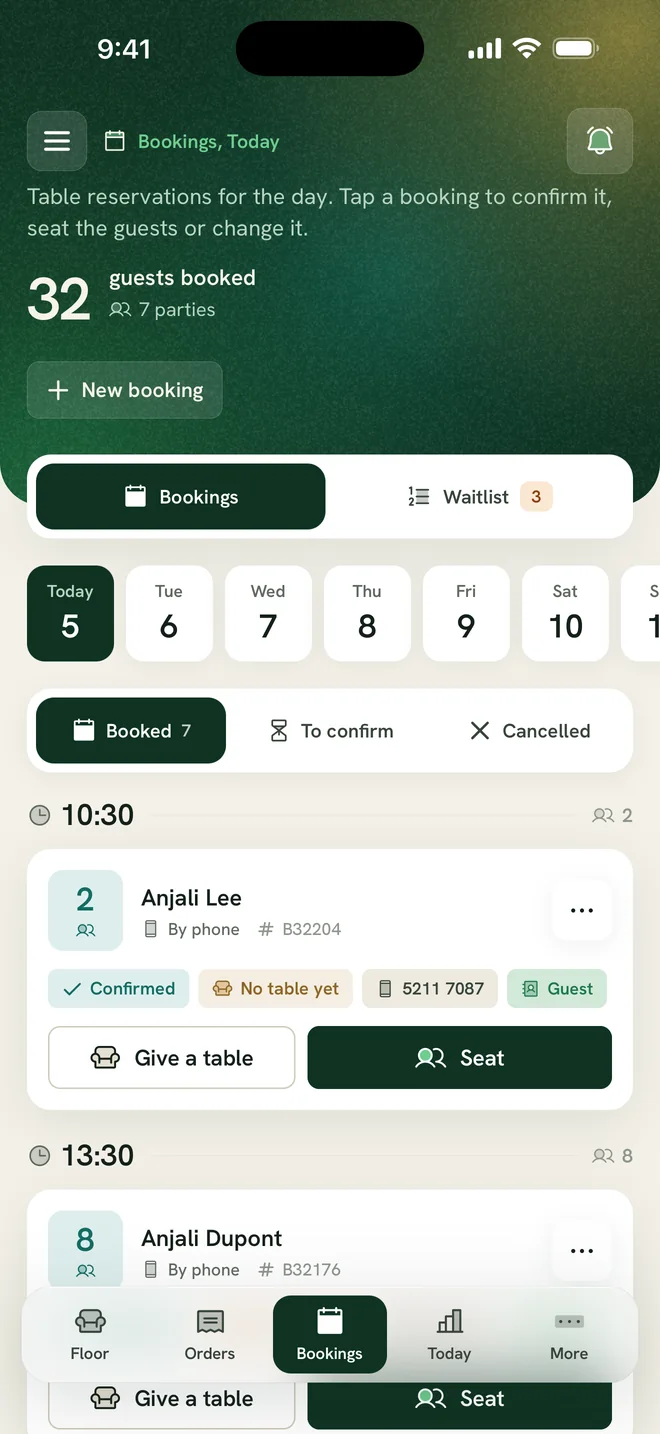
A table for four at 8 pmConfirmed by WhatsApp
A delivery orderAccepted at the counter
An order from table 9Joins the waiter’s bill
The bill for table 4Split by seat, tips kept apart
Tonight’s stockCounted as you sell
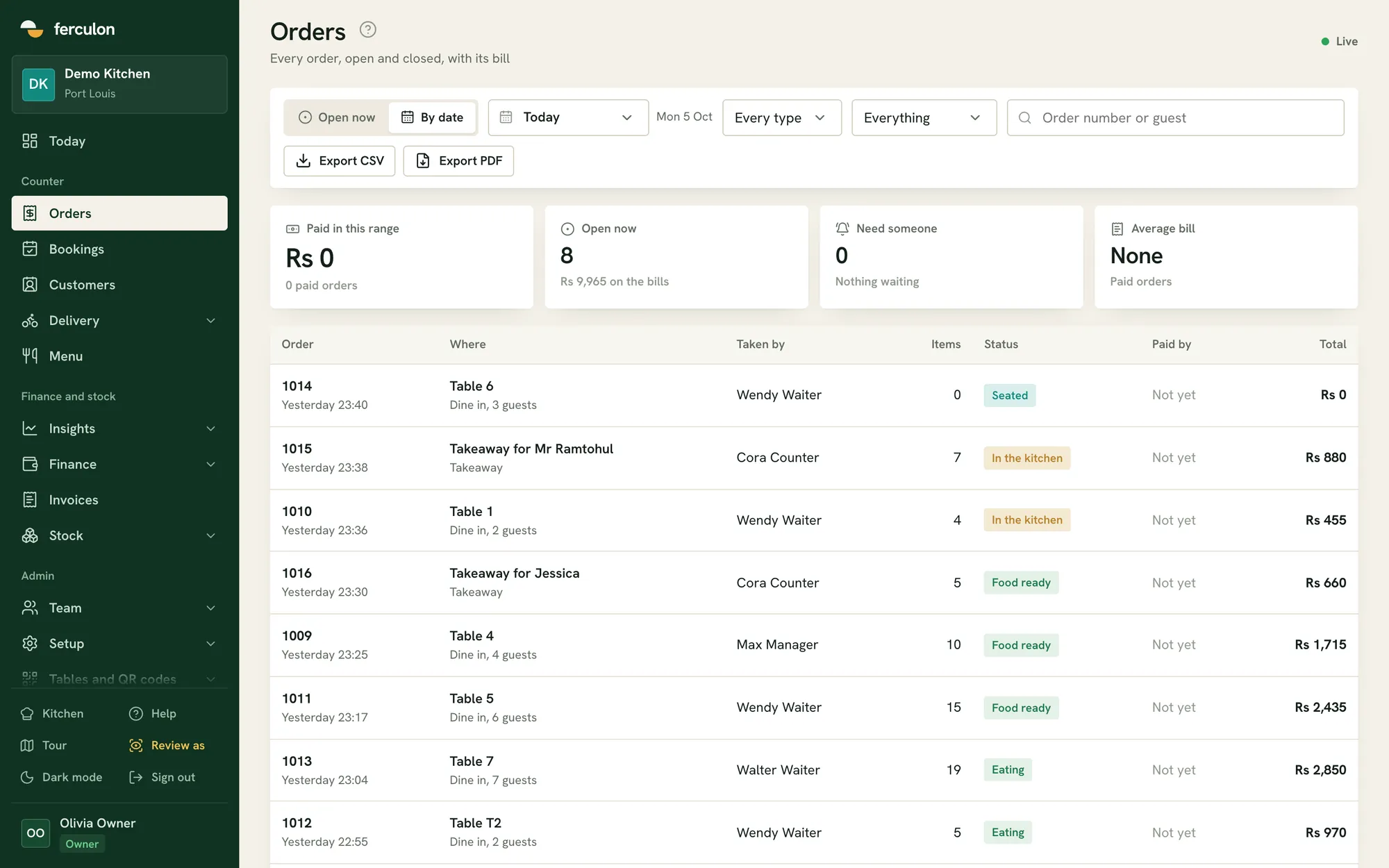
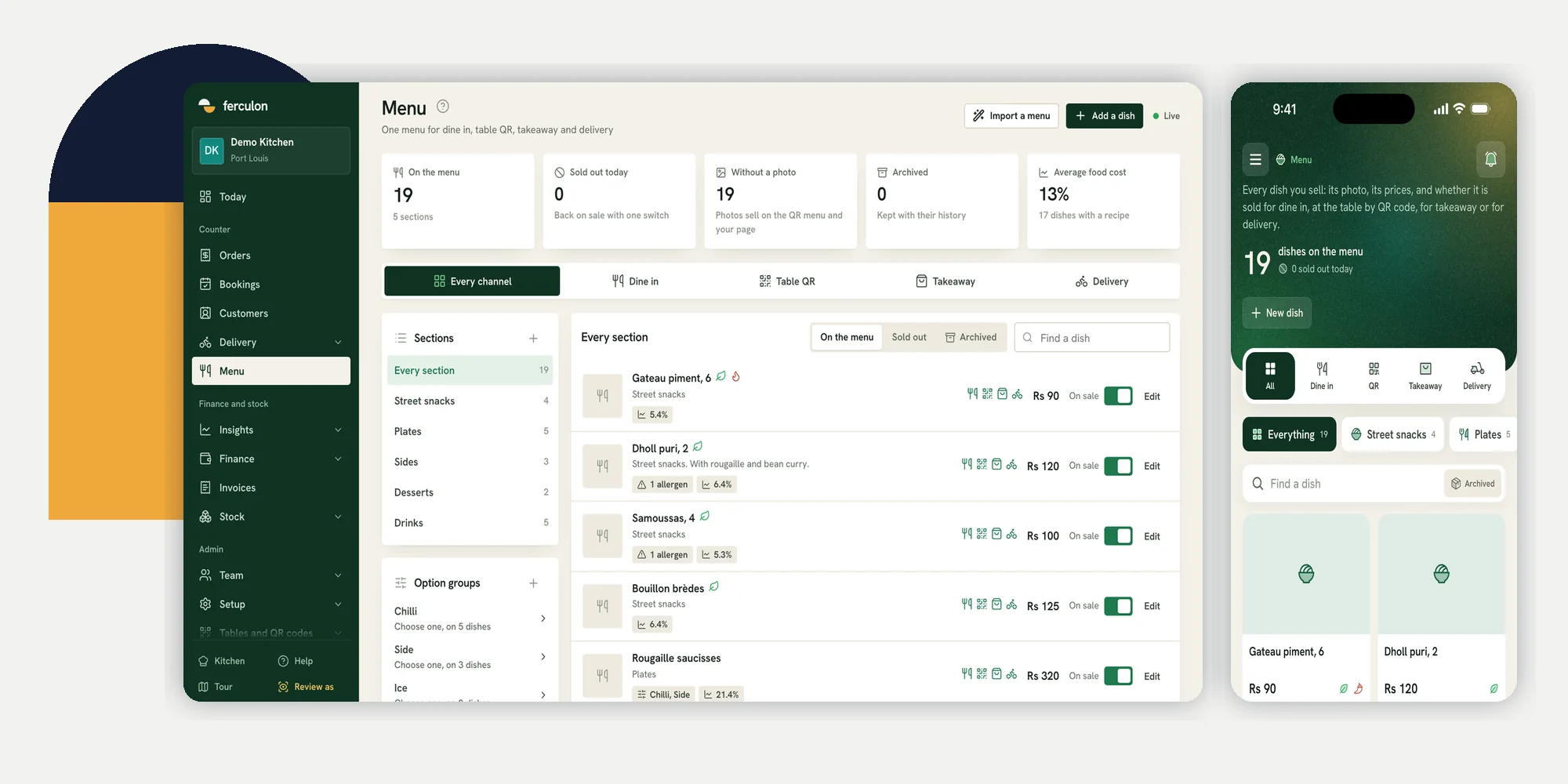
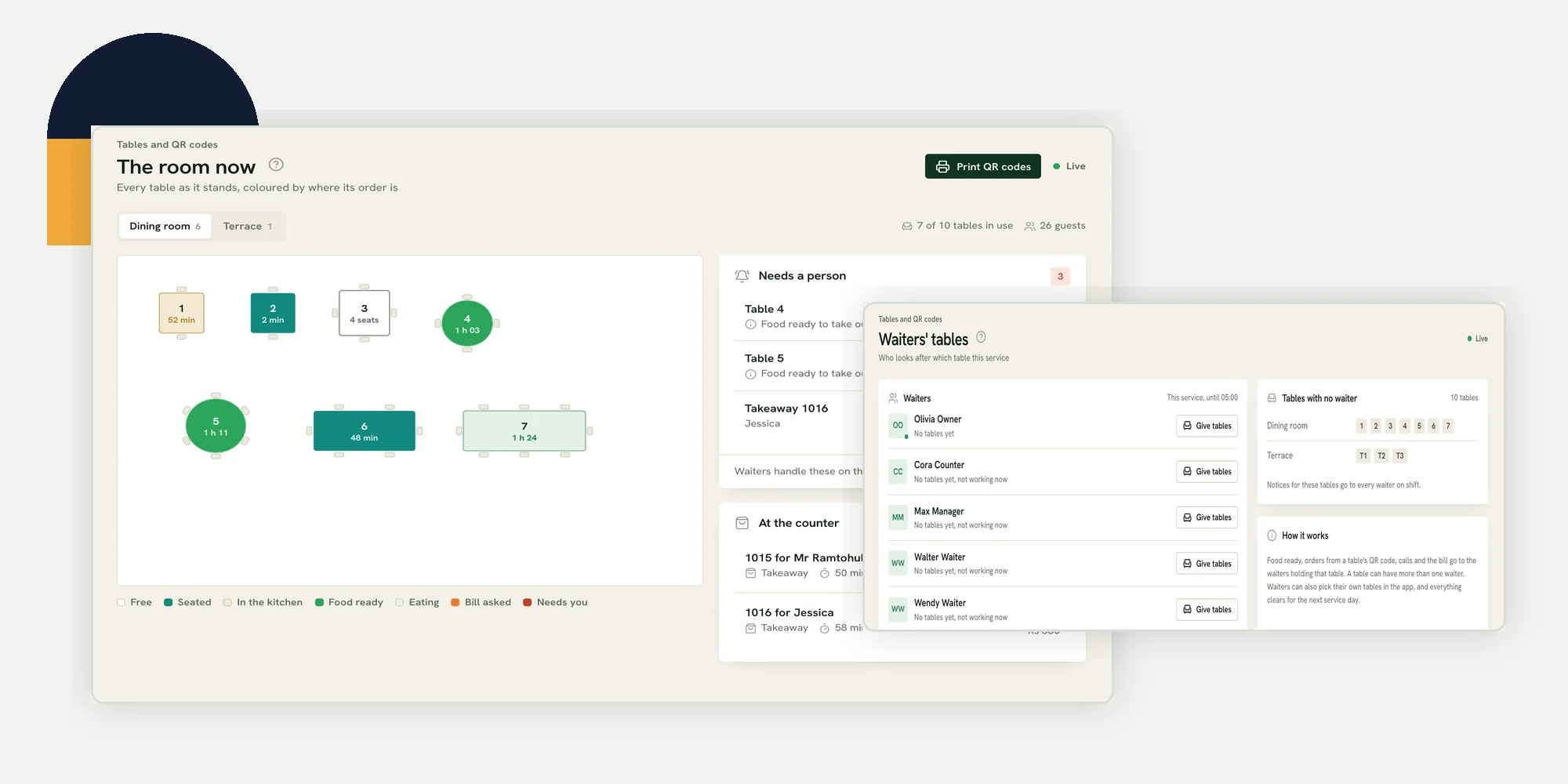
Taking the orderA waiter takes it on the waiter app, or the guest orders from their own phone with the table’s QR code.
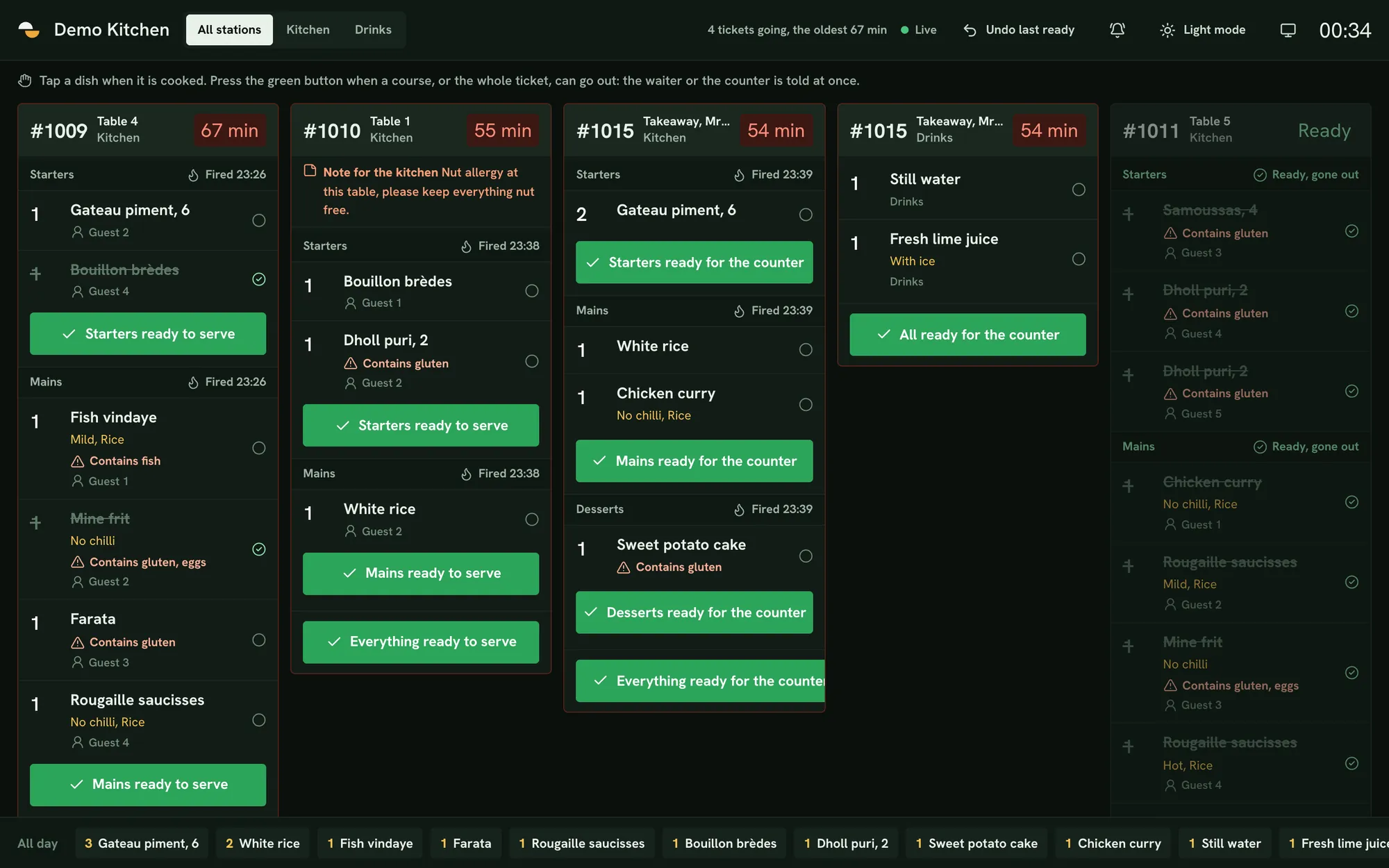
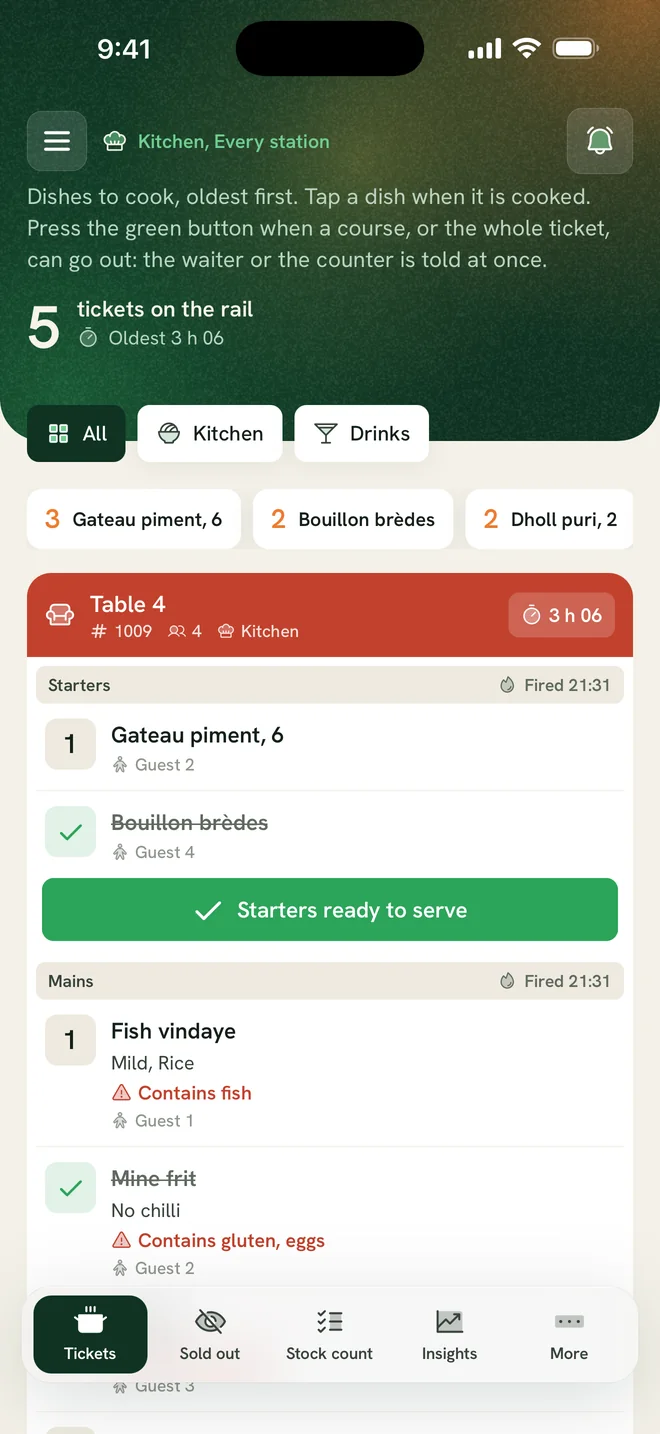
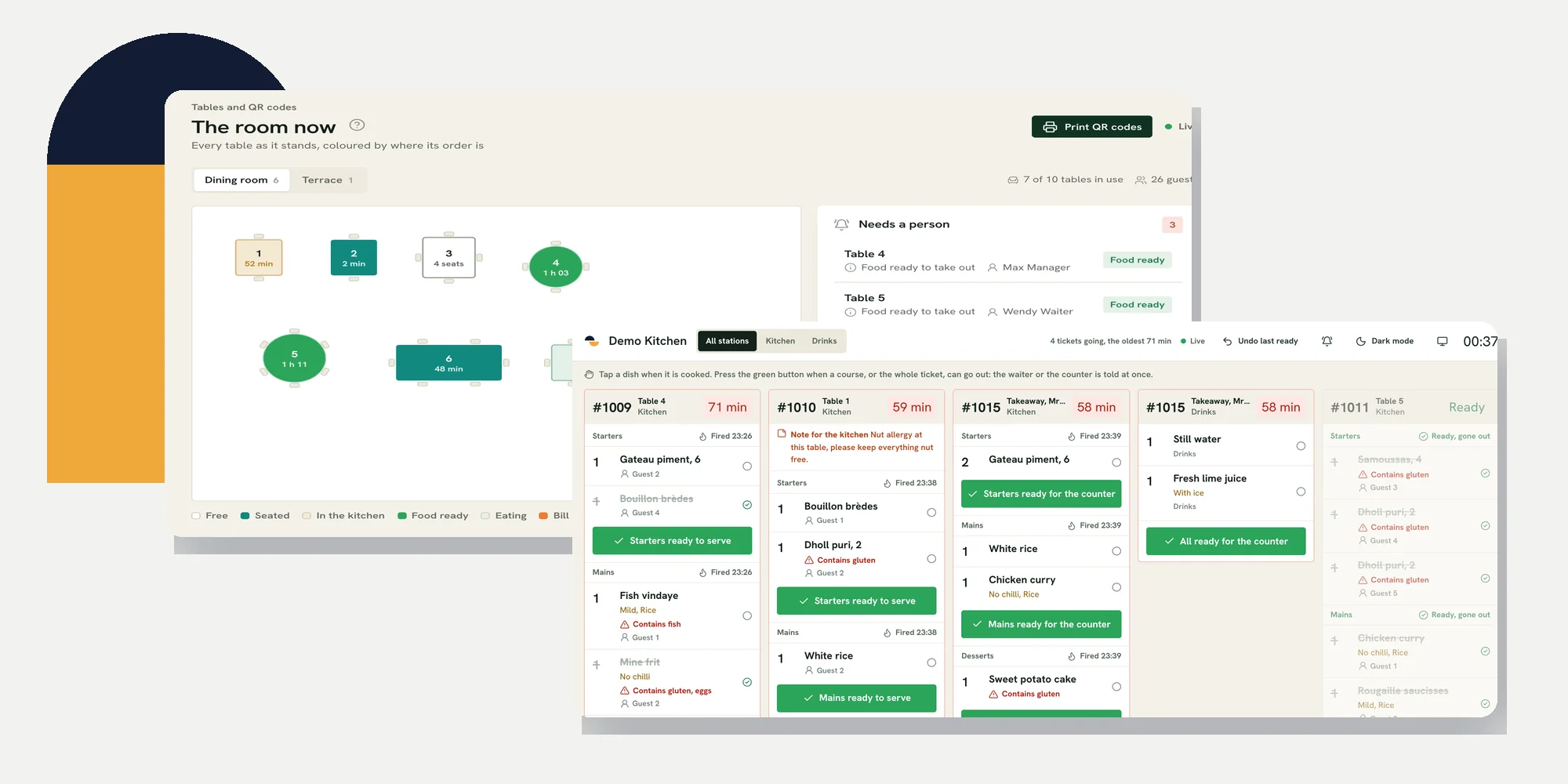
Cooking itThe kitchen sees the ticket by course and station, with a timer and a ready button for each course.
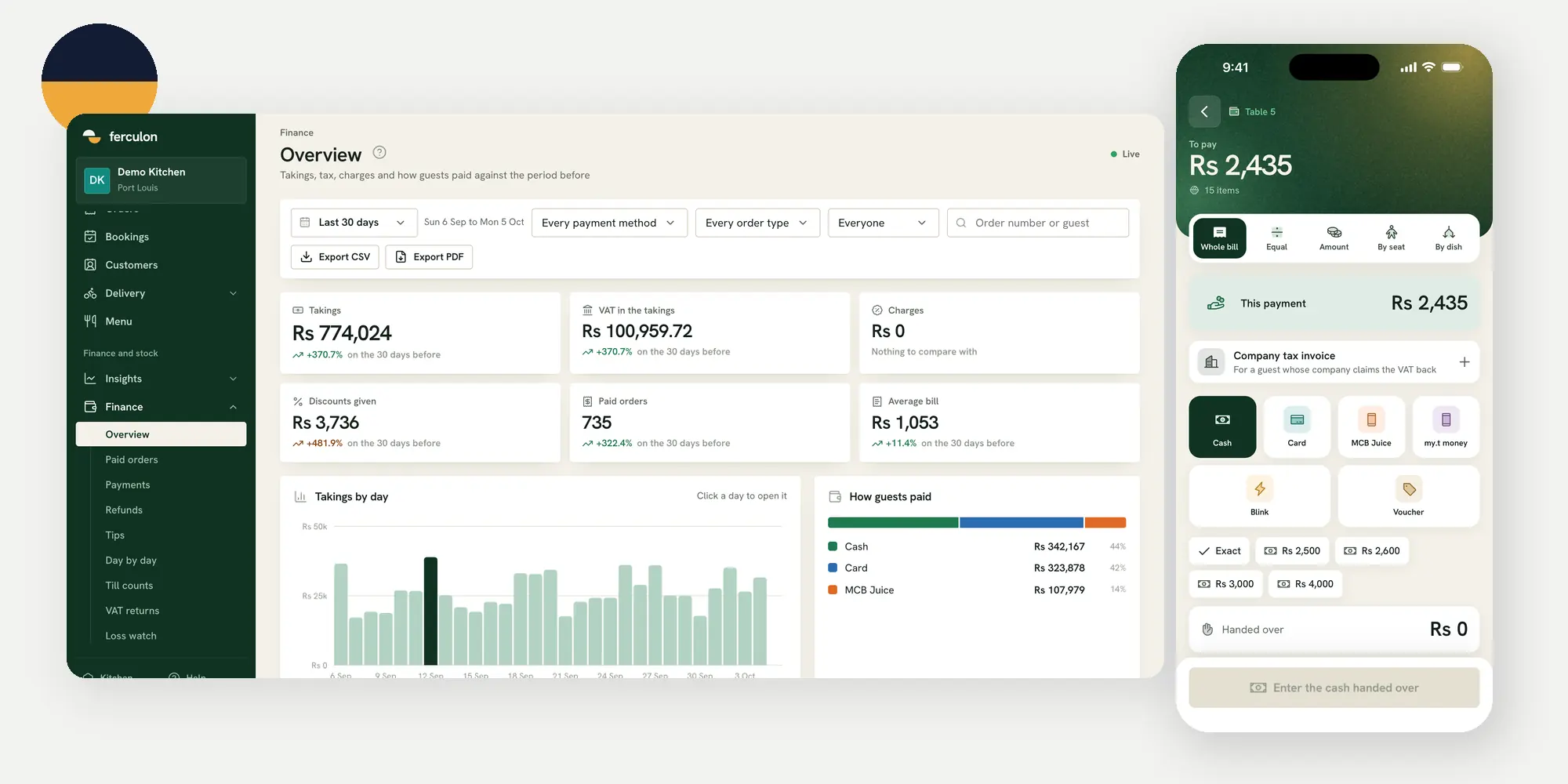
Paying the billThe bill can be split equally, by seat, by dish or by any amount, tips are kept apart, and guests can pay by card from the code on the bill.
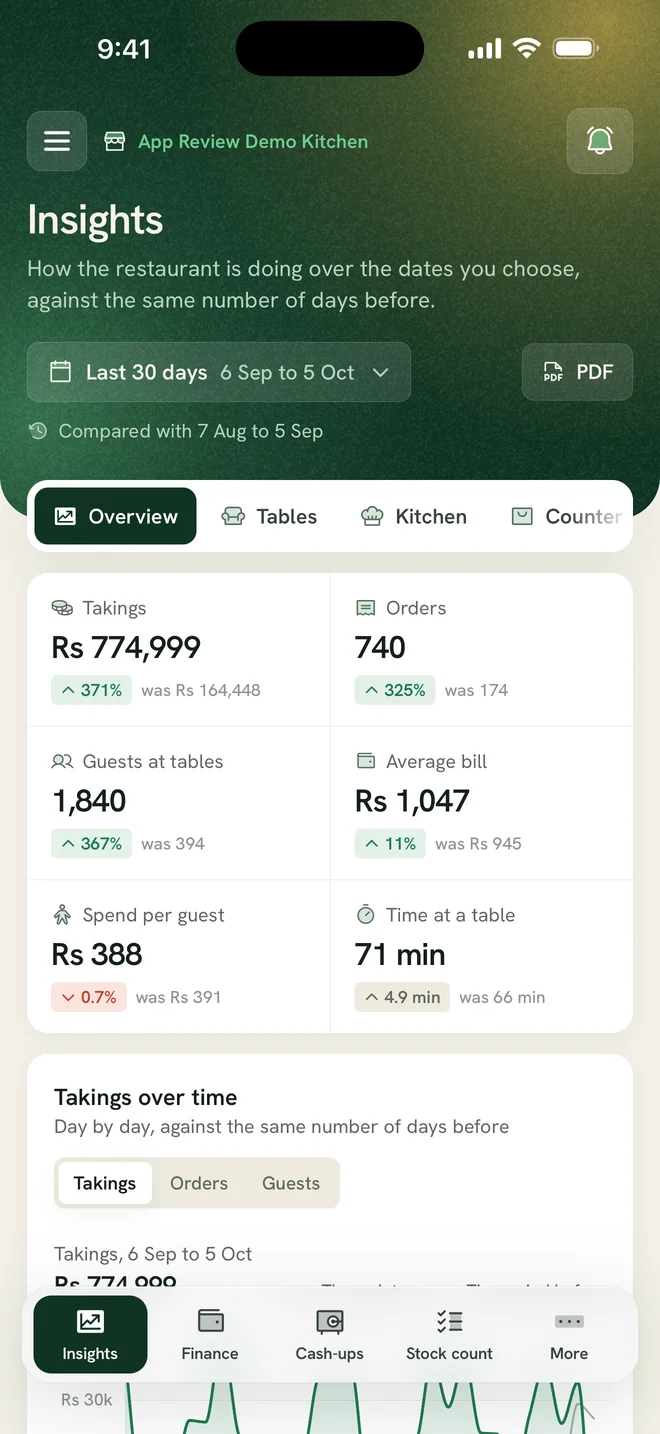
Reading the dayThe AI brief, a seven-day forecast and the margin on every dish show what to change next.
Run the floor,the kitchen,table ordering,payments,bookings and delivery from one system.
Booking confirmed, 8 pmDelivery out with the rider
Stock counted as you sell
Fish fillet3.4 kg
Lamb shoulder4.2 kg
Avocado11 left
Lobster tonight4 left
Grilled fish recipeFood cost 32% of the price
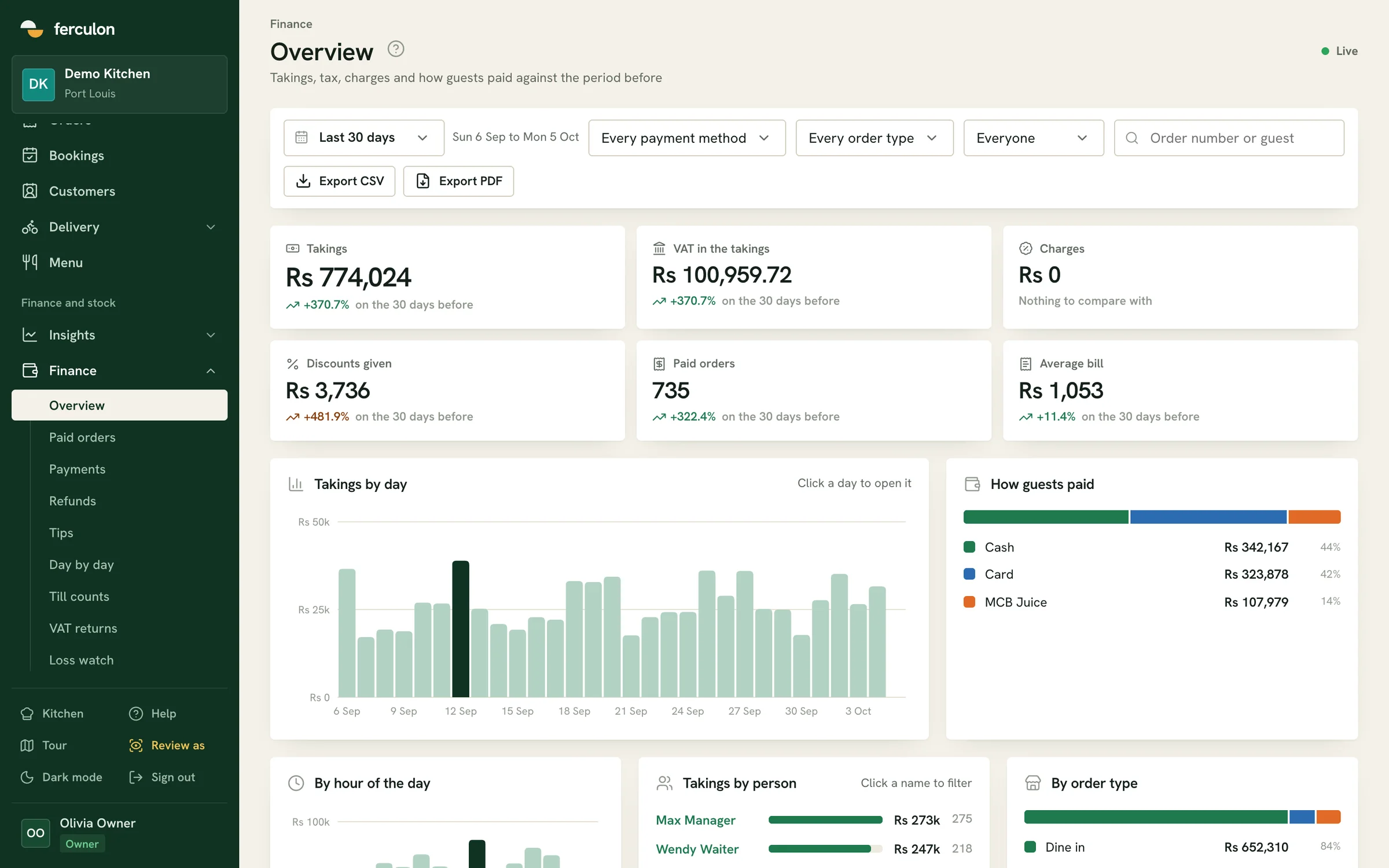
Today’s takings up to 3 pm
4,82012% on last Tuesday
Margin after recipe cost
Grilled fish68%
Lamb shoulder54%
Garden risotto72%
What sold best last week, and what should I reprice?
AvaGrilled fish led with 142 orders. The lamb shoulder sells well but its margin fell to 54% after the supplier price rise, so a small increase is worth a look.
Raise the lamb by 2
AvaDone. The new price is on the menu from the next order.
The kitchen sees tickets by course and station, with a timer and a ready button for each course, on any screen with a browser.
What restaurant owners ask before they switch
These are the questions we hear most often, with the part of Ferculon that answers each one.
Table 12
Order joined to the bill
Call a waiter
Ask for the bill
Can guests order and pay from their table?
Yes. Each table has its own QR code that opens in the guest’s own browser. Their order joins the same bill the waiter has open, they can call a waiter, and once your Stripe account is connected they pay the bill by card from their phone.
Seat 124.50Paid
Seat 231.00Open
Seat 318.75Open
Can we split bills and keep tips apart?
Yes. A bill can be split equally, by seat, by dish or by any amount. Tips are kept apart from the takings, and every payment shows what it covers and what is left to pay.
Loss watch this week
Sam9 voids
Ana2 voids
LeoTill short by 12
How do we stop losses at the till?
Loss watch lists voids, discounts, refunds and short tills, each person beside the rest of the team. Every drawer opening keeps its reason in the audit log.
The daily briefToday, 3 pm
Lunch is 12% ahead of last Tuesday.
Fish is running low for tonight’s bookings.
Three voids on table 9 are worth a look.
MTWTFSS
Forecast orders for the week ahead
What does the AI tell an owner?
The AI brief sums up the day so far on the back office and the app, the forecast shows orders and sales for the week ahead, and menu profit points to the prices worth changing.
Riders on the road
Kai2 deliveries
NoorBack in 6 min
TheoHolding 48 in cash
Can we deliver with our own riders?
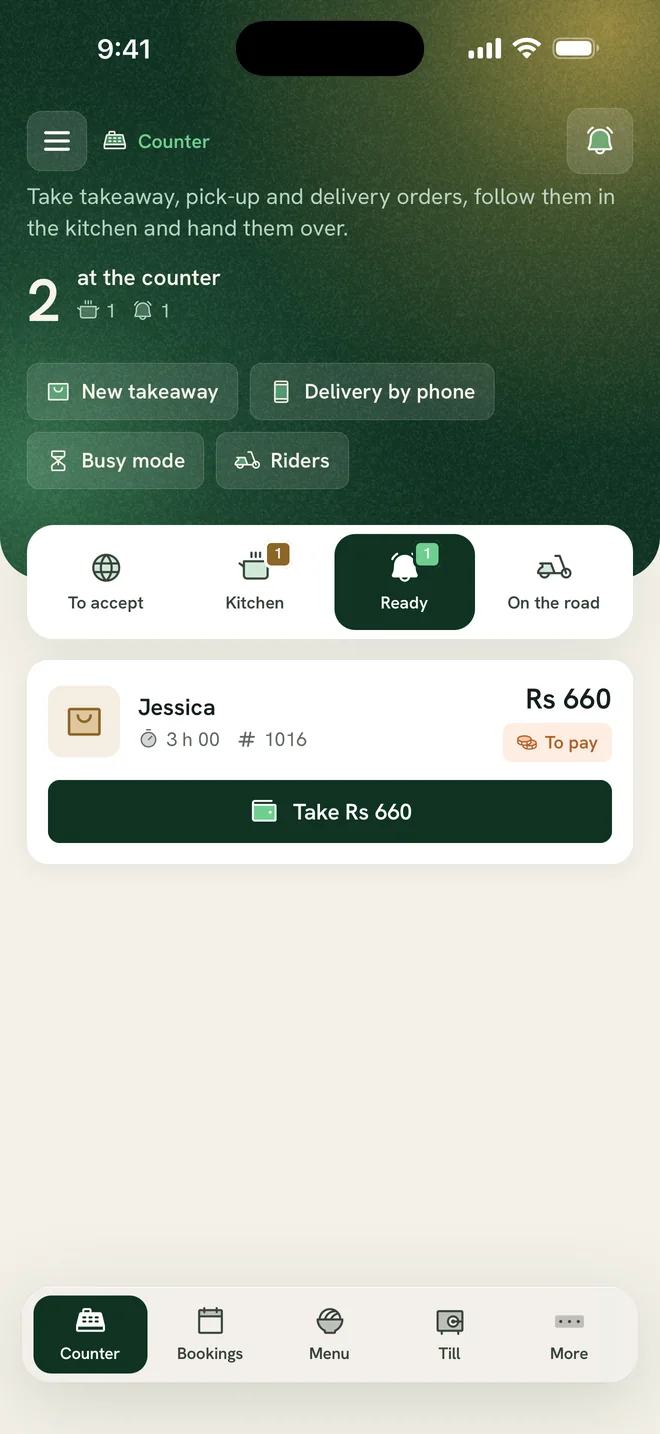
Yes. Orders from your own page are accepted at the counter, and you see where each rider is, their deliveries and the cash they hold until it is handed in.
From the engineering team
An owner can only be in one part of the restaurant at a time, so we built Ferculon to show you the floor, the kitchen and the till from wherever you are.
Ferculon has four monthly plans for each restaurant. Starter runs your service, Standard adds online orders, delivery, stock and payroll, Pro adds Ava and the AI tools that read menus, supplier bills and your week, and Max is everything in Pro for the busiest restaurants. Your first 3 months are free.
Starter
Runs your service: the till, the floor plan, the kitchen display and bookings.
Ferculon connects your waiter app, live floor plan, kitchen display, QR ordering, bookings and delivery with stock and financial reports. Owners can ask Ava, the AI assistant, about their own sales, ingredients and staff, then act on the answer. Your team shares the same menu and order history from the table to the back office.
What is a restaurant POS system?
A restaurant POS system takes orders and payments, and runs the floor and the kitchen: a floor plan with every table, orders sent to the kitchen by course, bills split at the table, and a back office for takings, tax and stock.
How does a restaurant POS system work?
Staff unlock the app with their own PIN and take orders at the table or the counter, or guests order with the table’s QR code. Each order reaches the kitchen display by course and station, the cook marks it ready and the waiter is told. The bill is split and paid at the table, and the back office records the takings, the tax and the stock each dish used.
What is included in Ferculon?
A waiter app with a live floor plan, a kitchen display system, table QR ordering, card payments on your own Stripe account, online bookings, pick-up and delivery with your own riders, printers and the cash drawer, and a back office for takings, tax returns, menu profit, stock, the time clock and the audit log, with the daily brief and the week-ahead forecast. Starter runs the service, Standard adds online orders, delivery, stock, payroll and reviews, and Pro adds Ava, the AI assistant, and the AI that reads menus, supplier bills and your week.
Does Ferculon use AI?
Yes, on the Pro plan. Ava, the AI assistant, answers questions about sales, stock, wastage and staff for any dates and changes the menu when you ask her to. AI also reads a menu from photos, a PDF or a Word file, reads supplier bills into stock and costs, drafts each dish’s recipe from your stock list and writes a weekly review. Every plan has the daily brief and the week-ahead forecast, and Standard adds menu profit and loss watch, worked out from your own figures.
Do guests need an app to order from the table?
No. Each table has its own QR code that opens a page in the guest’s own browser. They give a name and a mobile number, confirm the number with a code, and order. The order joins the same bill the waiter has open and goes to the kitchen.
What equipment does a restaurant need to run it?
Phones or tablets for the staff, any screen with a web browser for the kitchen display and the back office, and a Wi-Fi or Bluetooth receipt printer if you want paper. The cash drawer opens through the receipt printer, and staff share a device by unlocking it with their own 4-digit PIN.
What happens if the internet drops during service?
Each screen keeps showing its last view while the connection is down, and staff can still clock in and out. Everything syncs when the connection comes back.
How much does Ferculon cost?
Starter is $69 a month for each restaurant, with the till, the floor, the kitchen, table QR ordering and bookings. Standard is $149 and adds online orders, delivery, stock, payroll and reviews. Pro is $299 and adds Ava and the AI features, and Max is $399, Pro with twice the WhatsApp messages. Each plan includes WhatsApp messages to guests every month, from 1,000 on Starter to 10,000 on Max in most countries. The first three months are free, with every Pro feature and no card to sign up.