A waiter app, a kitchen display system, QR code ordering, online bookings, deliveries with your own riders, a back office, AI that helps owners decide, and staff control.
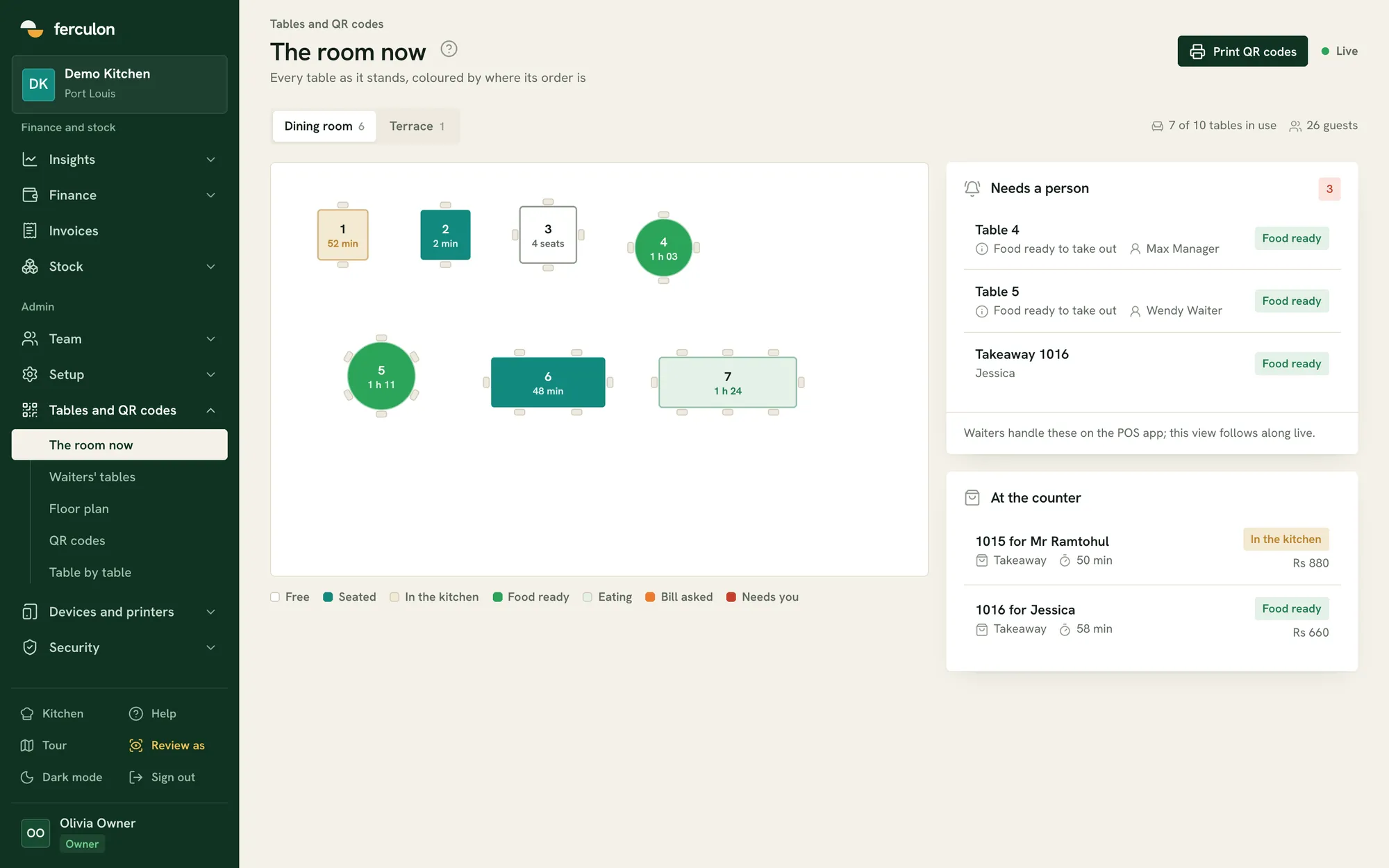
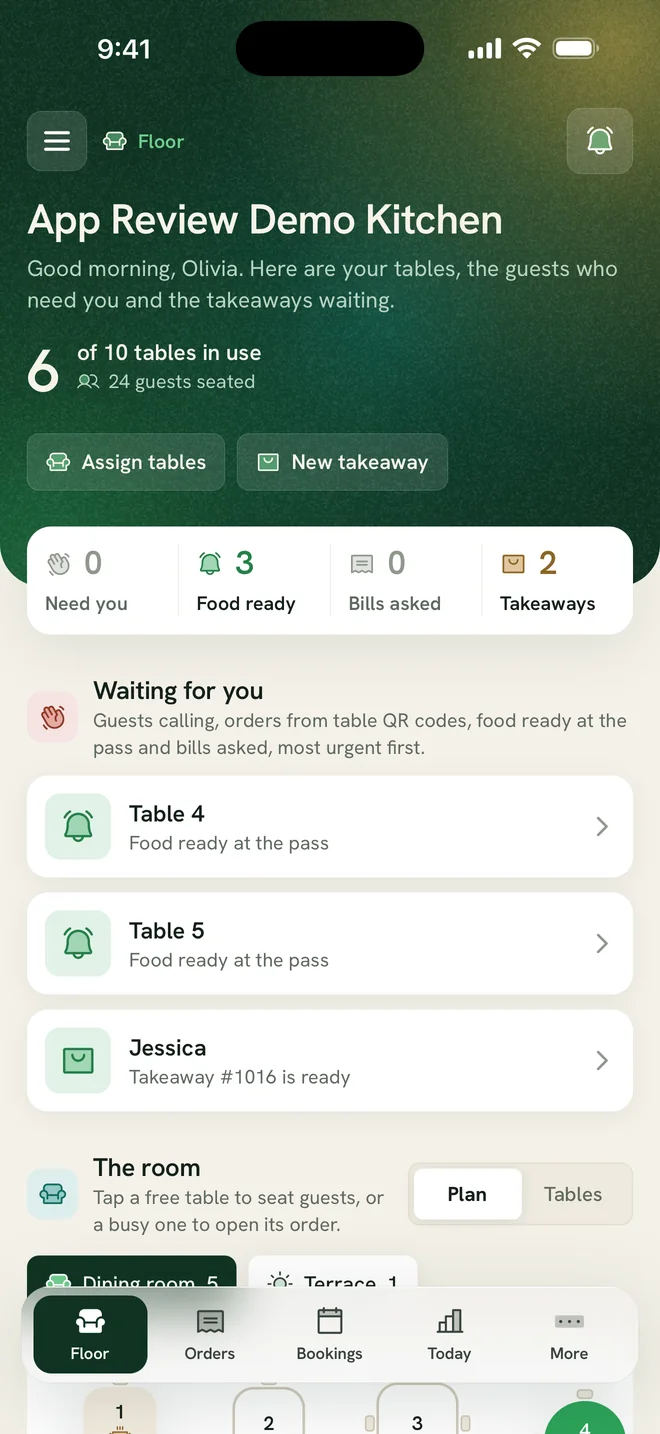
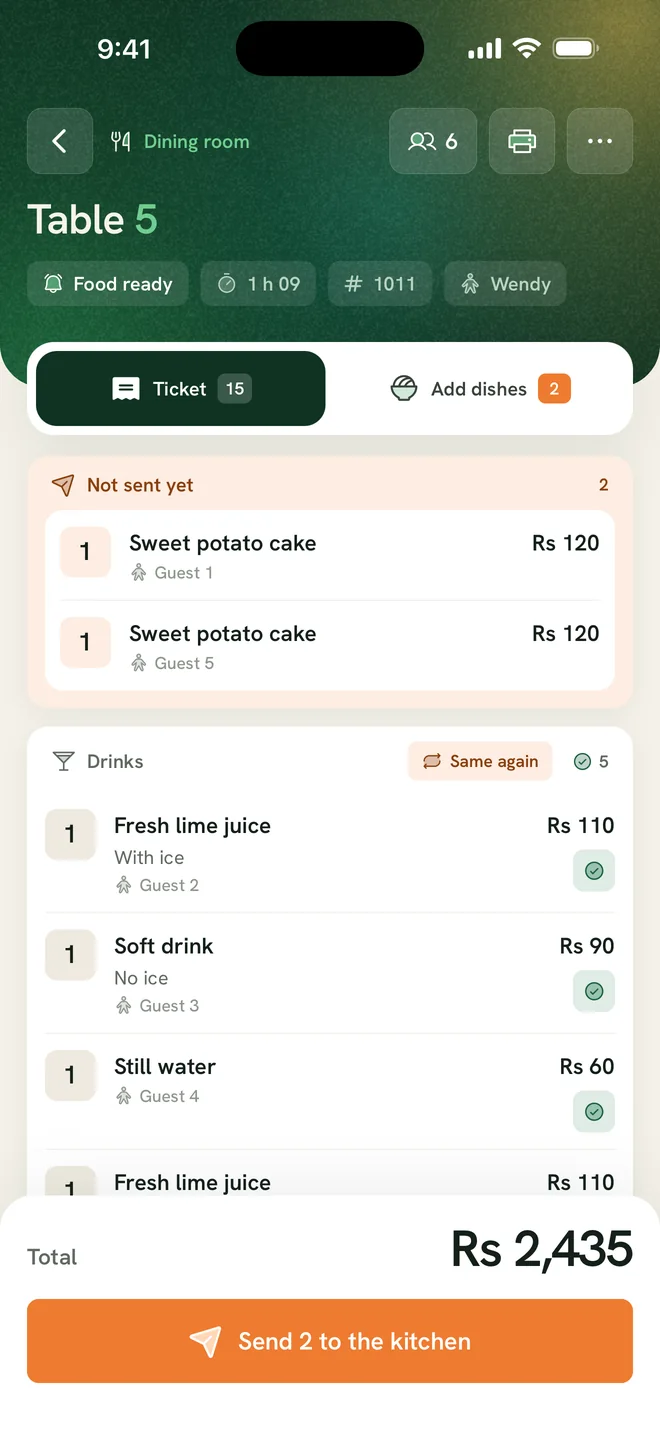
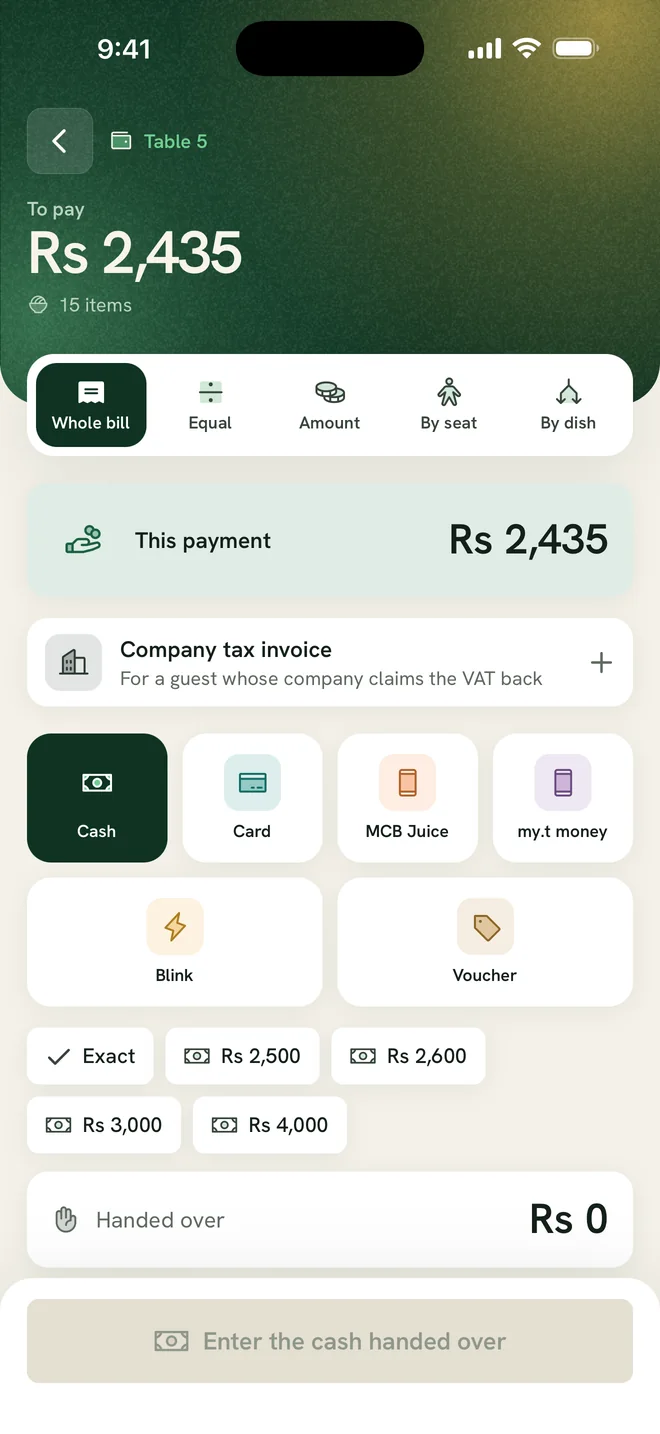
Ferculon’s waiter app takes orders at the table, shows each waiter their own tables and alerts them when food is ready at the pass. Managers draw the floor plan and assign tables for each service.
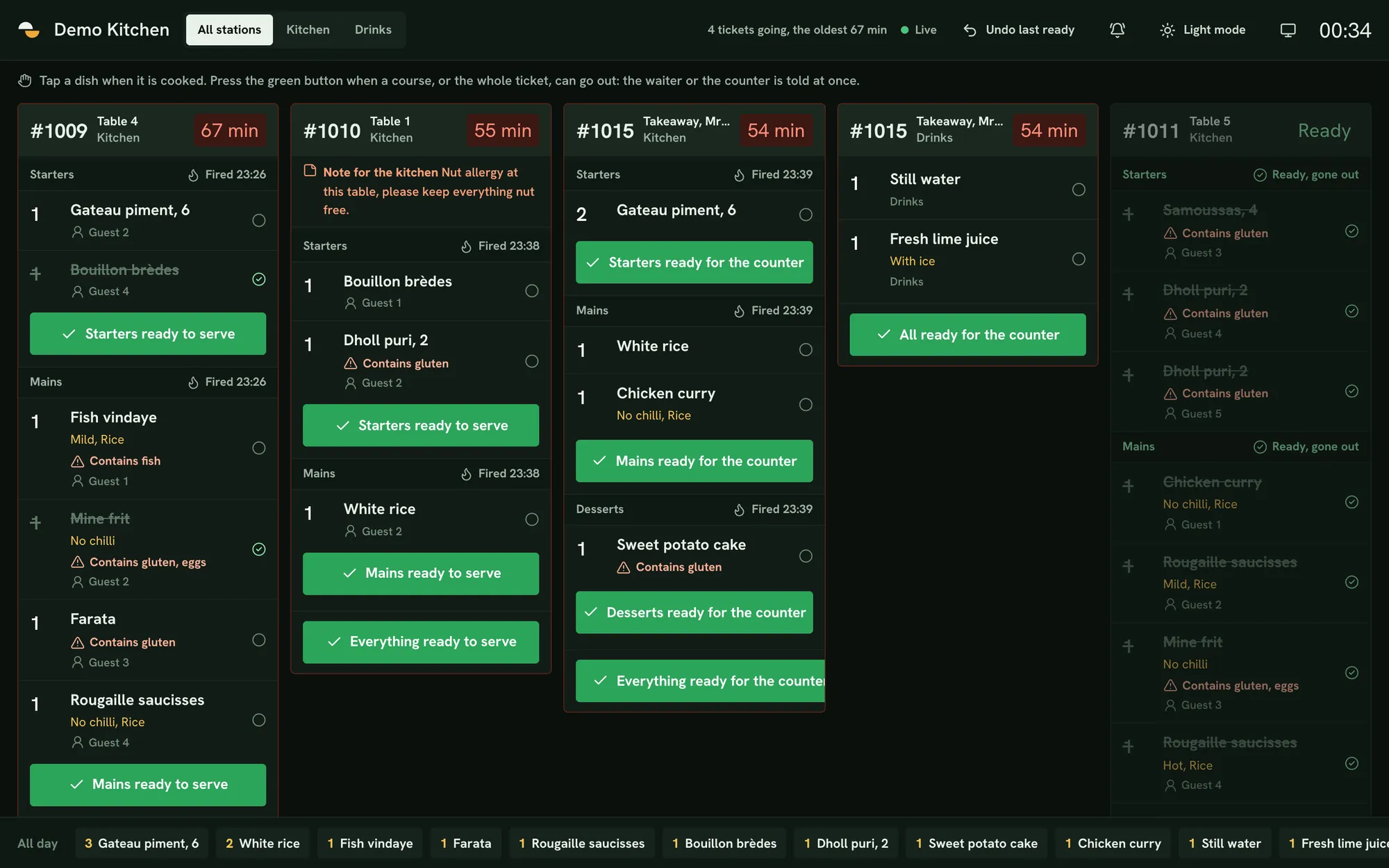
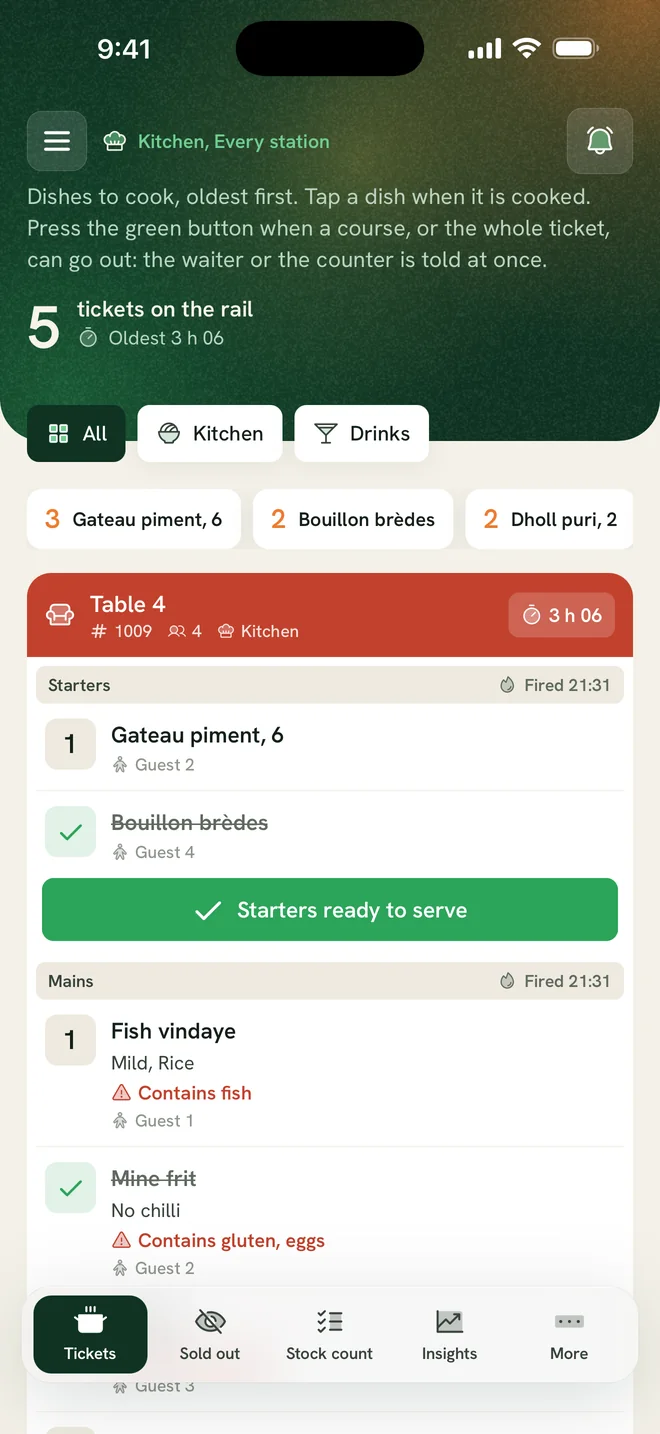
Ferculon’s kitchen display system shows orders from tables, QR codes, the counter and online on one screen, sorted by course and station. Cooks mark each course ready and the waiter or counter is notified.
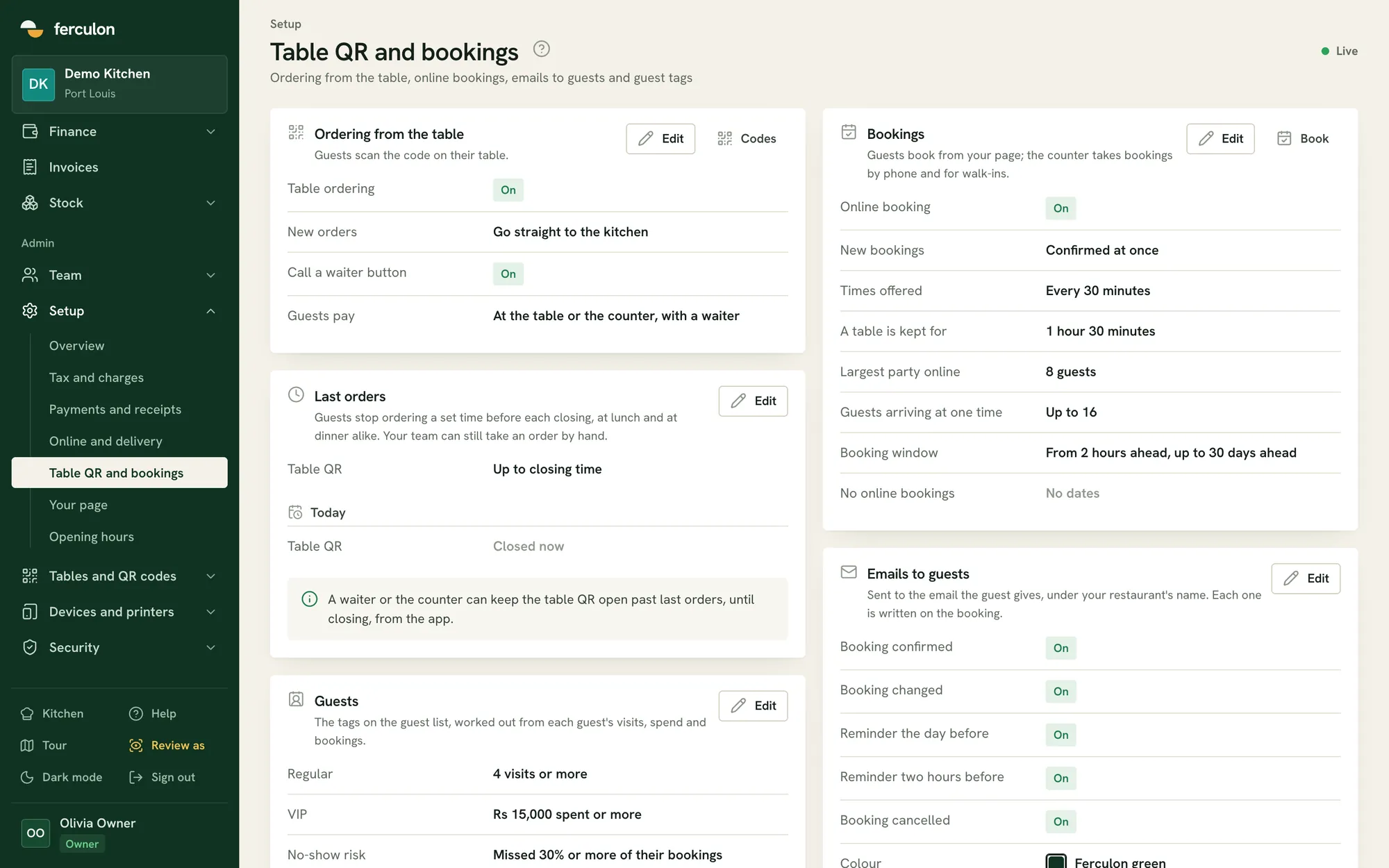
Guests order by scanning a QR code at the table, book online, and order pick-up or delivery from your restaurant’s own page. All orders go to the same kitchen display and back office.
Guests payAt the table or the counter, with a waiter
Restaurant back office: takings, VAT and stock
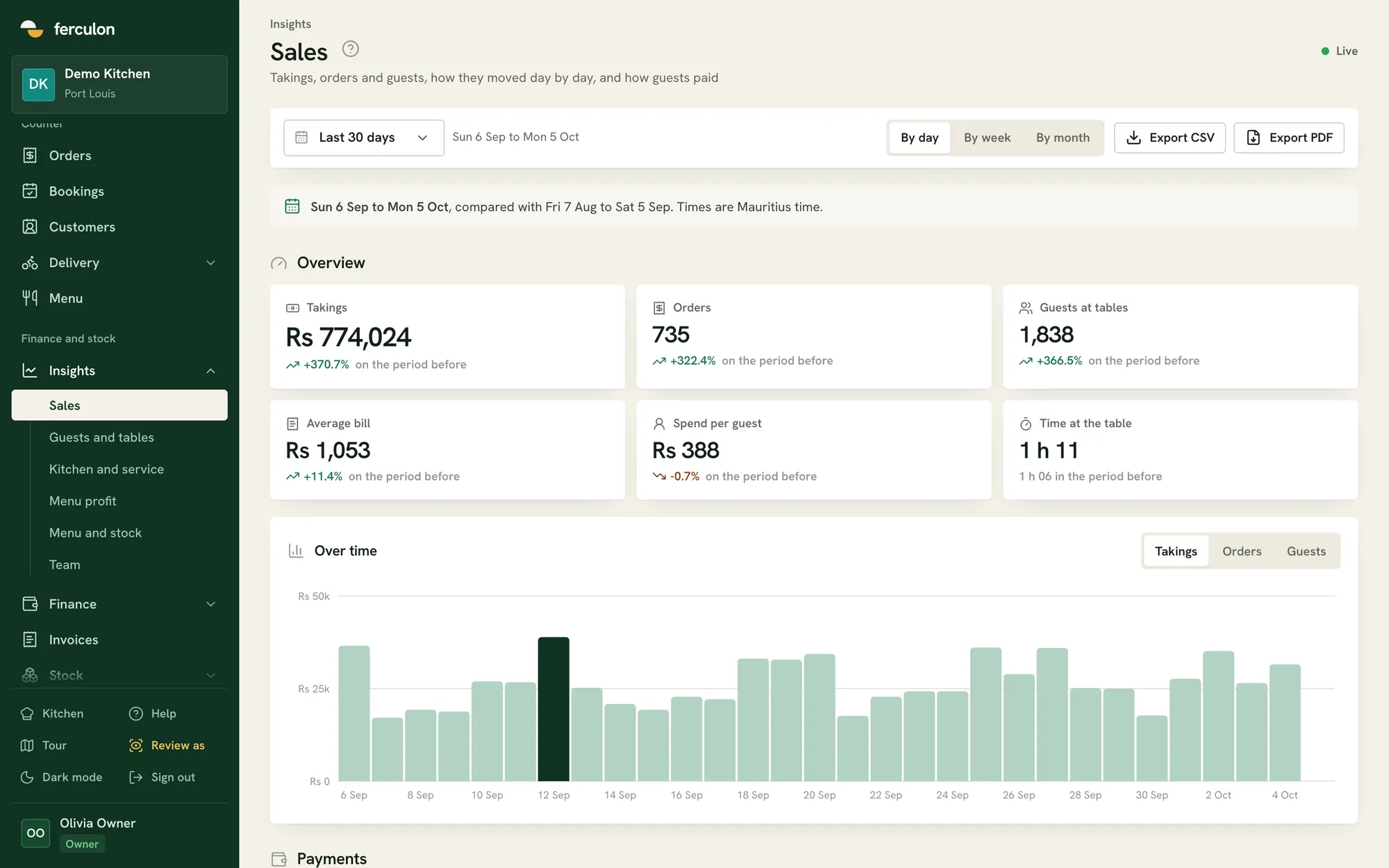
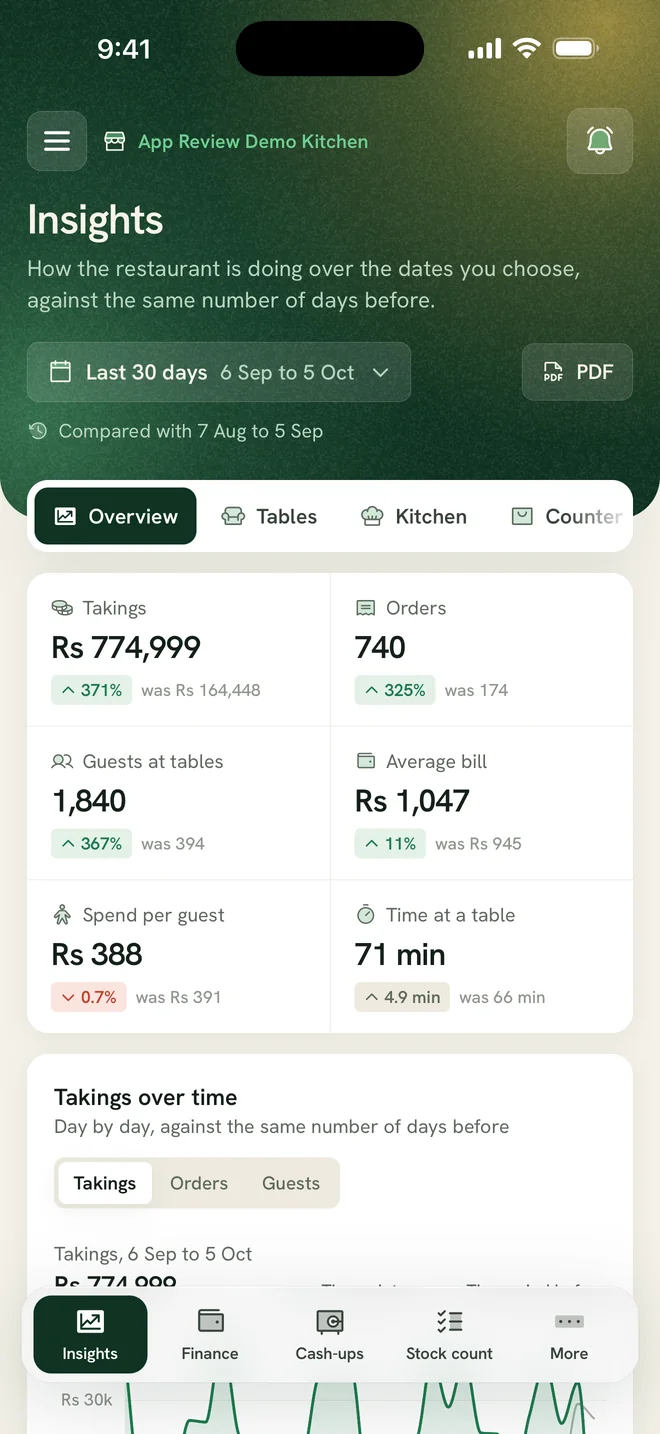
The back office runs in any web browser and opens on the AI brief of the day. See takings, VAT returns, payments by cash, card and MCB Juice, till counts, menu profit, stock and losses, compared with the previous period.
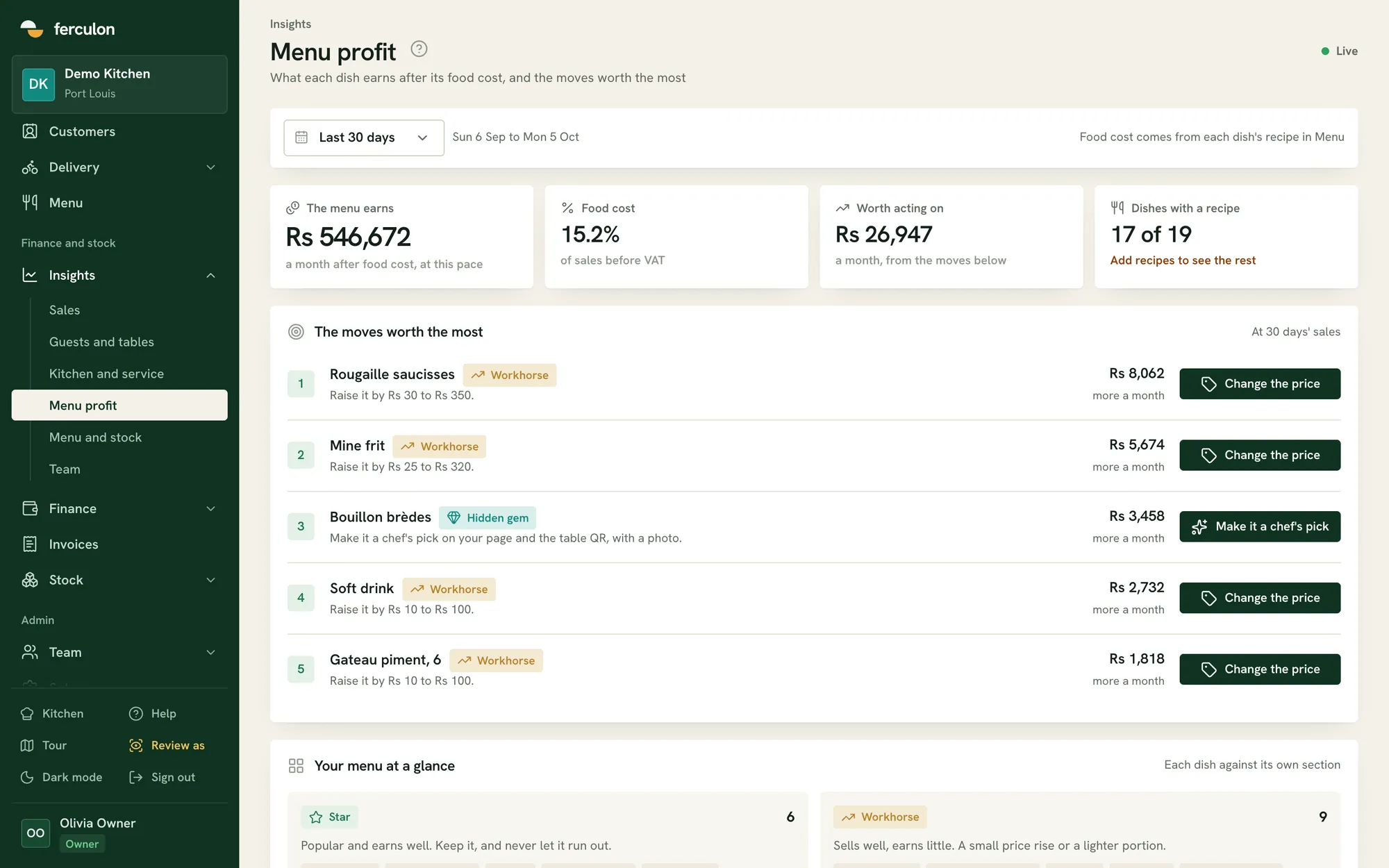
Restaurant AI: daily brief, forecasts and menu profit
Ferculon Intelligence turns your own orders, recipes and stock into decisions: an AI brief on the day so far, the week ahead, which dishes to reprice and where money is leaking. AI also reads your menu from photos and suggests each dish’s recipe from your stock.
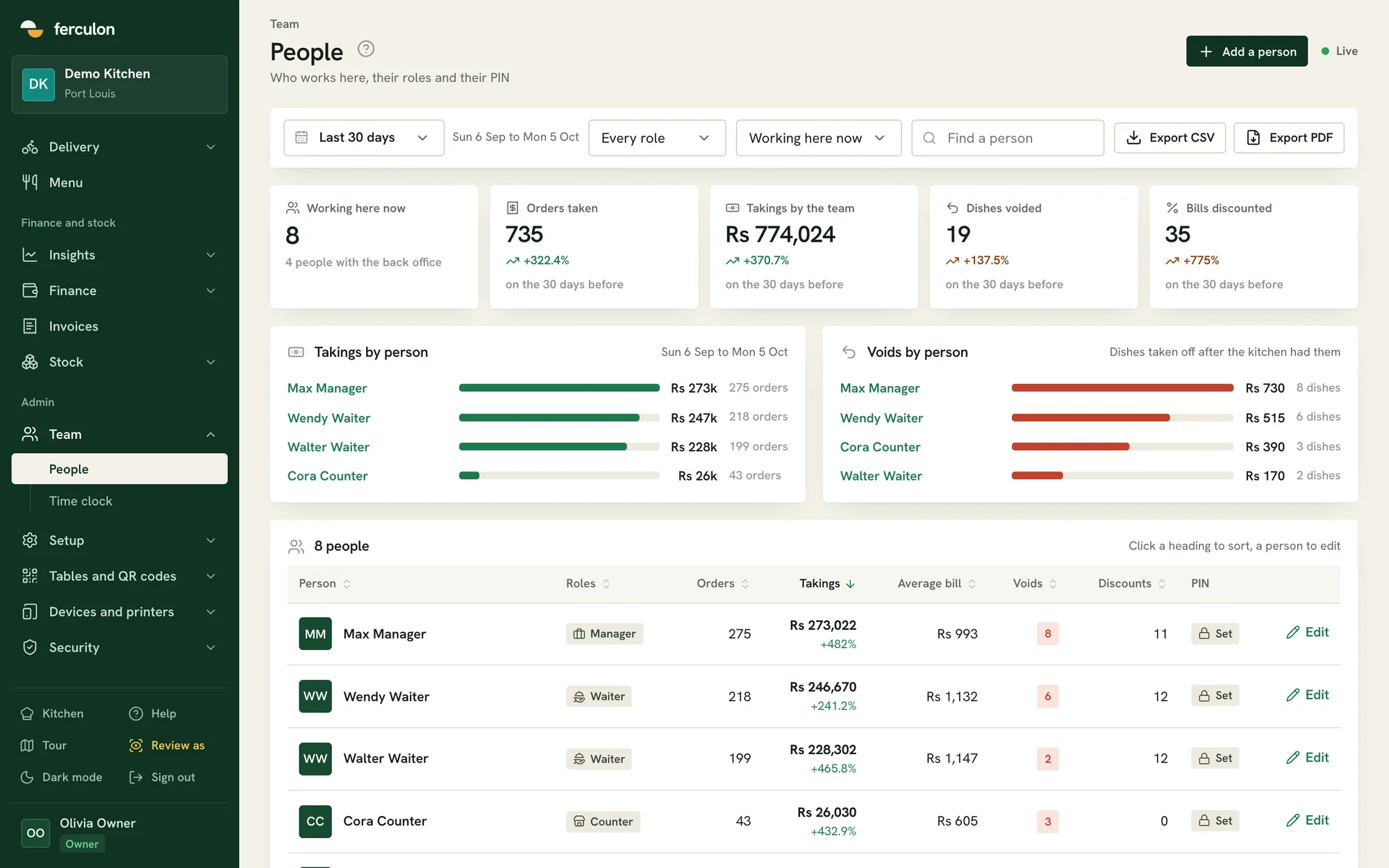
Each staff member has a role and a 4-digit PIN. Owners choose who can void, discount or refund, the time clock only works at the restaurant, and every change is logged.
Guests payAt the table or the counter, with a waiter
TakingsLast 30 days
Rs 774,024
+370.7% on the period before
6 Sep12 Sep4 Oct
The moves worth the most
Takings by personLast 30 days
Max ManagerRs 273k275 orders
Wendy WaiterRs 247k218 orders
Walter WaiterRs 228k199 orders
Cora CounterRs 26k43 orders
Restaurant POS app for iPhone, iPad and Android
Waiters, counter staff, cooks, riders and managers each get their own screens in the Ferculon app and sign in with a PIN.
Waiter
TotalNot sent yet, 2Rs 2,435
Orders
#1011Table 5Kitchen0 min
Desserts Fired just now
1Sweet potato cake Guest 1
1Sweet potato cake Guest 5
Desserts ready to serve
Kitchen
Payments
Rs 774,999
371% was Rs 164,448
Manager
Full feature list
Table QR ordering
Guests order from their table and join the same bill. They can call a waiter or ask for the bill.
Online bookings
A code by WhatsApp, or by email, then a confirmation, a reminder and any cancellation.
Pick-up and delivery
Orders from your own page, accepted at the counter, with last orders for each channel.
Your own riders
Where each rider is, their deliveries and the cash they hold until it is handed in.
Kitchen display
Tickets by course and station, with timers and a ready button for each course.
Wi-Fi and Bluetooth printers
Kitchen tickets, bills and receipts, and a cash drawer that opens through the printer.
Split bills and tips
Equally, by seat, by dish or by any amount, with tips kept apart from the takings.
Tills and the cash drawer
A float, counts against what was expected, and every drawer opening with its reason.
VAT returns
The VAT on sales for each return period, with your own tax and charges.
AI brief
The day so far in a few lines, on the back office and the app, with what needs a look.
Seven-day forecast
Orders and sales for each day of the week ahead, for rotas and stock orders.
AI menu import
A menu read from photos, a PDF or a Word file into dishes, prices and allergens.
Menu profit
Each dish’s margin after its recipe cost, with suggested price changes.
Loss watch
Voids, discounts, refunds and short tills, each person beside the rest of the team.
Stock and the prep plan
Ingredients, suppliers and recipes suggested from stock, and what the next service will need.
Time clock and payroll
Clock in only at the restaurant, timesheets with overtime, and a payroll CSV.
Roles and PINs
Each person unlocks a shared device with their own PIN and sees only their part.
Audit log
Every price, role and settings change, void, discount and refund, with who approved it.
Keeps going offline
Screens keep their last view and staff can still clock in when the connection drops.
Branded invoices
Invoices for catering, events and companies, and tax invoices for a company’s bill.
Floor plan designer
Draw your own room, area by area, and print a QR code for every table.
Questions about the product
Is Ferculon one system or several products?
One system. Owner, manager, waiter, counter, kitchen, bar, finance, stock and rider are roles inside it, and each one opens its own screens. A person can hold several roles and switch between them.
Does it run on iPhone and Android?
Yes. Waiters, counter staff, cooks and riders use the Ferculon app on iPhone, iPad and Android. The kitchen display and the back office run in any web browser, so any screen with a browser will do.
Can several staff share one tablet?
Yes. A device is paired once with a code, then each person unlocks it with their own 4-digit PIN and sees only their part. Devices lock themselves when left idle.
Can we run it for takeaway and delivery without table service?
Yes. Takeaways, pick-ups and deliveries are run from the counter screen, and the kitchen display and the back office work the same way whether or not the orders came from a table.
How long does it take to set up?
The set-up walks you through four steps: the basics, the menu and the room, money, then the team and devices. Accounts are opened by invitation, so write to us and we will approve your email for sign-up.