Restaurant inventory management software with recipe costing
Ferculon’s back office keeps ingredients, recipes, deliveries, stock counts and wastage in one place, so you can see what each dish costs, plan the next service and follow sales and payments without switching tools.
The opening team follows a stock routine and the closing team hands over with the figures in front of them. Ferculon keeps counts, deliveries, recipes and waste next to the orders that used them.
Before service: record the stock count and review the prep plan
On delivery: update ingredient quantities and supplier details
During service: record waste while the reason is still clear
After service: review recipe costs, dish margins and the next delivery
Stock and prep plan
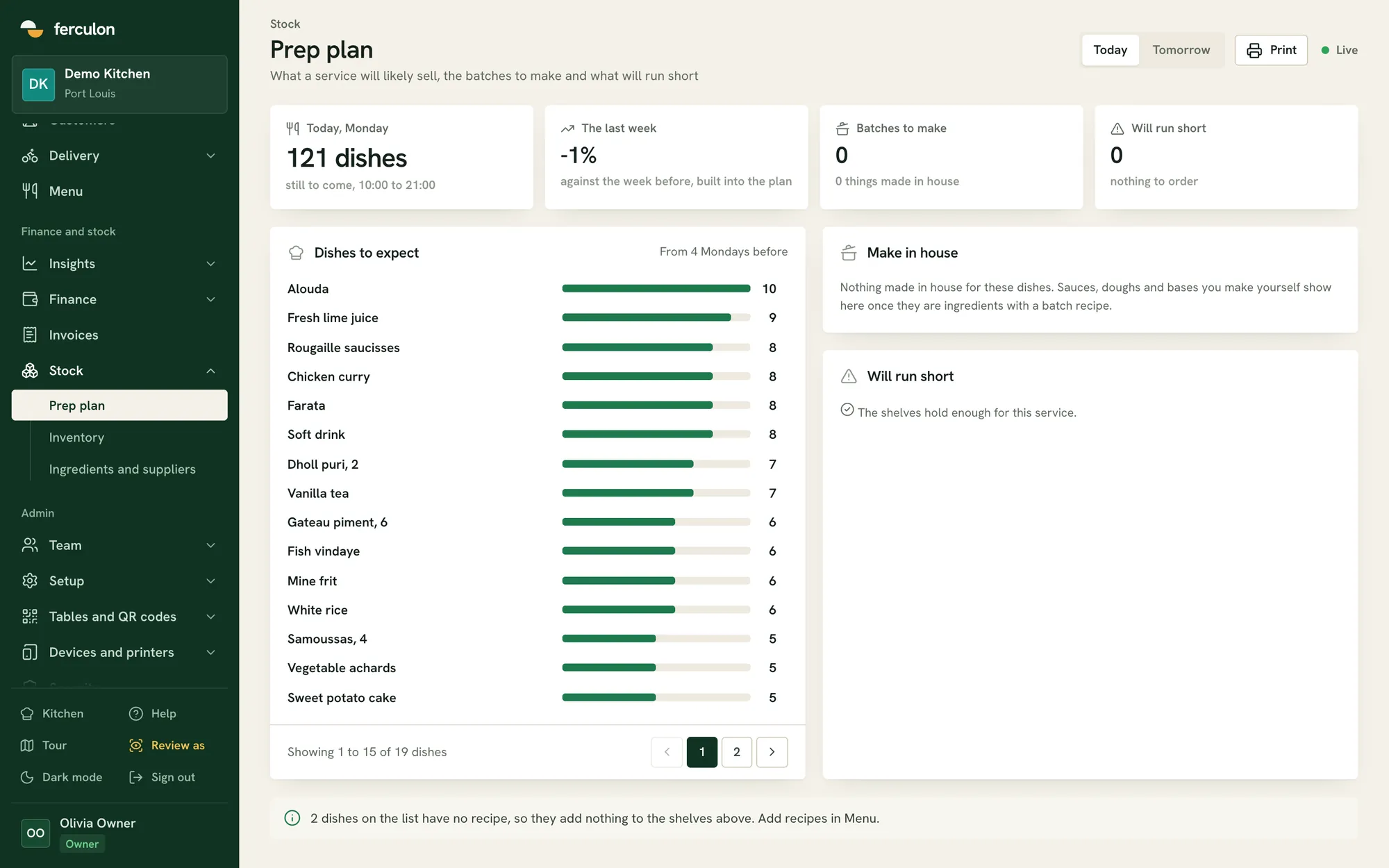
Track ingredients, suppliers and recipes. The prep plan uses the same weekday’s sales to estimate what the next service will sell, what to prep and what will run out.
app.ferculon.com
Today, Monday10:00 to 21:00
121 dishes
still to come, from 4 Mondays before
Iced latte10
Fresh lime juice9
Fish tacos8
Chicken curry8
Garlic flatbread8
Chicken wraps, 27
Suppliers with pack sizes and delivery days
Stock counts, deliveries and waste
Items that will run out before the next delivery
Takings, tax and till counts
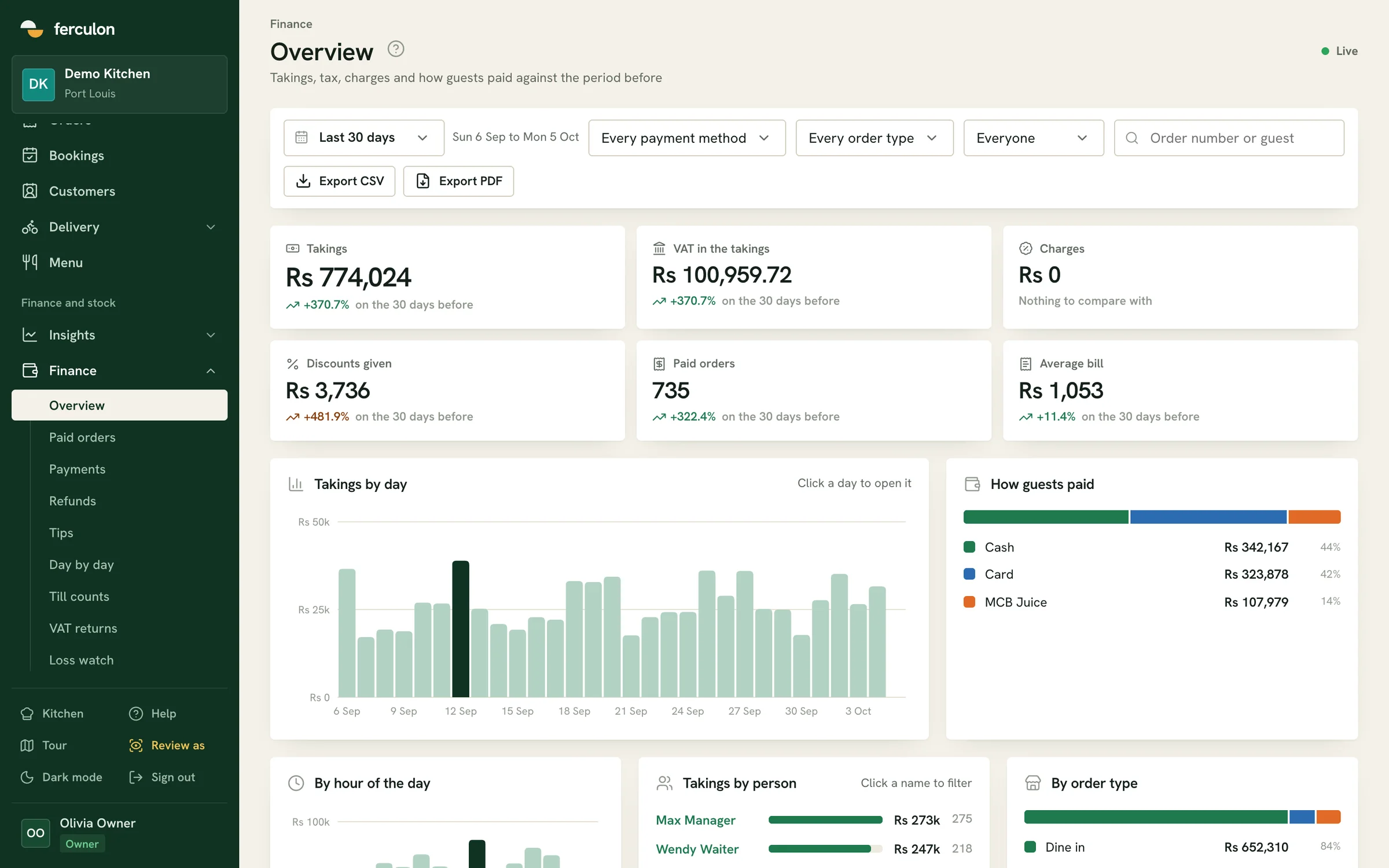
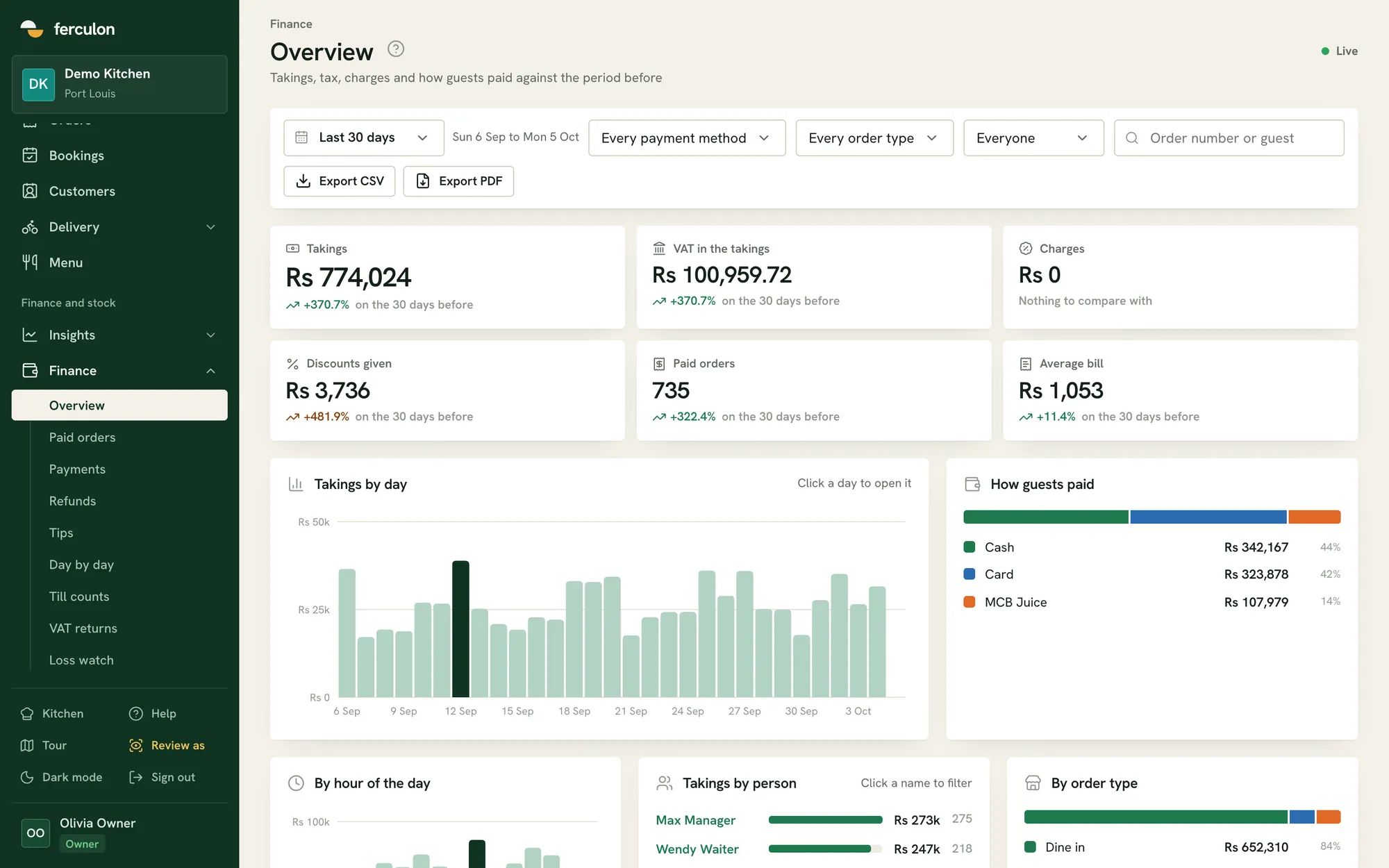
Finance shows takings, tax and charges against the previous period, every paid order and payment, tips, daily totals, till counts and the tax for each return period.
Cash, card and configured wallets by payment method and staff member
Refunds recorded as credit notes
CSV and PDF exports for your accountant
app.ferculon.com
Menu profit
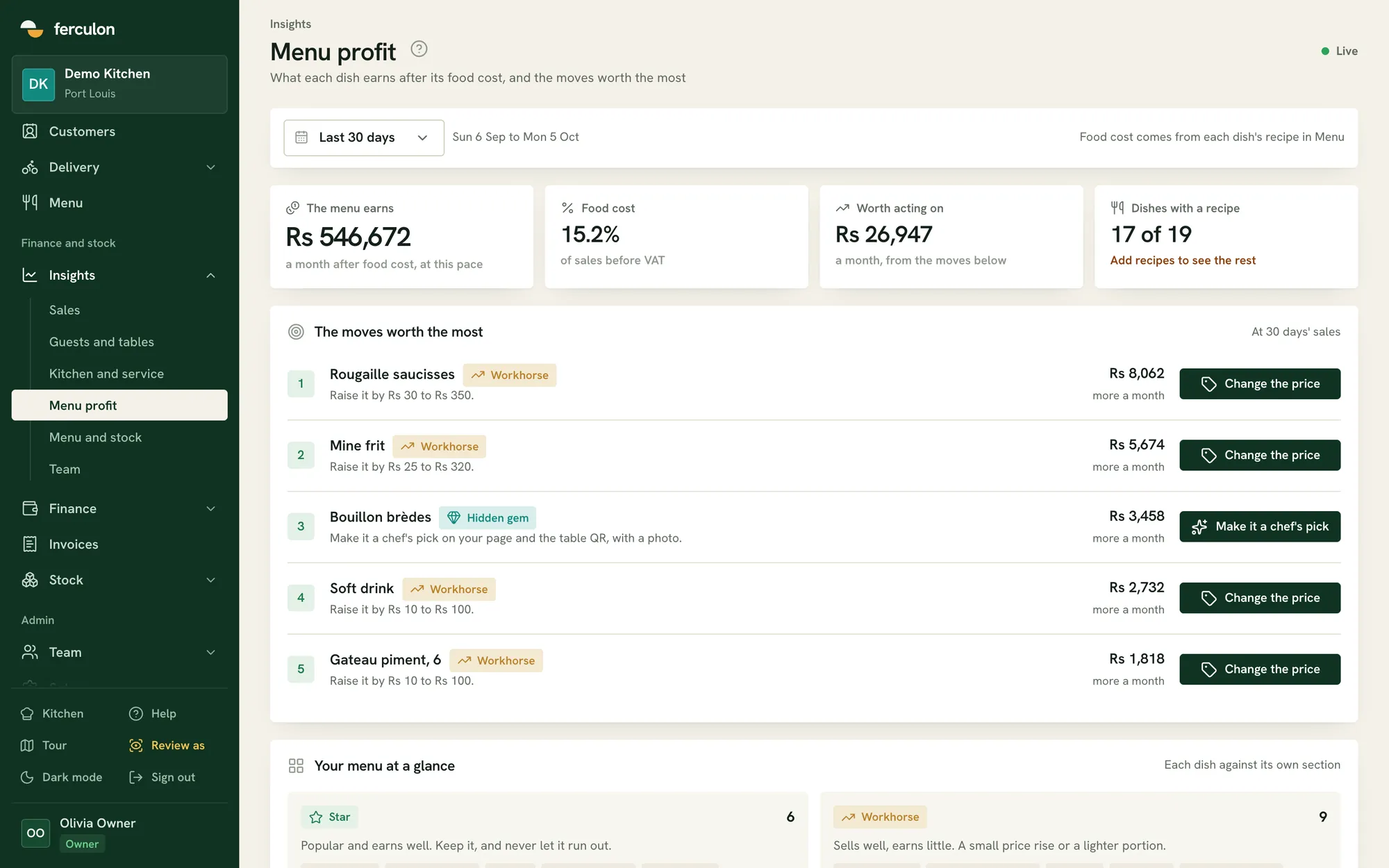
Menu profit uses each dish’s recipe cost to show its margin, and groups dishes as stars, workhorses, hidden gems or ones to rethink. It suggests price and menu changes ranked by their monthly value.
Food cost calculated from recipes
Change a price or set a chef’s pick in one tap
Each dish compared with its own menu section
app.ferculon.com
The moves worth the most
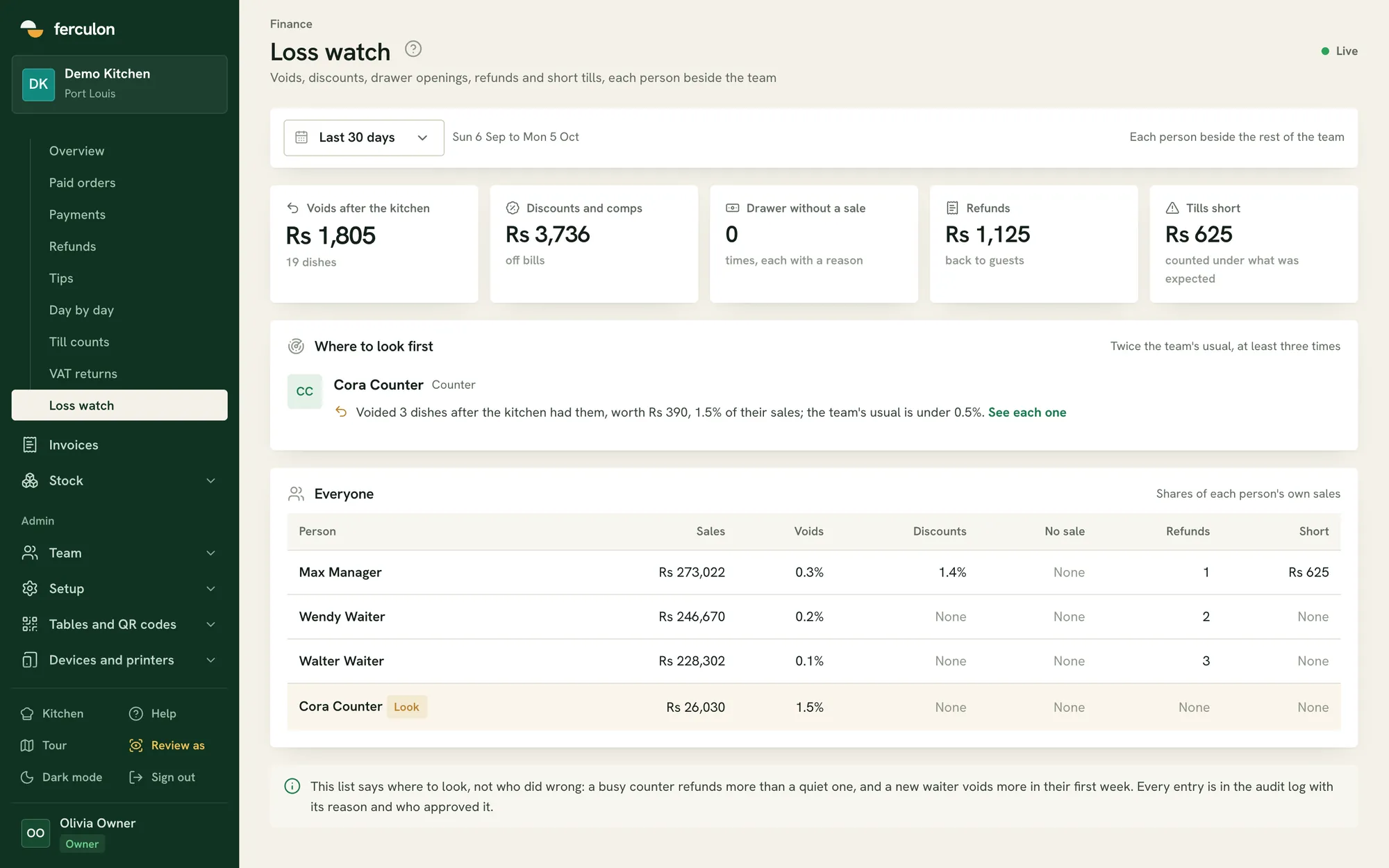
Loss watch
Loss watch lists voids after the kitchen, discounts, drawer openings without a sale, refunds and short tills, compares each person with the team and links every entry to the audit log.
app.ferculon.com
Voids after the kitchen
Max Manager0.3%
Wendy Waiter0.2%
Walter Waiter0.1%
Cora CounterLook1.5%
Cora Counter, sales $868. The team’s usual is under 0.5%.
Where to look first
Each staff member compared with the team average
Who did it and who approved it
Restaurant stock management
Inventory has five tabs: stock on hand against the level to keep, what to order grouped by supplier, purchase orders, movements, and recipe costs. Staff with the right permission count stock, receive deliveries and record waste from the app.
Stock against the level to keep
What to order, grouped by supplier
Counts, deliveries and waste from the app
Back office
Back office questions
Anything we have not answered here, write to us or message us on WhatsApp.
Does Ferculon suggest what to order from suppliers?
Yes. What to order groups suggested quantities by supplier from recent sales and delivery times, and a purchase order is received into stock when the goods arrive.
Which plan has stock and recipes?
Stock, suppliers, recipes, food cost and menu profit are on Standard and Pro. Takings, cash-ups, tax returns and invoices are on every plan.
How does recipe costing help restaurant inventory management?
A recipe connects a menu item to its ingredients and their cost. Ferculon uses recipe costs to show dish margins, while the stock workspace records deliveries, counts and waste. Together, those views help you decide what to order, prep and price for the next service.
Can we keep supplier details with our ingredients?
Yes. Track suppliers with pack sizes and delivery days. The prep plan flags ingredients expected to run out before the next delivery, so the team can review what needs ordering.
Does the back office work on a phone?
Yes. It works in any browser and adapts to a phone screen. Finance exports are made from a computer.
Can we send our figures to an accountant?
Yes. Orders, payments and finance pages export to CSV and PDF, and the tax returns page totals the tax on sales for each return period, whether it is VAT, GST or sales tax.
Does the back office have AI?
The dashboard opens on the daily brief and the forecast for the week ahead on every plan. Standard adds menu profit, loss watch and the prep plan, and Pro adds Ava, the AI assistant, and the AI that reads menus and supplier bills. They are described together under Ferculon Intelligence.
Can we see which dishes make money?
Yes. Menu profit uses each dish’s recipe cost to show its margin, groups dishes as stars, workhorses, hidden gems or ones to rethink, and ranks suggested price changes by what each is worth in a month.
How do we find voids, discounts and short tills?
Loss watch lists voids after the kitchen, discounts, drawer openings without a sale, refunds and short tills, sets each person against the team average, and links every entry to the audit log.
Does it tell us what to prep for the next service?
The prep plan estimates what the next service will sell from the same weekday’s sales, says what to prep, and flags the items that will run out before the next delivery.