Staff roles, PINs and time clock

Each staff member has a role and a 4-digit PIN. Owners choose who can void, discount or refund, the time clock only works at the restaurant, and every change is logged.

Staff, roles and PINs
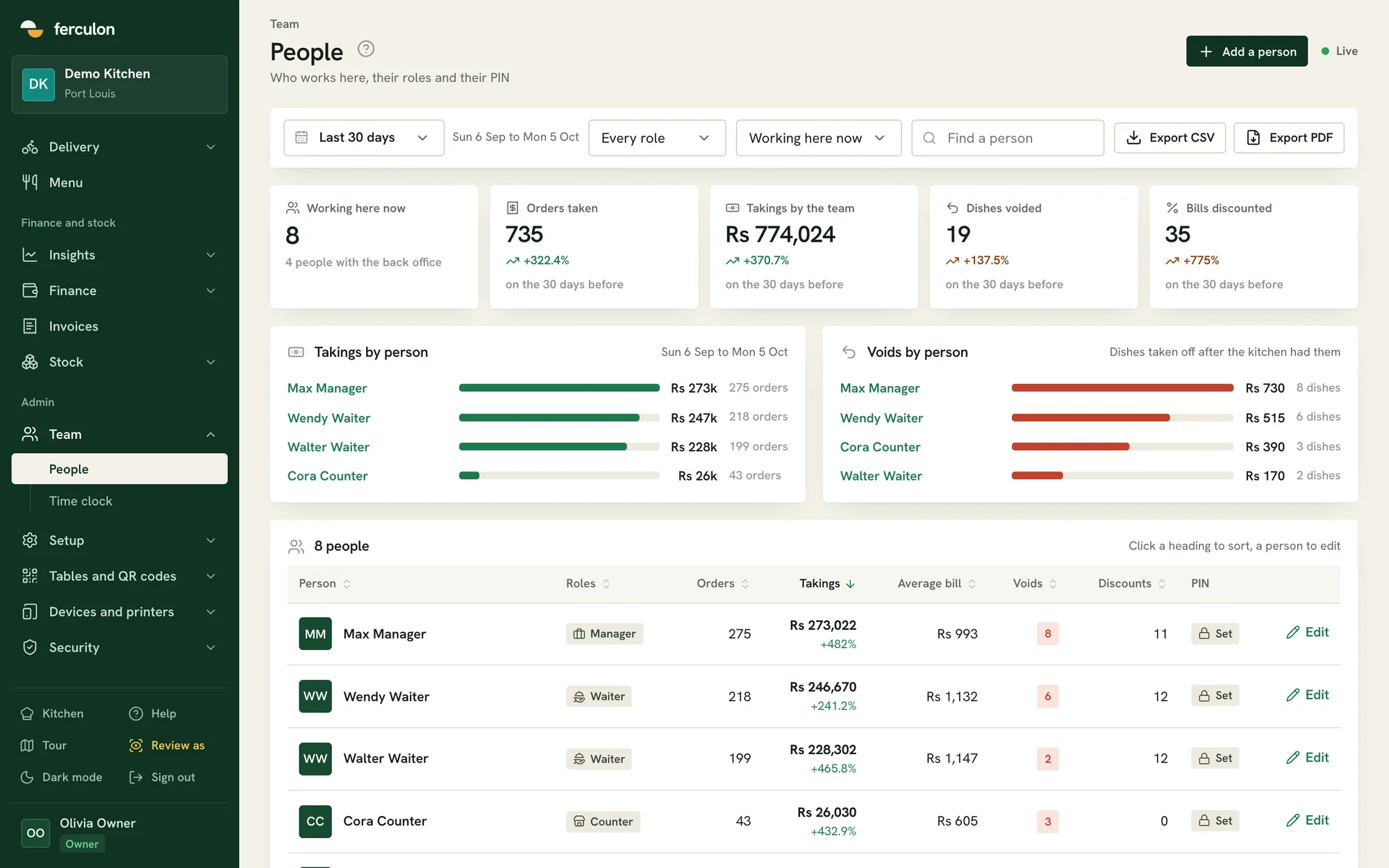
Takings by personLast 30 days
Max ManagerRs 273k275 orders
Wendy WaiterRs 247k218 orders
Walter WaiterRs 228k199 orders
Cora CounterRs 26k43 orders
01

Roles and permissions

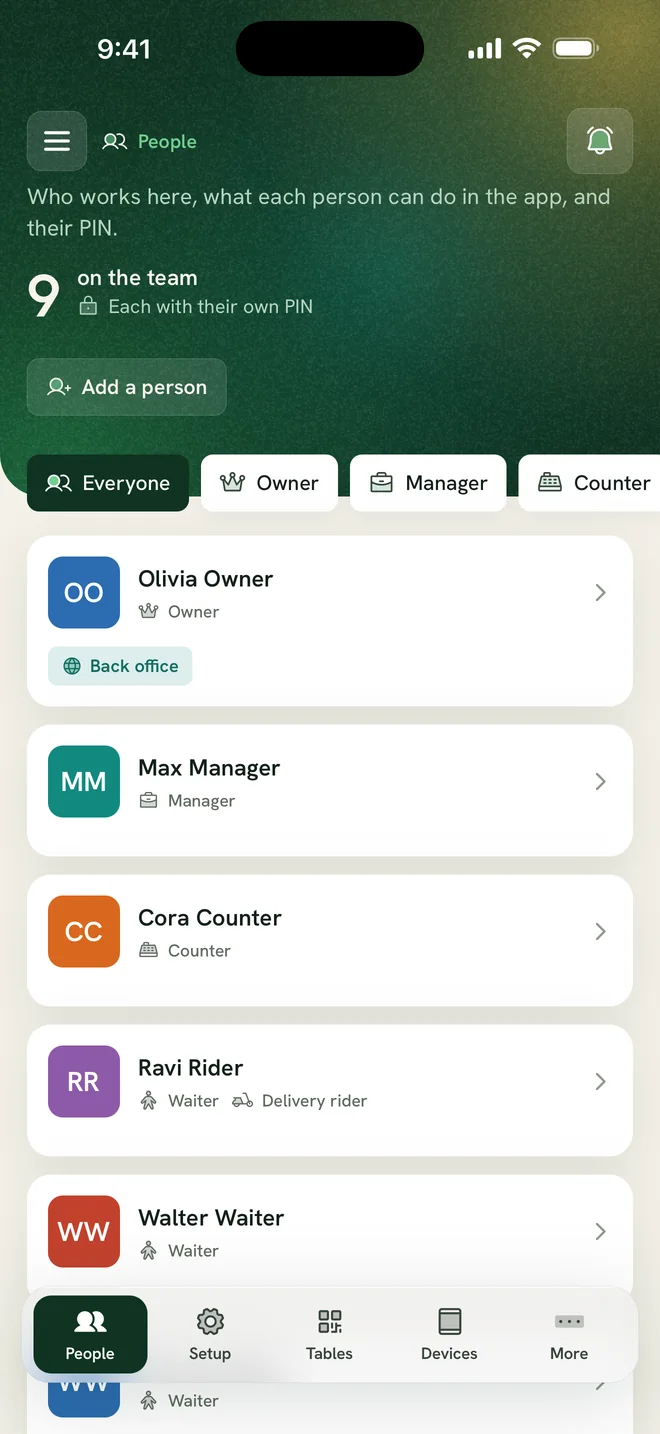
Owner, manager, waiter, counter, kitchen, bar, finance, stock and rider roles each open their own screens. One person can have several roles.

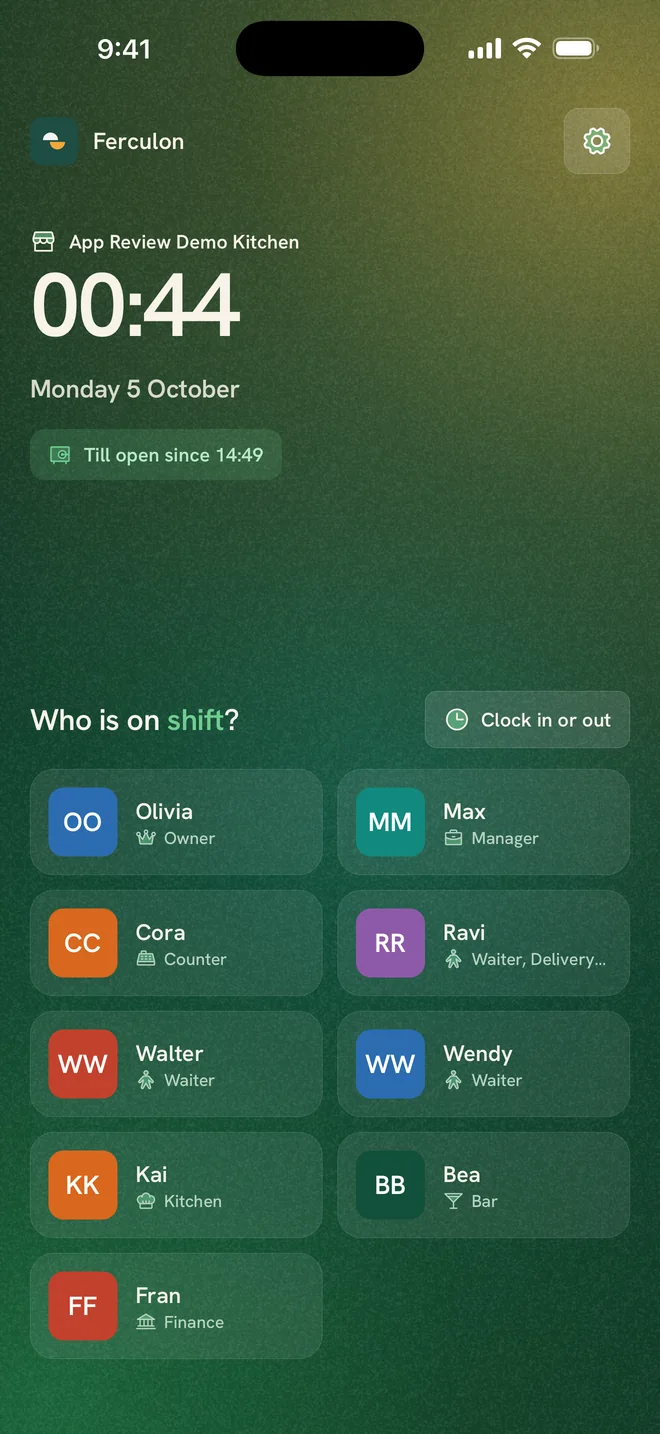
The lock screen with staff on shift
Staff and roles in the app
  • Devices are paired with a code and unlocked with a 4-digit PIN
  • Devices lock automatically when left idle
  • Voids, discounts and refunds limited to the roles you allow
02

Time clock and payroll

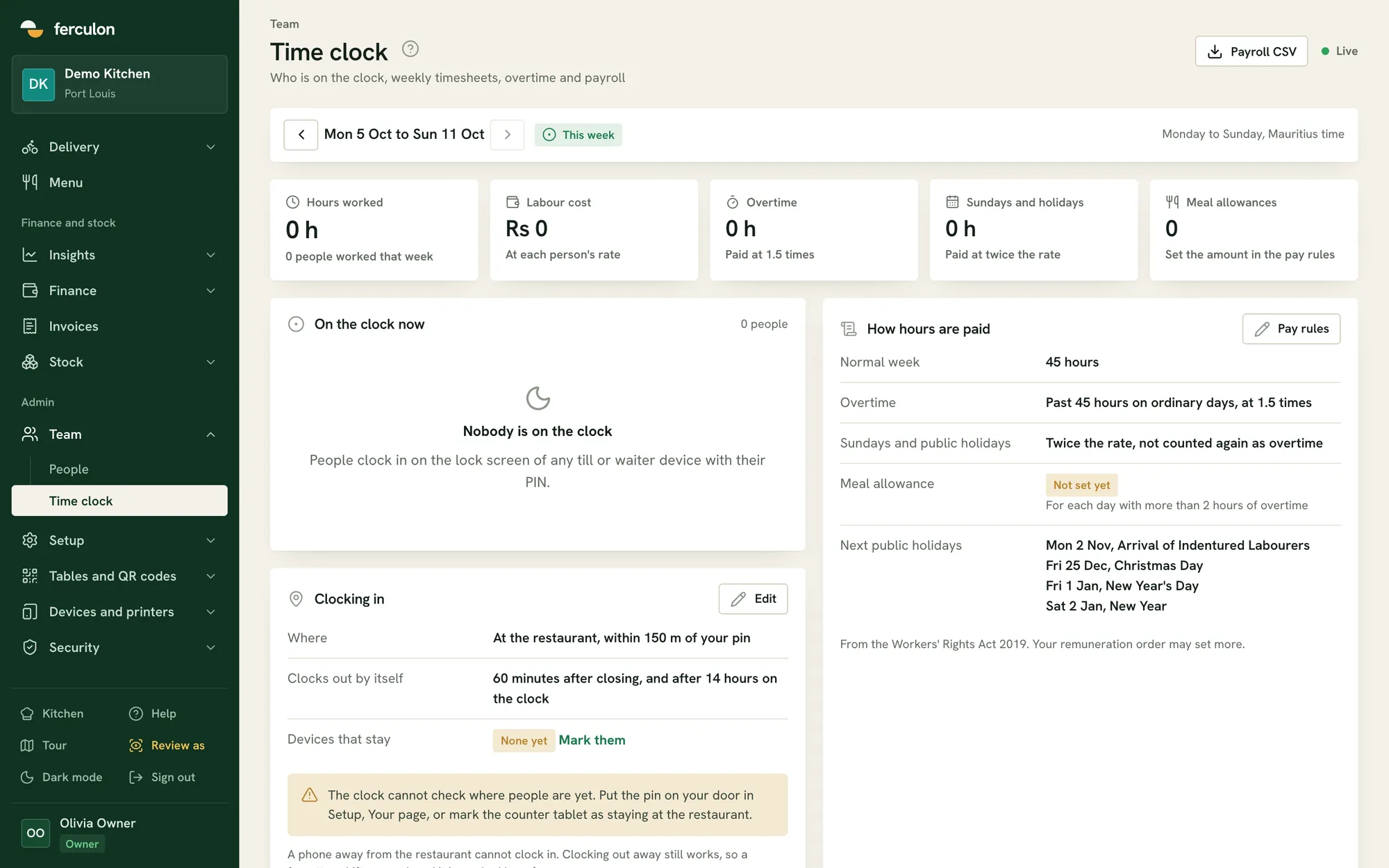
Staff can only clock in at the restaurant: on a device kept there, on its Wi-Fi, or with a phone within 150 metres. Clocking out elsewhere is allowed and flagged.

  • Forgotten shifts end 60 minutes after closing, or after 14 hours
  • Weekly timesheets with overtime and holidays
  • A payroll CSV for each week
The time clock and pay rules
How hours are paid
Normal week45 hours
OvertimePast 45 hours on ordinary days, at 1.5 times
Sundays and public holidaysTwice the rate, not counted again as overtime
Clocking inAt the restaurant, within 150 m of your pin
03

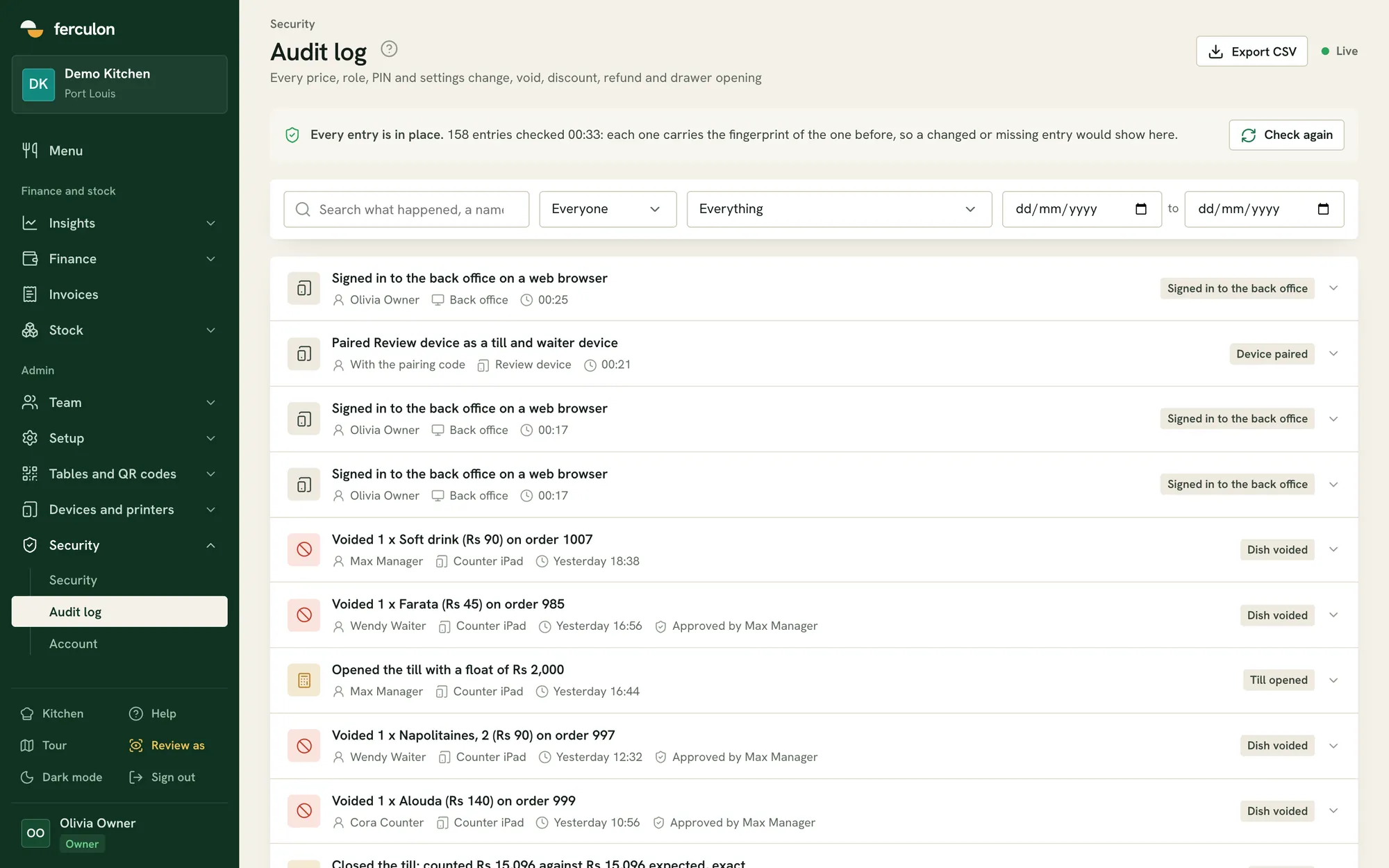
Audit log

Every price, role, PIN and settings change is recorded, along with every void, discount and refund and who approved it.

  • Active sessions and auto-lock for every device
  • Download all of your account data
  • Deleting the account deletes all of its data
The audit log
04

Offline mode

If the internet drops, each screen keeps showing its last view and staff can still clock in and out. Everything syncs when the connection returns.

  • Read-only view of recent orders, the floor and tickets
  • Clock in and out with a PIN
  • Automatic sync when back online

Team and control questions

Can one person work as a waiter and on the counter?

Yes. A person can have several roles and switch between them in the app.

How does the time clock know someone is at the restaurant?

Staff clock in on a device kept at the restaurant, on the restaurant’s Wi-Fi, or with a phone within 150 metres of the restaurant’s location.

What happens to our data if we leave?

The owner can download all of the account’s data, and deleting the account removes it.

Can we stop waiters giving discounts?

Yes. Voids, discounts and refunds are limited to the roles you allow, and every one of them is recorded with who did it and who approved it.

What is kept in the audit log?

Every price, role, PIN and settings change, and every void, discount and refund with its approver. Active sessions and auto-lock for each device are there too.

What happens if the internet drops during service?

Each screen keeps showing its last view, staff can still clock in and out with a PIN, and everything syncs automatically when the connection returns.