Ferculon connects the waiter, kitchen, counter and back office in one restaurant POS system. Follow an order from the table to the bill, then see your takings by payment method.
A waiter opens the table and sends the dishes. The kitchen sees the ticket by course and station, then marks food ready for the waiter or counter. The paid order stays in the back office with its bill.
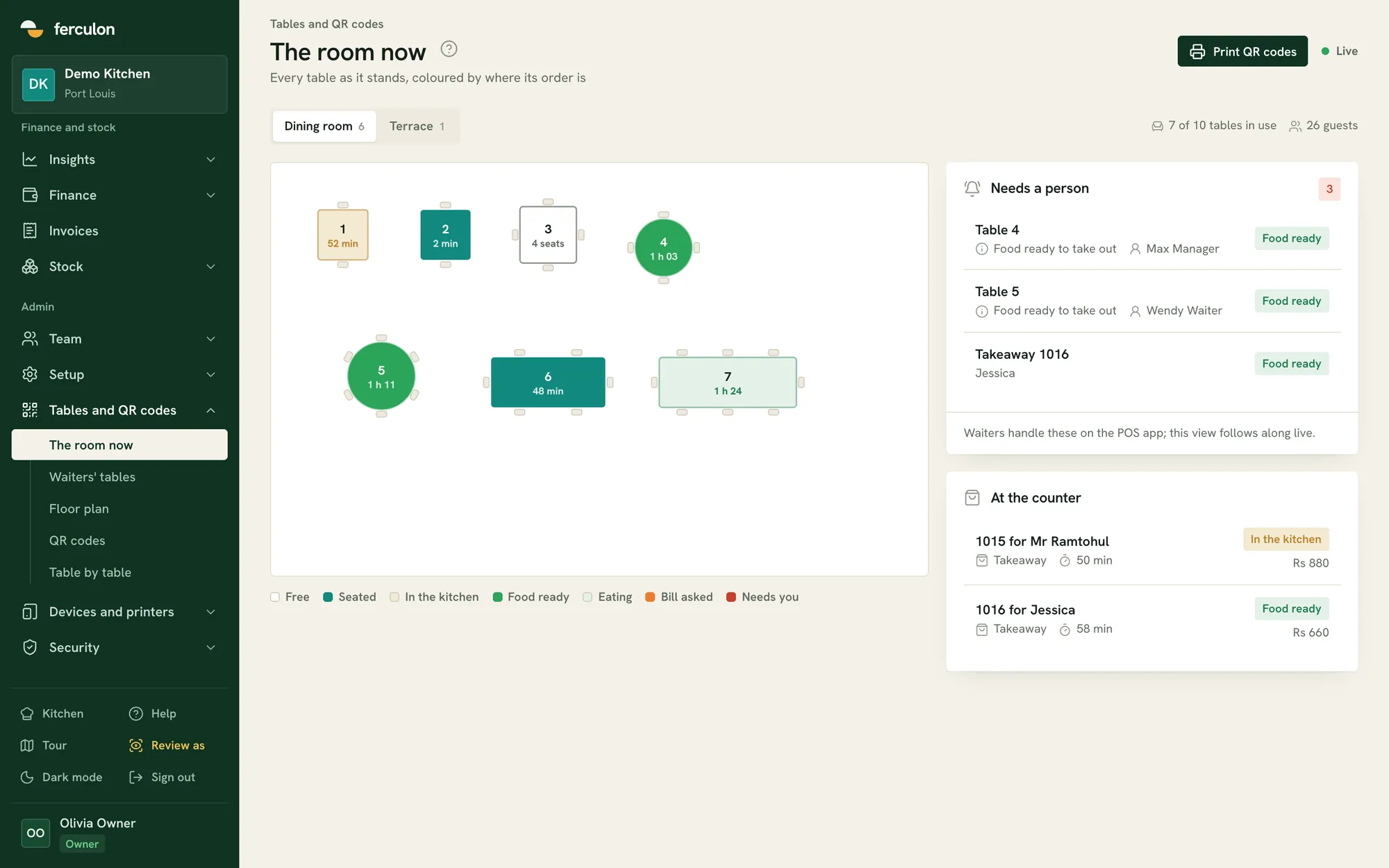
See each table’s status on the live floor plan
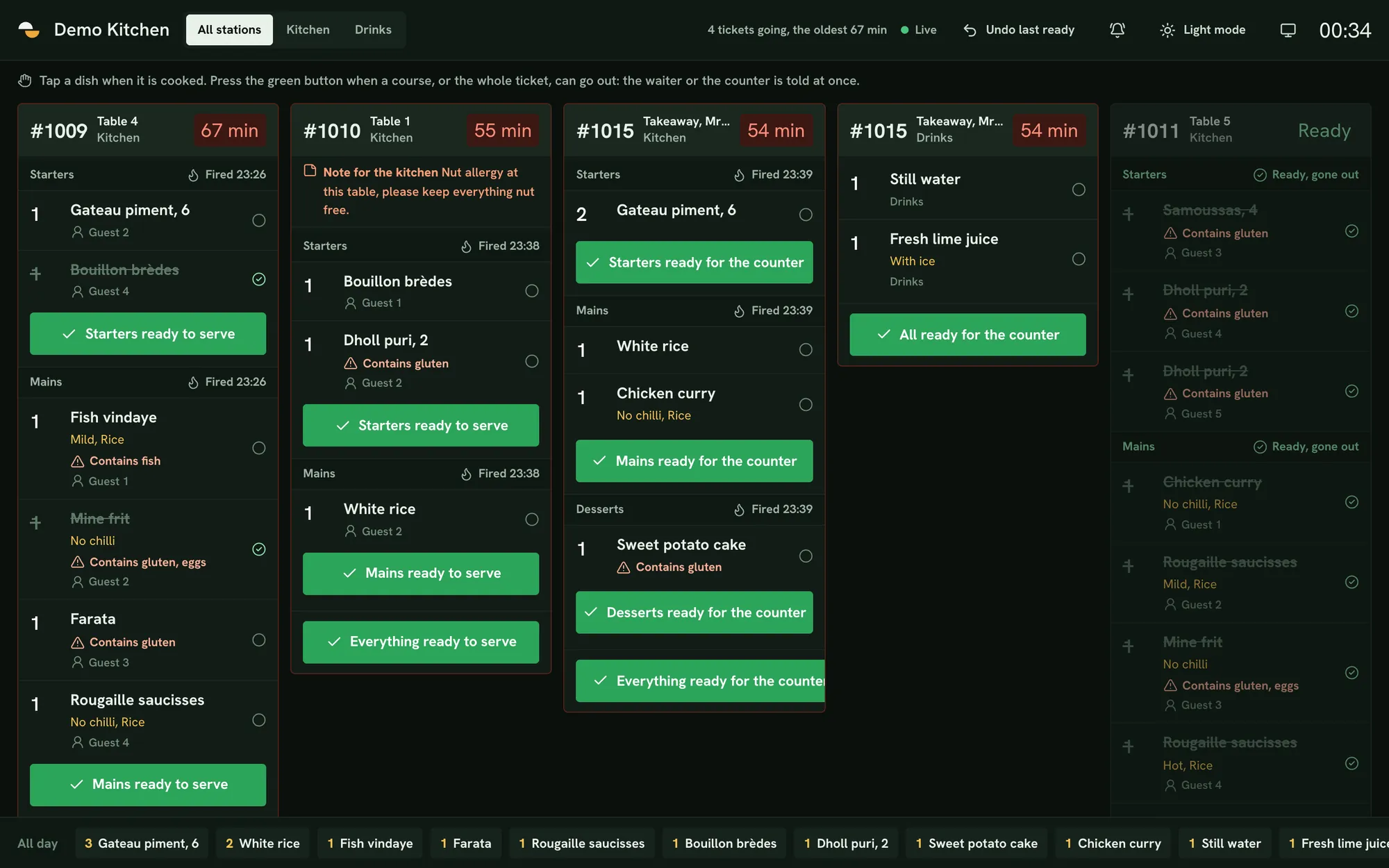
Send dishes to the kitchen and see when they are ready
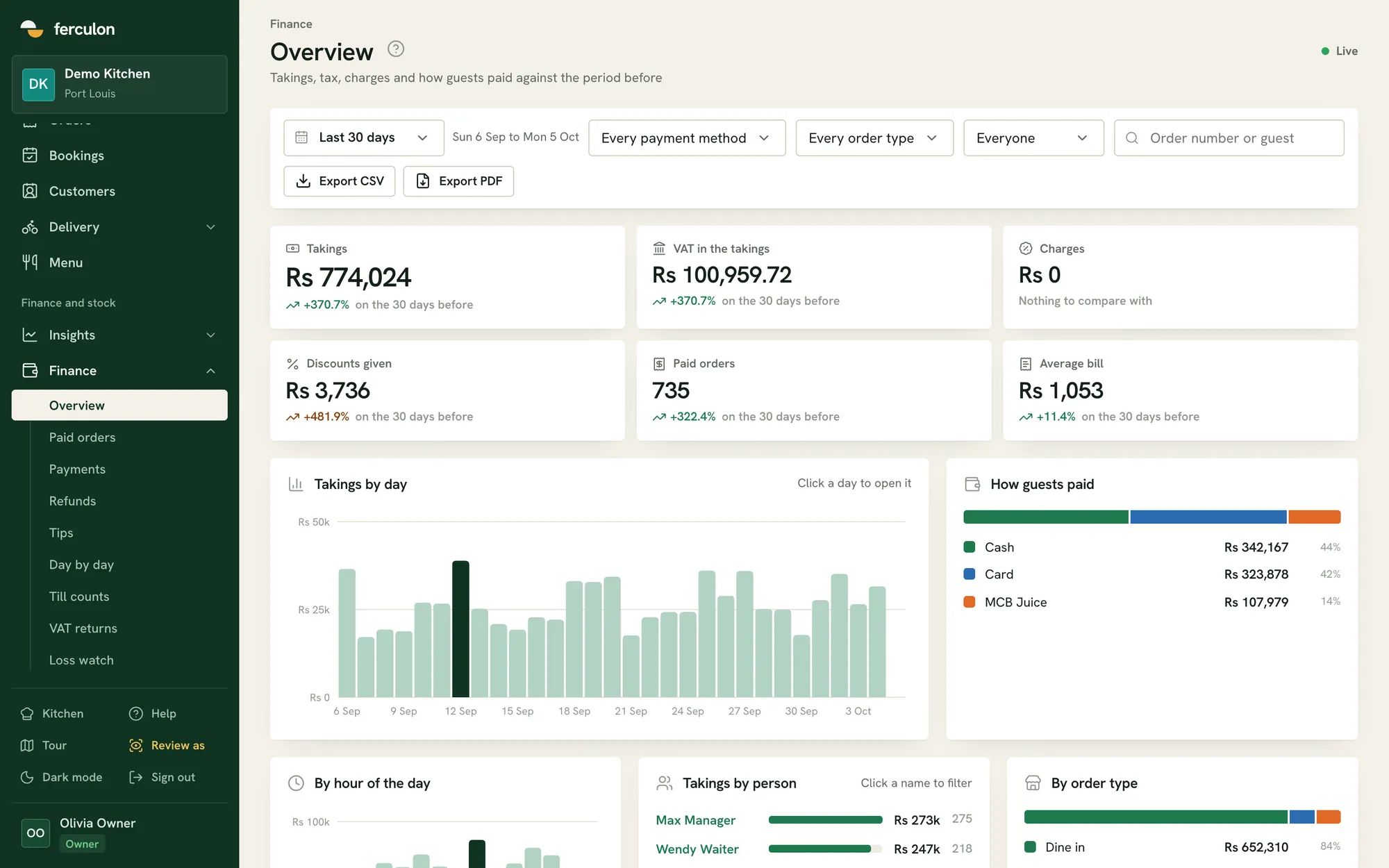
Find the order, payment and receipt in the back office
What the best POS system in Mauritius has to handle
A restaurant in Mauritius needs its point of sale to handle six things.
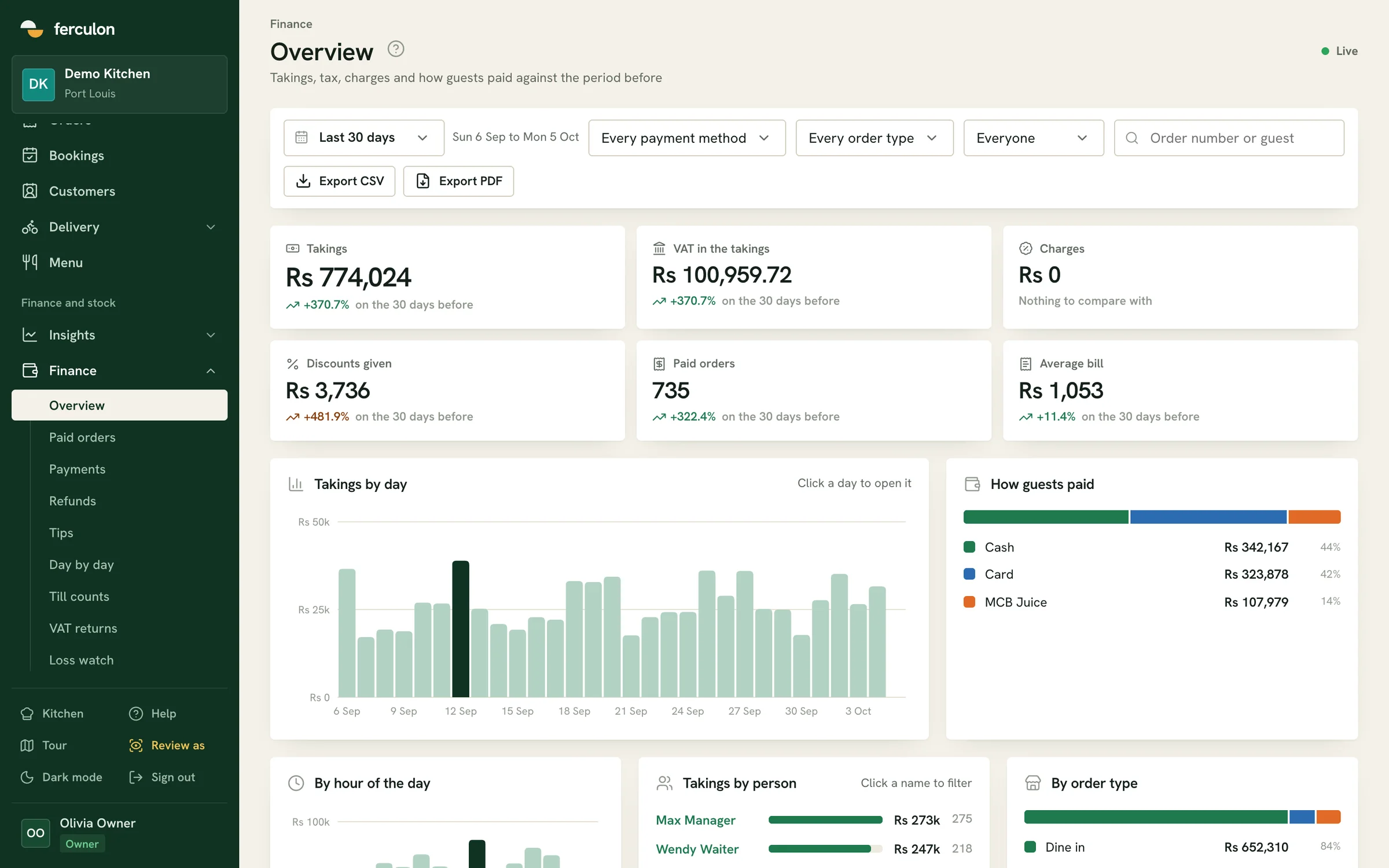
Cash, card and MCB Juice side by side
Payment methods are set per restaurant, and a wallet transfer is recorded with the reference your staff type in. The day is then broken down by method and by staff member.
VAT at 15%, inclusive or added
You set whether you are registered, the rate and whether prices include it. Each order keeps the rules it was priced under, and the VAT on sales is totalled for each return period.
Delivery with your own riders and no commission
Pick-up and delivery orders come from your own page. The counter accepts them, the kitchen marks them ready, and a live map shows each rider and the cash they are holding.
Bookings confirmed on WhatsApp
Guests book from your page and confirm with a code sent to their email, or on WhatsApp if they prefer. They then get the confirmation, a reminder and any cancellation.
Service continues when the connection drops
Every screen keeps showing its last view while the connection is down, and staff can still clock in and out. Everything syncs when it comes back.
One PIN each on a shared tablet
Devices are paired with a code and unlocked with a 4-digit PIN. Voids, discounts and refunds are limited to the roles you allow, and every one of them is logged with who approved it.
Takings, VAT and the audit trail
The back office opens in any web browser. It shows takings and charges against the previous period, every paid order and payment, daily totals, till counts and the VAT on sales for each return period.
Cash, card and wallet payments split by method and by staff member
Till counts against what was expected, with the variance
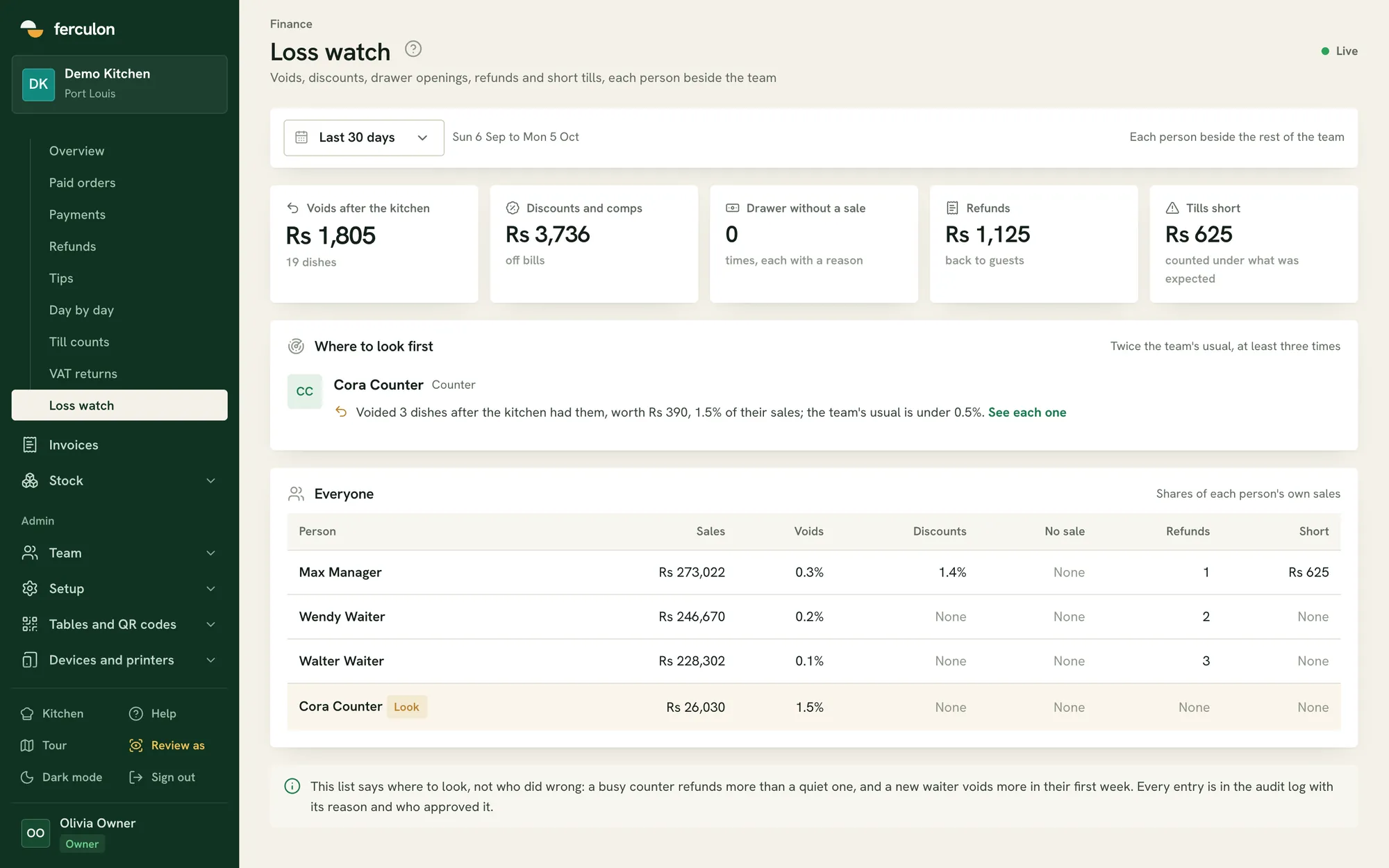
Voids, discounts, refunds and drawer openings, each with who approved it
Cora Counter, sales $868. The team’s usual is under 0.5%.
Questions from restaurants in Mauritius
Does Ferculon work for a restaurant in Mauritius?
Yes. Ferculon is sold and supported in Mauritius. The tax engine is set to your own rate, so VAT at 15% can be included in menu prices or added at the till, and payment methods such as MCB Juice are recorded with the transfer reference. Ferculon also works outside Mauritius, so local settings such as the VAT rate and MCB Juice are set by each restaurant.
Does Ferculon send invoices to the MRA e-invoicing system?
No. Ferculon does not transmit fiscal invoices to the MRA Electronic Billing System today. It records the VAT on every order, holds your BRN and VAT number on the receipt, totals the VAT for each return period and keeps an audit log of every void, discount and refund. If your turnover puts you inside the mandate, ask us before you buy.
What equipment do we need to buy?
Phones or tablets for the staff, any screen with a web browser for the kitchen display and the back office, and a Wi-Fi or Bluetooth receipt printer if you want paper. The cash drawer opens through the receipt printer.
Can guests order from a QR code on the table?
Yes. Each table has its own code. The guest gives a name and a mobile number, confirms the number with a code, and orders from their phone. The order joins the same bill the waiter has open and goes to the kitchen.
How much does it cost?
Starter is $69 a month for each restaurant. Standard is $149 and adds online orders, delivery, stock and payroll. Pro is $299 and adds Ava and the AI features. Max is $399 and gives twice Pro's WhatsApp messages. All plans are billed in US dollars. The first 3 months are free, with no card to sign up.
Can we take orders for pick-up and delivery without a delivery app?
Yes. Your restaurant gets its own page for pick-up and delivery orders, with your own last orders time for each channel and your own riders. The orders arrive on the same counter screen and the same kitchen display as everything else.
Everything in Ferculon
Every Ferculon feature
Table QR orderingGuests order from their table and join the same bill. They can call a waiter or ask for the bill.
Online bookingsGuests confirm with a code by email or WhatsApp, then get a confirmation, a reminder and any cancellation.
Verified guest reviewsReviews are collected on WhatsApp, and each one shows the order and the team who served it.
Pick-up and deliveryOrders come from your own page and are accepted at the counter, with last orders set for each channel.
Your own ridersSee where each rider is, their deliveries and the cash they hold until it is handed in.
Kitchen displayTickets arrive by course and station, with a timer and a ready button for each course.
Wi-Fi and Bluetooth printersPrint kitchen tickets, bills and receipts, and open the cash drawer through the receipt printer.
Split bills and tipsSplit a bill equally, by seat, by dish or by any amount, with tips kept apart from the takings.
Tills and the cash drawerStart each till with a float, count it against what was expected and see every drawer opening with its reason.
Tax returnsSee the tax on sales for each return period at your own rate, whether you charge VAT, GST or sales tax.
Ava, AI assistant (Pro)Ask about sales, stock, wastage or staff for any dates, and change the menu by talking.
Daily briefA few lines on the day so far, in the back office and the app, with anything that needs a look.
Seven-day forecastExpected orders and sales for each day of the week ahead, to plan rotas and stock orders.
AI menu import (Pro)Reads a menu from photos, a PDF or a Word file into dishes, prices and allergens.
Menu profitShows each dish’s margin after its recipe cost, with suggested price changes.
Loss watchLists voids, discounts, refunds and short tills, with each person set beside the rest of the team.
Stock and the prep planTracks ingredients and suppliers, suggests recipes from your stock and shows what the next service will need.
Time clock and payrollStaff can clock in only at the restaurant, and timesheets with overtime export to a payroll CSV.
Roles and PINsEach person unlocks a shared device with their own PIN and sees only their part.
Audit logRecords every price, role and settings change, void, discount and refund, with who approved it.
Keeps going offlineScreens keep their last view and staff can still clock in when the connection drops.
Branded invoicesSend invoices for catering, events and companies, and tax invoices when a company pays the bill.
Floor plan designerDraw your own room, area by area, and print a QR code for every table.
Pricing
Plans and prices
Ferculon has four monthly plans for each restaurant. Starter runs your service, Standard adds online orders, delivery, stock and payroll, Pro adds Tap to Pay, Ava and the AI tools that read menus, supplier bills and your week, and Max is everything in Pro for the busiest restaurants. Your first 3 months are free.
Starter
Runs your service: the till, the floor plan, the kitchen display and bookings.