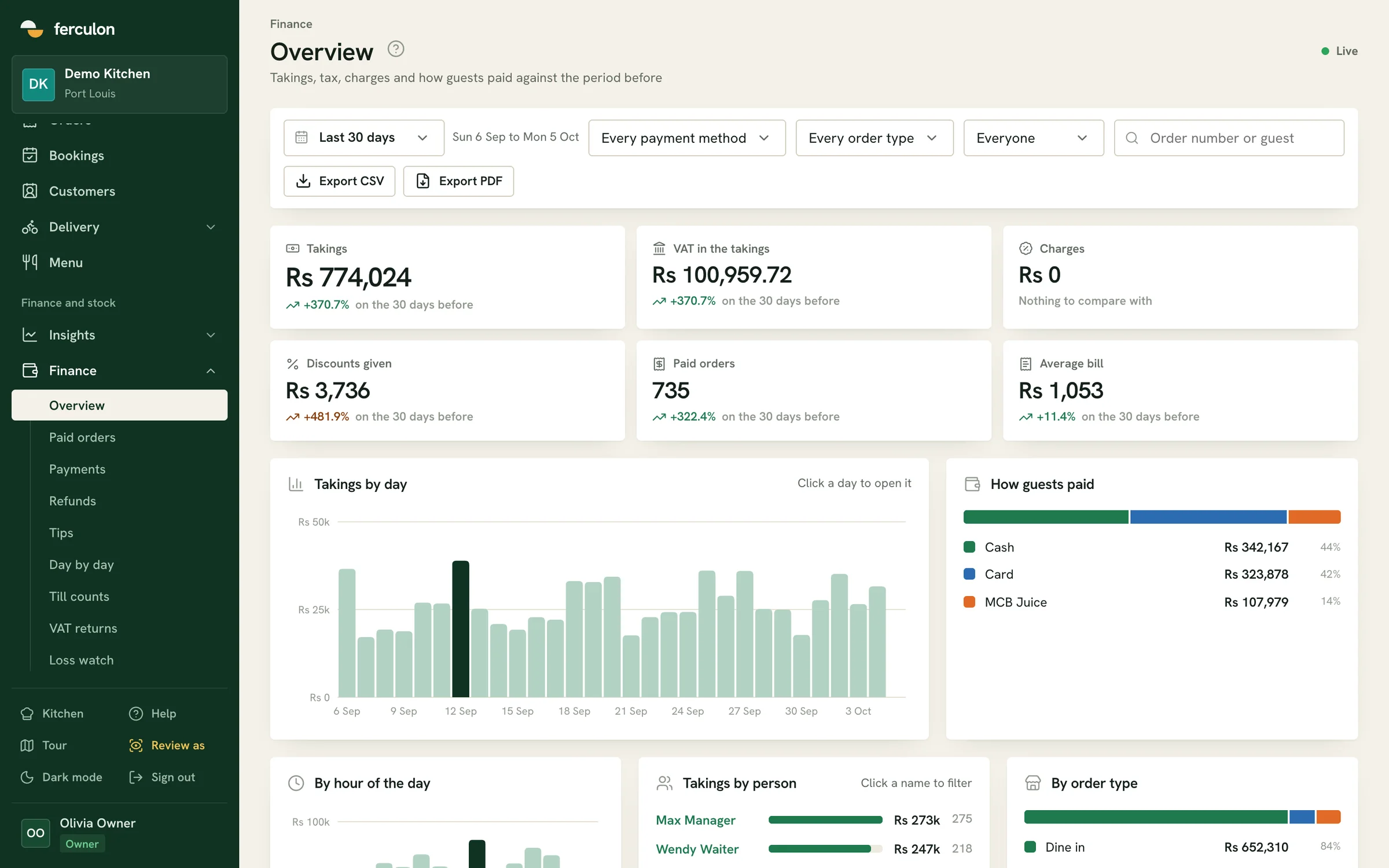
Kitchen display system for restaurants
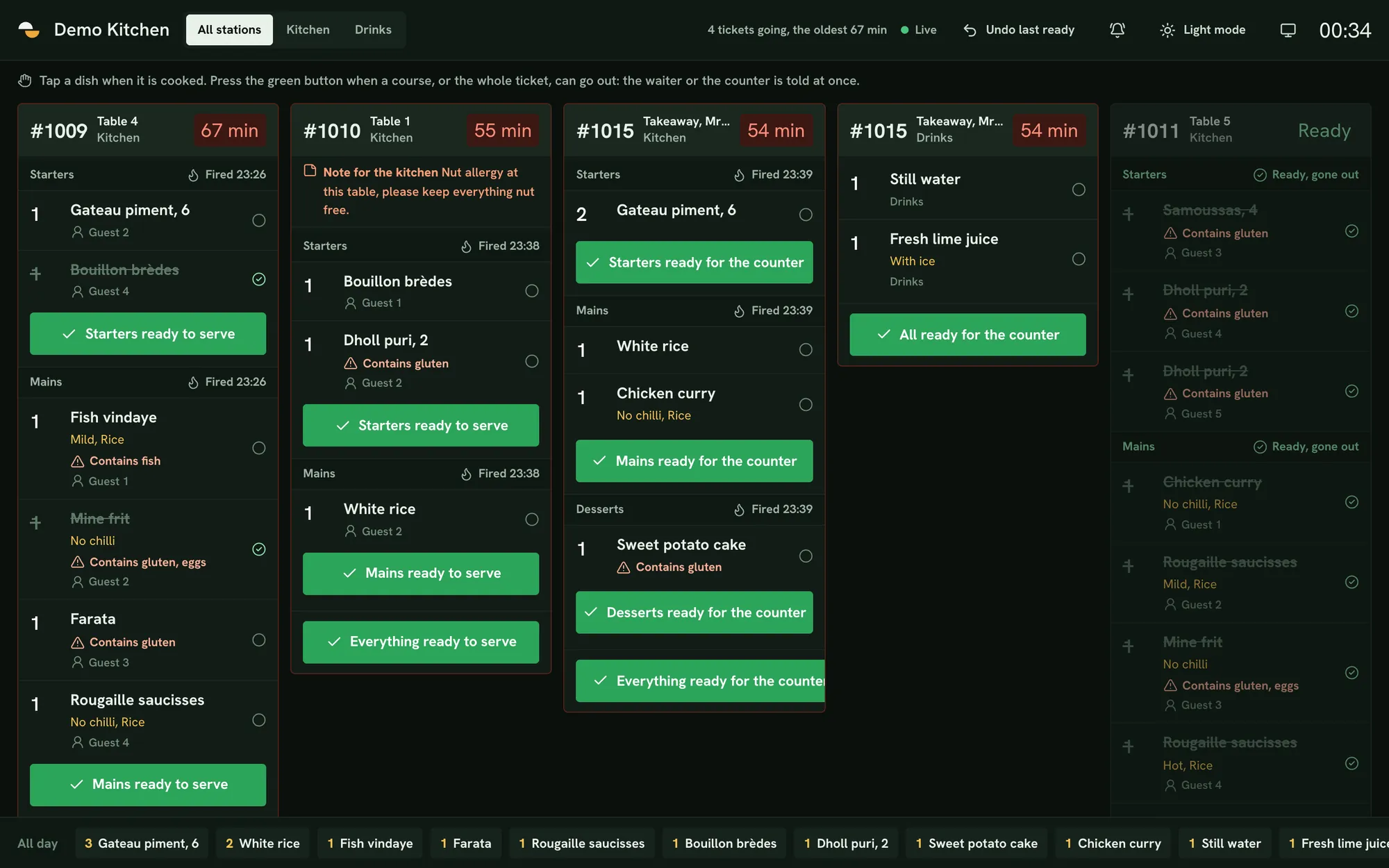
The kitchen display system in Ferculon shows orders from tables, QR codes, the counter and online on one screen, sorted by course and station. Cooks mark each course ready and the waiter or counter is notified.
Ready buttons for each course
Each course has its own ready button. The waiter gets “Starters ready to serve” with the table number, and takeaways go to the counter as “ready for the counter”.
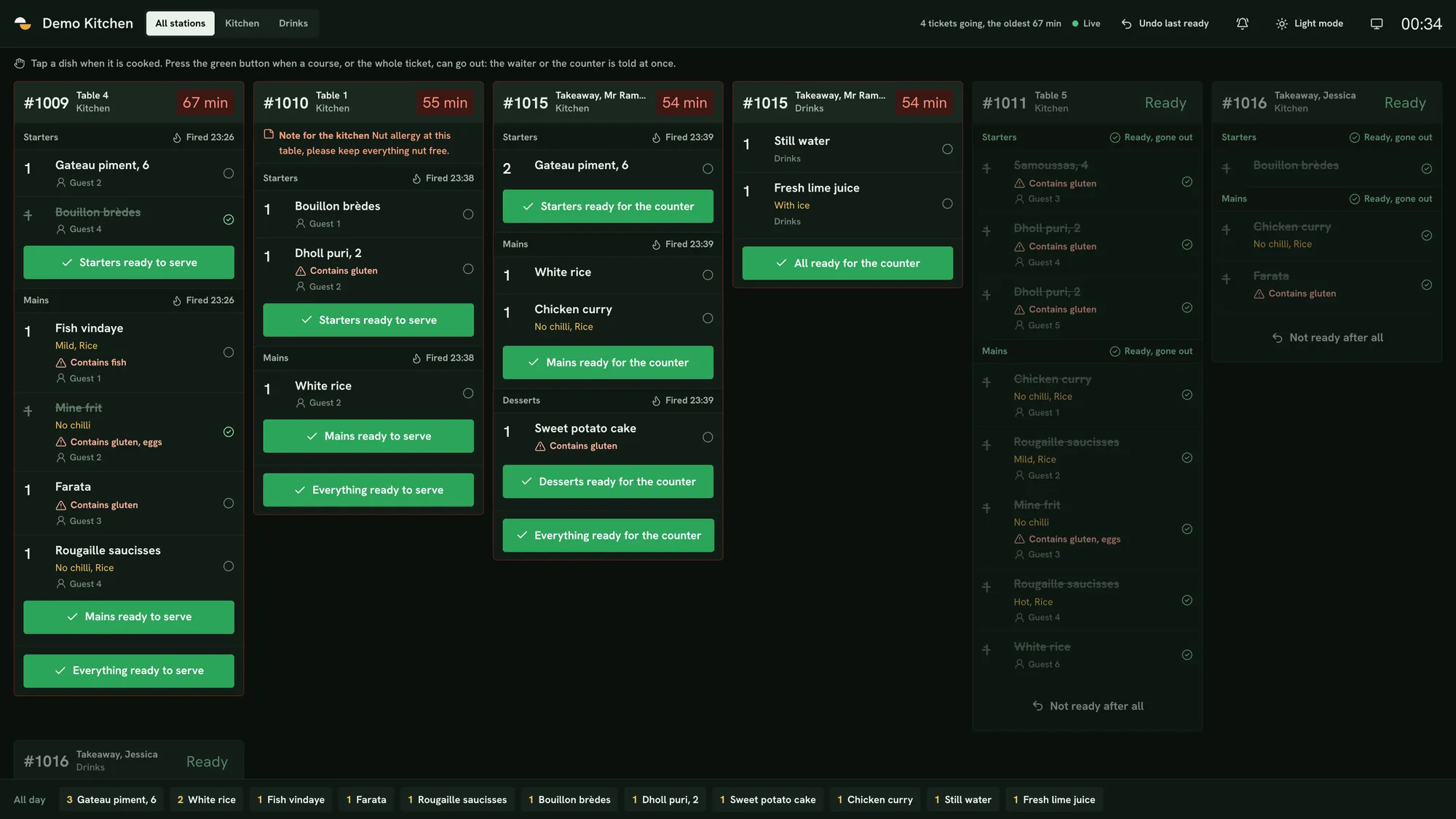
- “All ready to serve” completes the whole ticket
- “Undo last ready” reverses a mistaken tap
- Guest and booking notes show on the ticket
Ticket timers
Each ticket shows how long it has been waiting. It is green for 10 minutes, yellow until 15 and red after that. Each station can change these limits.
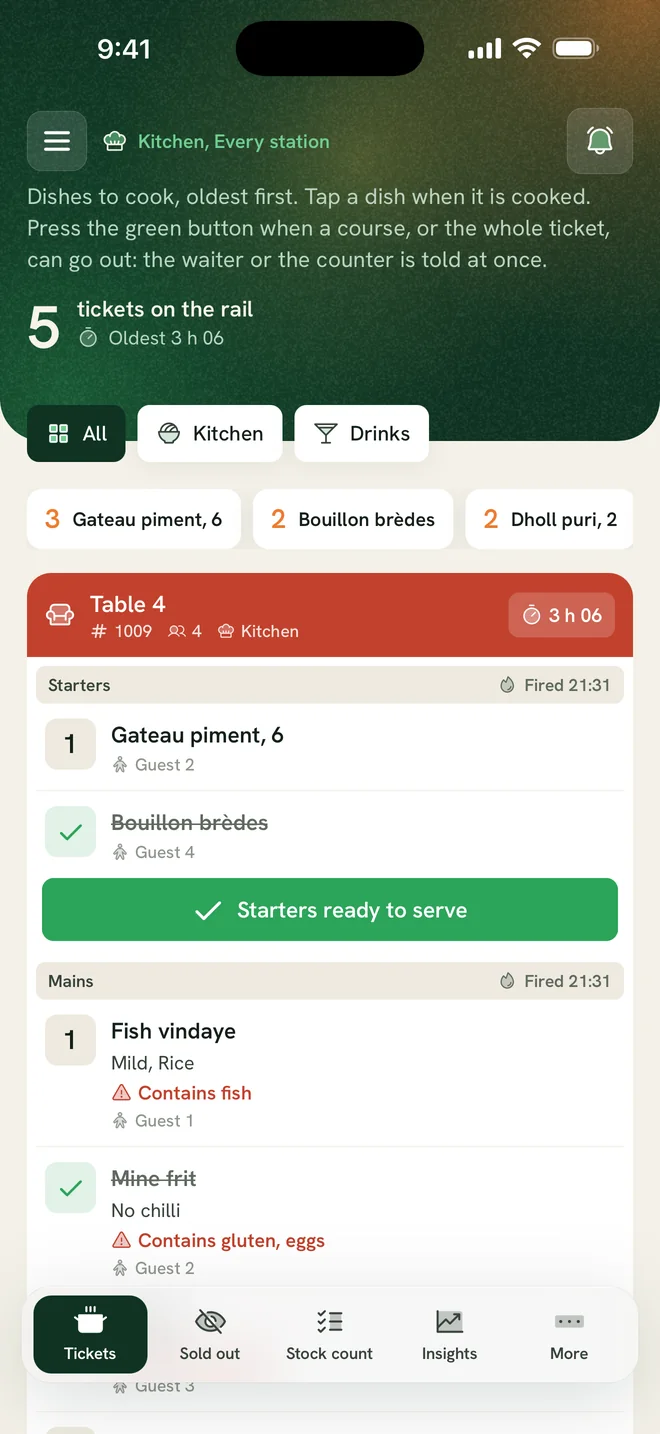
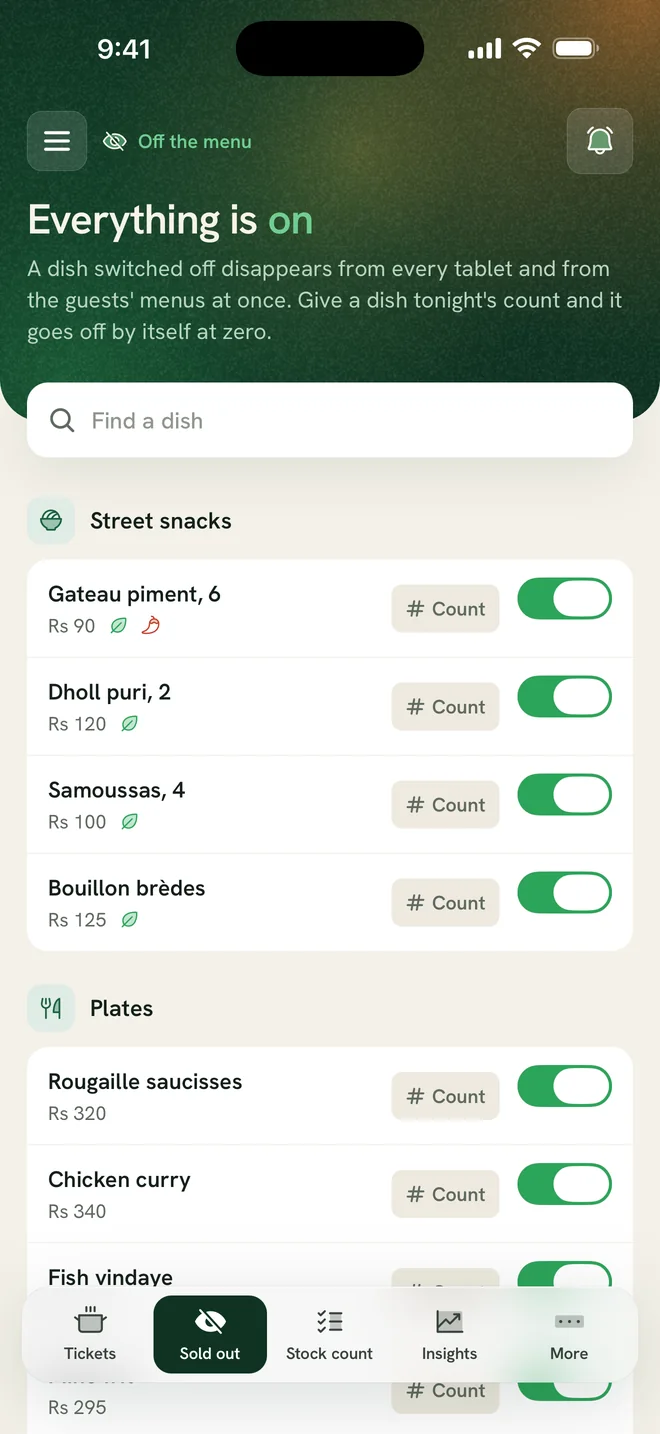
- Filter by station, such as the kitchen, the bar or the grill
- An all-day count of every dish still to make
- Light and dark mode
Allergens and dietary labels
Allergens, the restaurant’s own labels and guest notes show on each dish line, together with the guest the dish is for.
- Custom labels such as Vegan or Halal
- Allergens written out in full
- Sold-out dishes are greyed out on the guest menu straight away
Kitchen and receipt printers
Print kitchen tickets, bills and receipts on Wi-Fi or Bluetooth printers, by station. The cash drawer opens through the receipt printer.
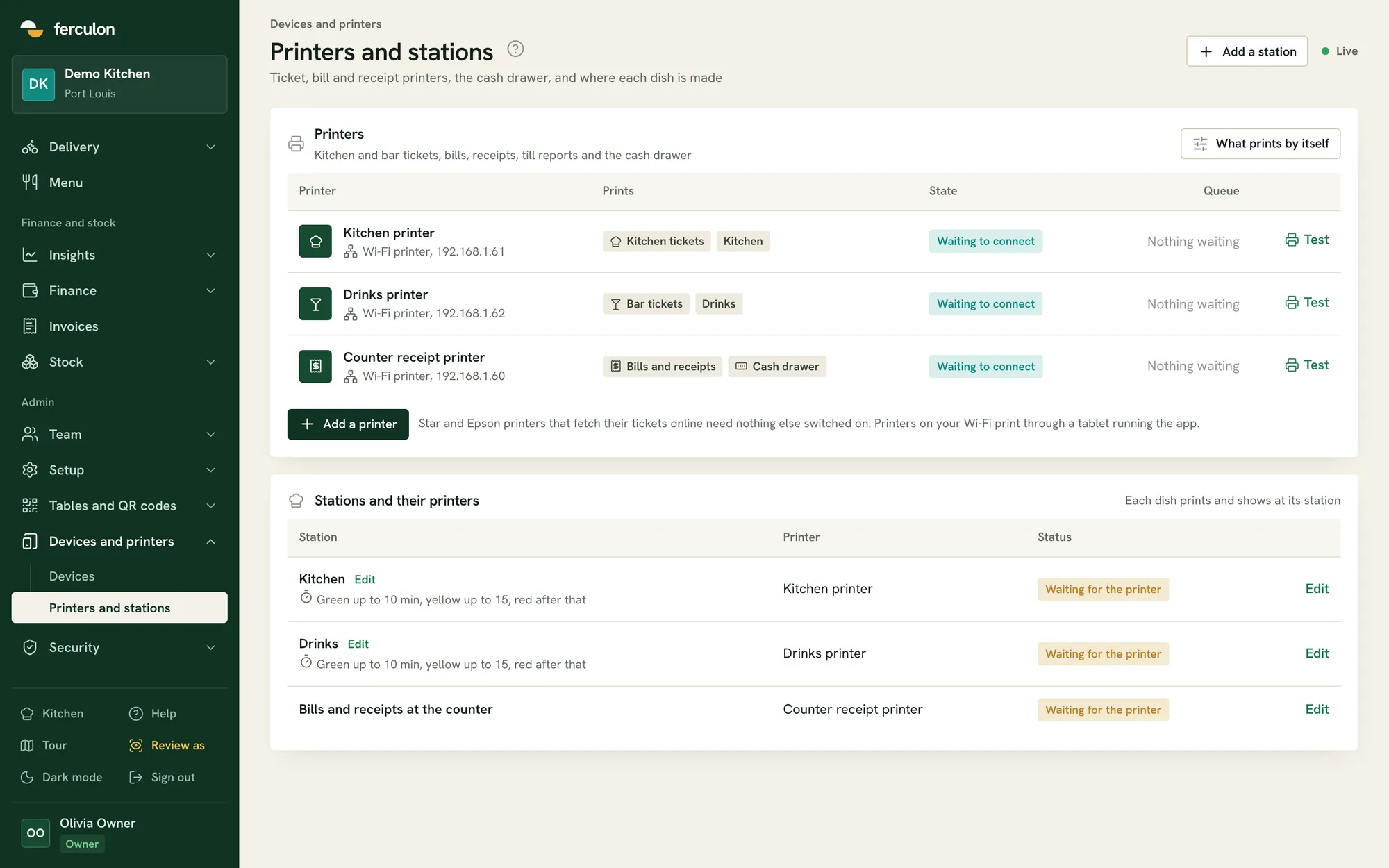
- Wi-Fi printers on your own network
- Bluetooth printers paired with a tablet
- A test print that also opens the drawer
What a kitchen display system does
A kitchen display system, or KDS, replaces paper tickets with a screen in the kitchen. Orders from the waiter app, table QR codes, the counter and your online page arrive as tickets grouped by course and sent to the right station, and the cook taps each course when it is ready so the waiter or the counter is told.
- Tickets by course and station
- A ready button for each course
- The waiter or the counter told when food is ready
A screen, printed tickets, or both
Some kitchens keep paper. Ferculon prints kitchen tickets by station on Wi-Fi or Bluetooth printers, so a kitchen can run on the screen, on printed tickets or on both.
- Any screen with a web browser, or the Ferculon app on a tablet
- Wi-Fi or Bluetooth printers by station
- The cash drawer opens through the receipt printer
Kitchen display
Kitchen display questions
Anything we have not answered here, write to us or message us on WhatsApp.
Contact usWhat is a kitchen display system?
A kitchen display system, or KDS, is a screen in the kitchen that shows each order as a ticket, sorted by course and station, with a timer and a ready button. In Ferculon it takes orders from tables, table QR codes, the counter and your online page.
How does a kitchen display system work?
A waiter, a guest or the counter sends an order. Each dish goes to its station as a ticket, the timer shows how long it has waited, and the cook taps ready for each course. The waiter of that table, or the counter for a takeaway, is told the food is ready.
What is the difference between a POS and a KDS?
The POS takes the order and the payment, and the KDS shows the kitchen what to cook and tells the floor when it is ready. In Ferculon both are one system, so an order taken on the waiter app reaches the kitchen screen without being typed again.
How much does a kitchen display system cost?
In Ferculon the kitchen display is included in every plan, and it runs on any screen with a web browser or on a tablet with the Ferculon app, so there is no separate fee for it or special hardware to buy.
What screen does the kitchen need?
Any screen with a web browser, or a tablet or phone with the Ferculon app.
Can drinks go to the bar and food to the kitchen?
Yes. Each dish belongs to a station, and each station sees only its own items unless you choose to show all of them.
Can we change the 10 and 15 minute timers?
Yes. Timers are set per station, so the grill and the bar can each have their own.
Can the kitchen mark a dish sold out?
Yes. When the last portion goes, the kitchen switches the dish off and it is greyed out on the guest menu straight away, so nobody else orders it.
Can we print kitchen tickets instead of using a screen?
Yes. Kitchen tickets, bills and receipts print to Wi-Fi printers on your own network or to Bluetooth printers paired with a tablet, by station. The cash drawer opens through the receipt printer.
Do online and QR orders reach the same screen?
Yes. Orders from tables, table QR codes, the counter and your online page all appear on the same kitchen display, sorted by course and station.
Everything in Ferculon
More Ferculon features
- Floor and waitersThe floor plan, table status and the waiter app
- Guests and onlineTable QR, bookings, pick-up and delivery
- Guest reviewsVerified reviews, each with its order and team
- Back officeTakings, tax, menu profit, stock and loss watch
- IntelligenceThe daily brief, forecasts and menu decisions
- Ava, AI assistantAsk about your figures and change the menu by chat
- Team and controlRoles, PINs, the time clock and the audit log