Waiter app and restaurant floor plan
Ferculon’s waiter app takes orders at the table, shows each waiter their own tables and alerts them when food is ready at the pass. Managers draw the floor plan and assign tables for each service.
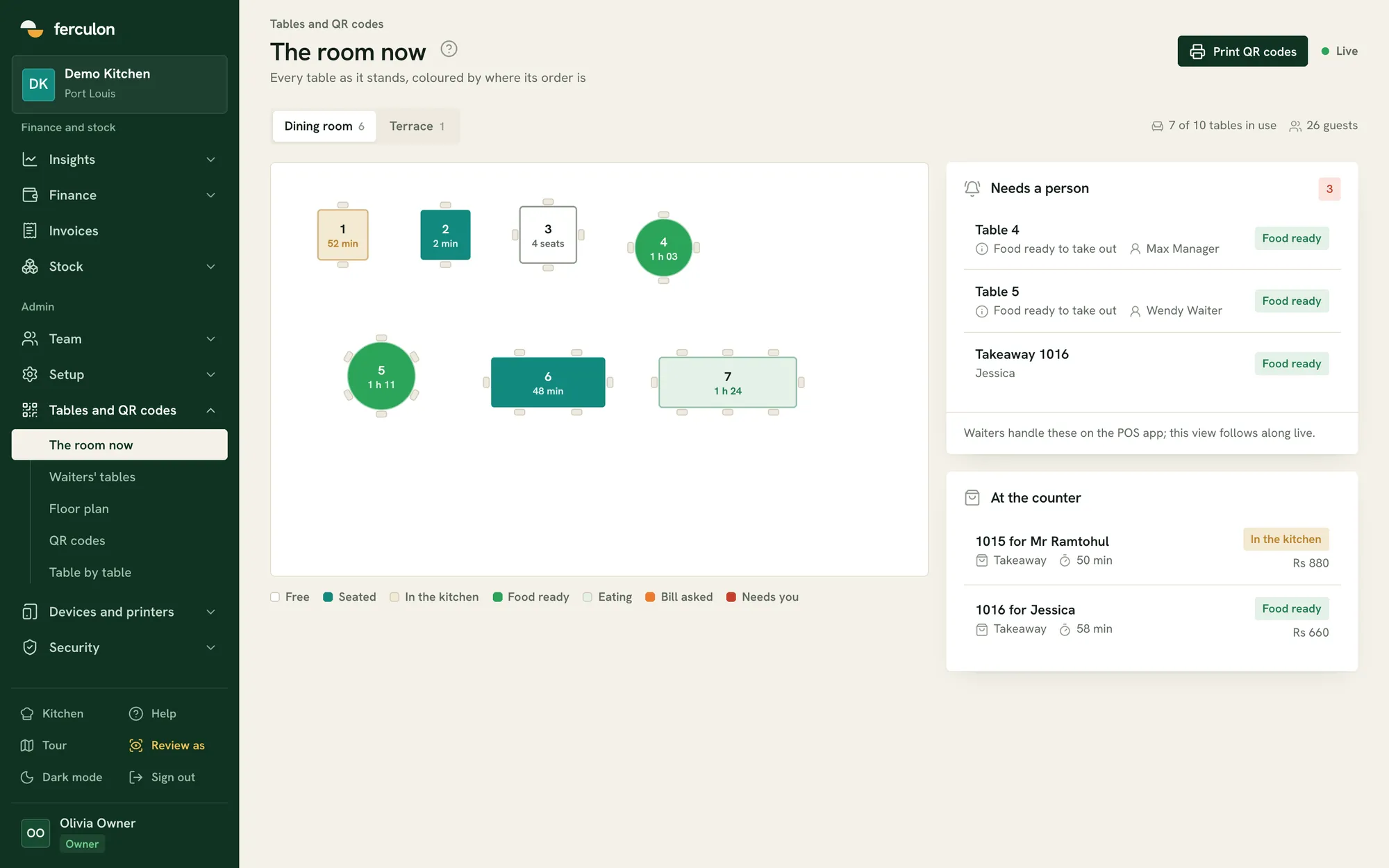
Live table status
Each table shows where its order is: seated, in the kitchen, food ready, eating or bill asked. Waiters, the counter and managers see the same floor.
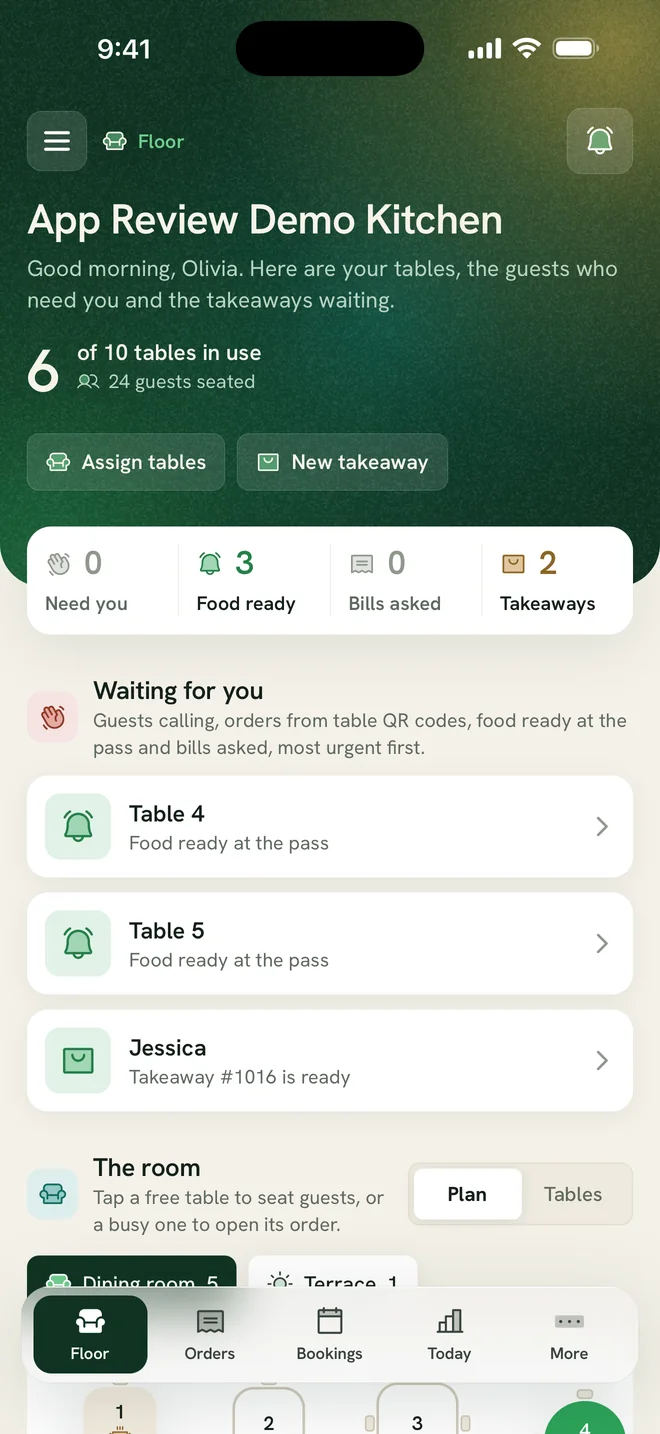
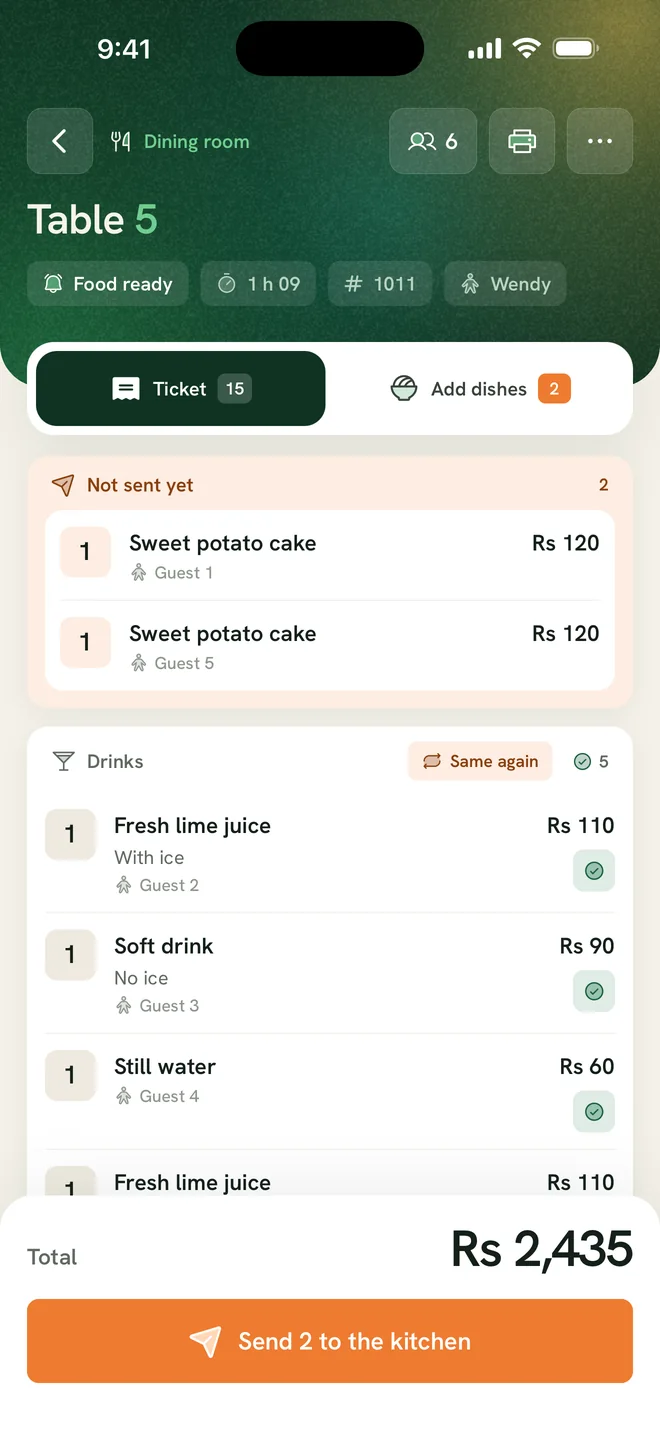
- A separate plan for each area, such as the dining room and the terrace
- A list of tables that need someone, most urgent first
- Takeaways waiting at the counter
Floor plan designer
Place tables, walls, the bar and the pass for each area. Tables can be square, round, long or bar stools, and each table gets its own QR code.
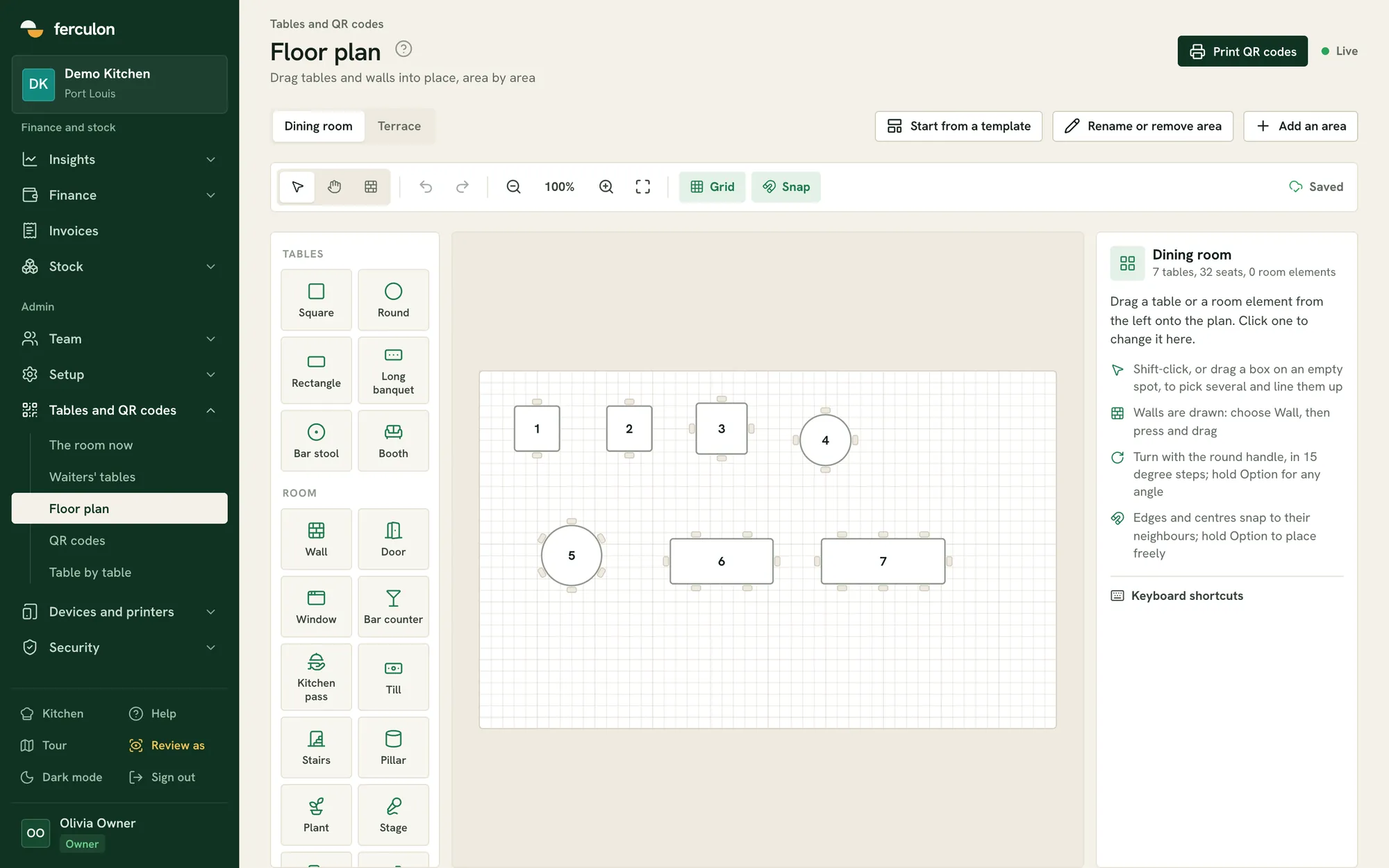
- Start from a template or a blank grid
- Snap to the grid and rotate in 15 degree steps
- Print the QR codes for all tables at once
Taking orders at the table
Waiters open a table, add dishes with their options and send them to the kitchen. Courses can be held and sent when the table is ready.
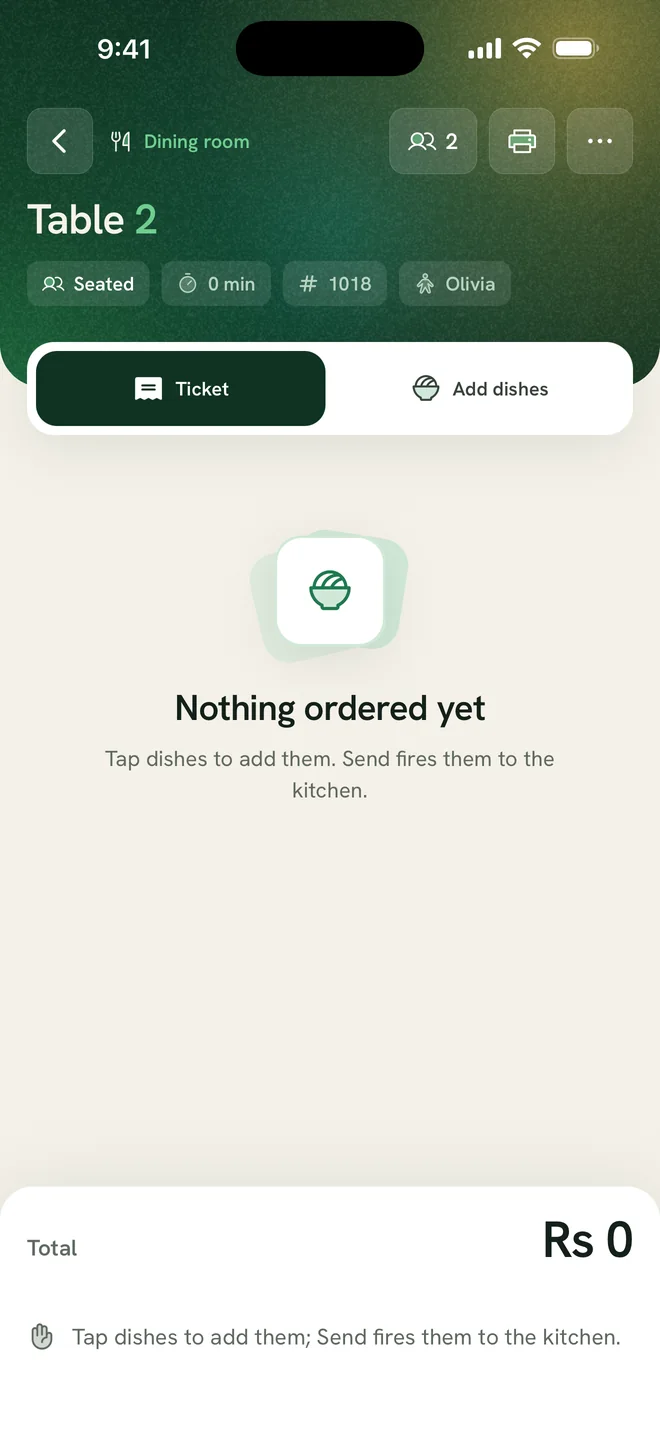
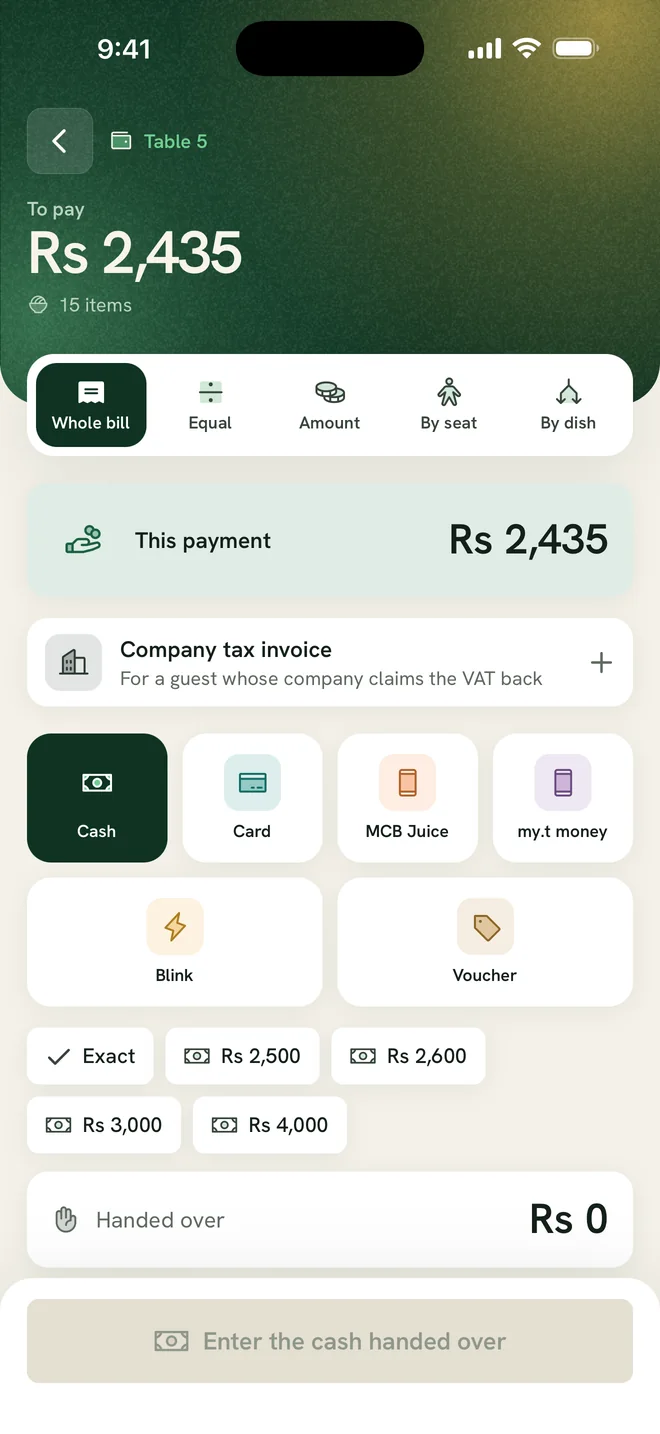
- Hold and fire courses
- Custom items with their own price and station
- Split bills equally, by seat, by dish or by amount, with tips kept separate
Table assignments and alerts
Managers or the counter assign tables to waiters for each service. QR orders, course-ready alerts and bill requests go to the waiter of that table.
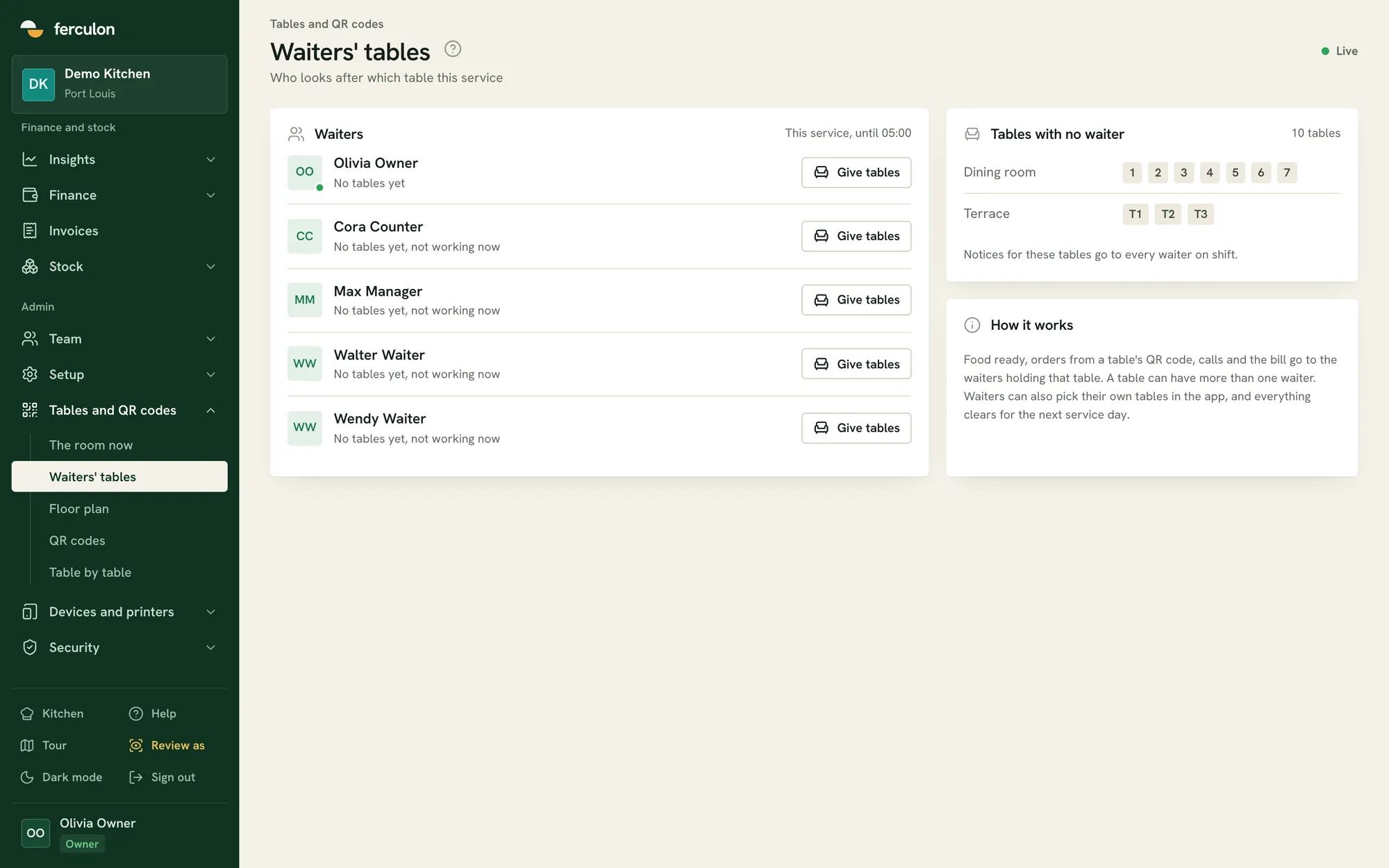
- Alerts go to the waiter assigned to the table
- Waiter calls and bill requests also go to the counter
Floor and waiters questions
Does every waiter need a phone?
No. Ferculon runs on phones and tablets. Staff can use their own phone or share a tablet, and each person unlocks it with their own 4-digit PIN.
Can we have several areas, like a terrace?
Yes. Each area has its own floor plan and appears as a tab on the floor view.
What happens when guests also order from the table’s QR code?
Their order is added to the same open bill as the waiter’s order.
Can waiters split a bill at the table?
Yes. A bill can be split equally, by seat, by dish or by any amount, and tips are kept apart from the takings.
Can we hold the mains and send them when the table is ready?
Yes. Courses can be held and fired from the waiter app, so the kitchen starts the mains when you say so rather than when the order was taken.
Does every table need its own QR code?
Each table gets its own code from the floor plan designer, and you can print the codes for every table at once.