QR code ordering, online bookings and delivery

Guests order by scanning a QR code at the table, book online, and order pick-up or delivery from your restaurant’s own page. All orders go to the same kitchen display and back office.

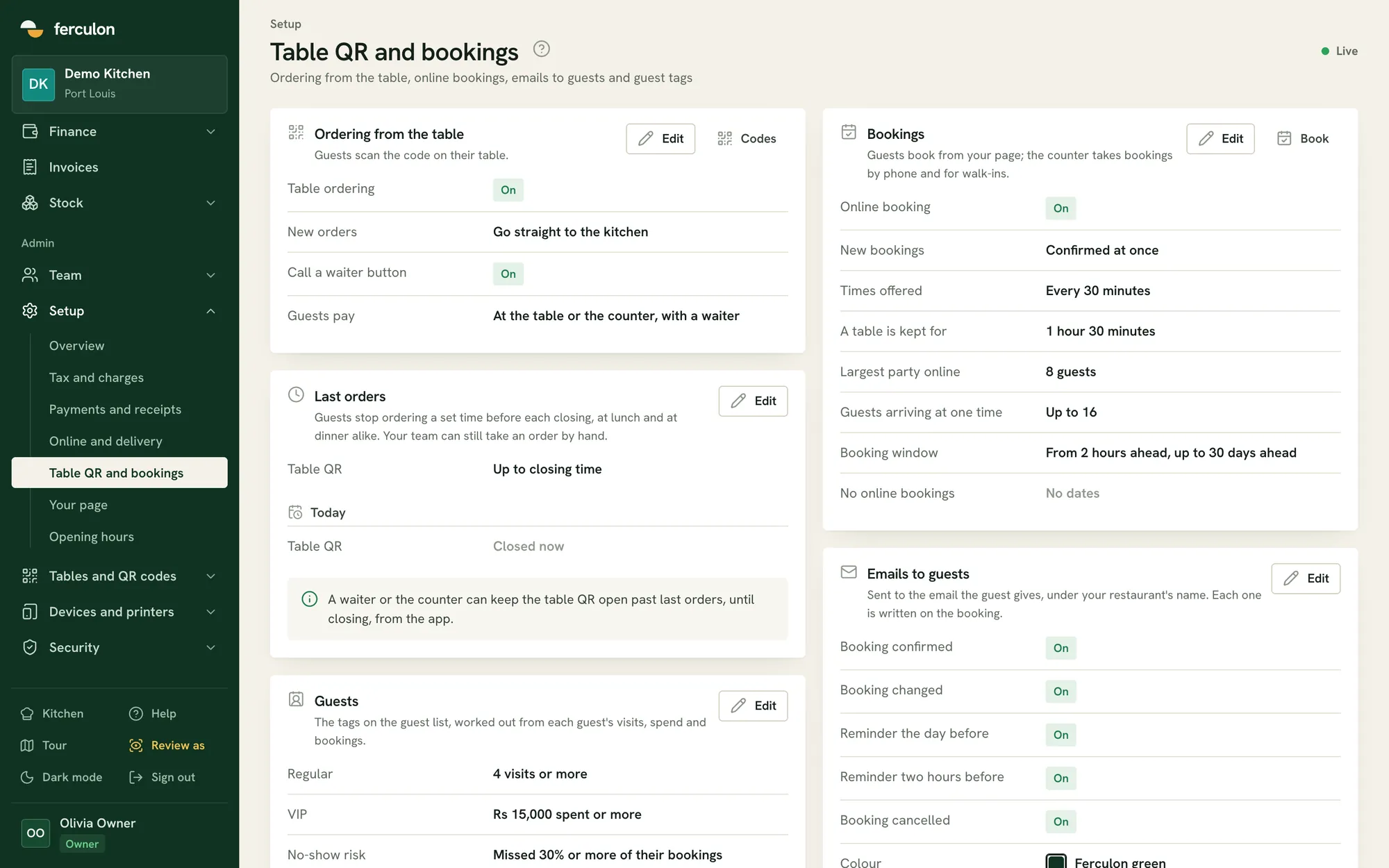
Settings for QR ordering and bookings
Ordering from the table
Table ordering
New orders
Call a waiter button
Guests payAt the table or the counter, with a waiter
01

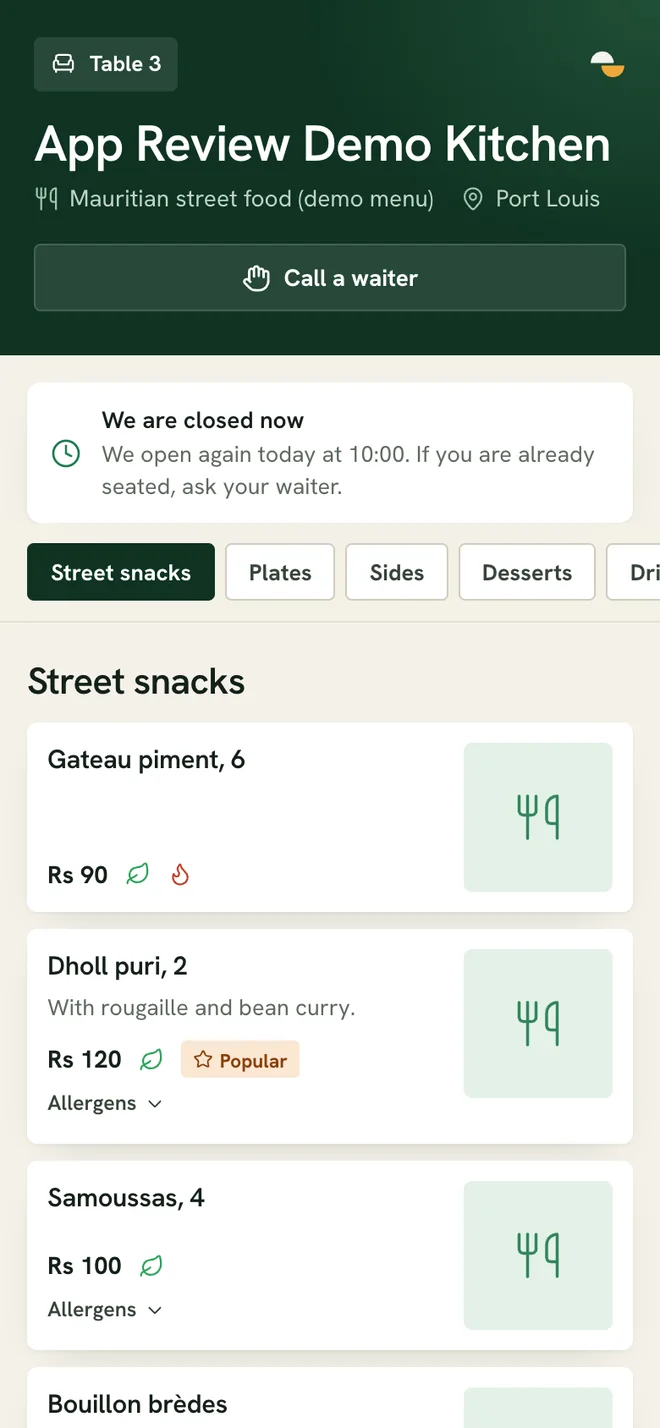
QR code ordering at the table

Guests scan the table’s QR code, enter their name and mobile number, and order from their phone. The order goes to the kitchen and the table’s waiter is notified. Follow-up orders are added to the same bill.

A table’s QR ordering page
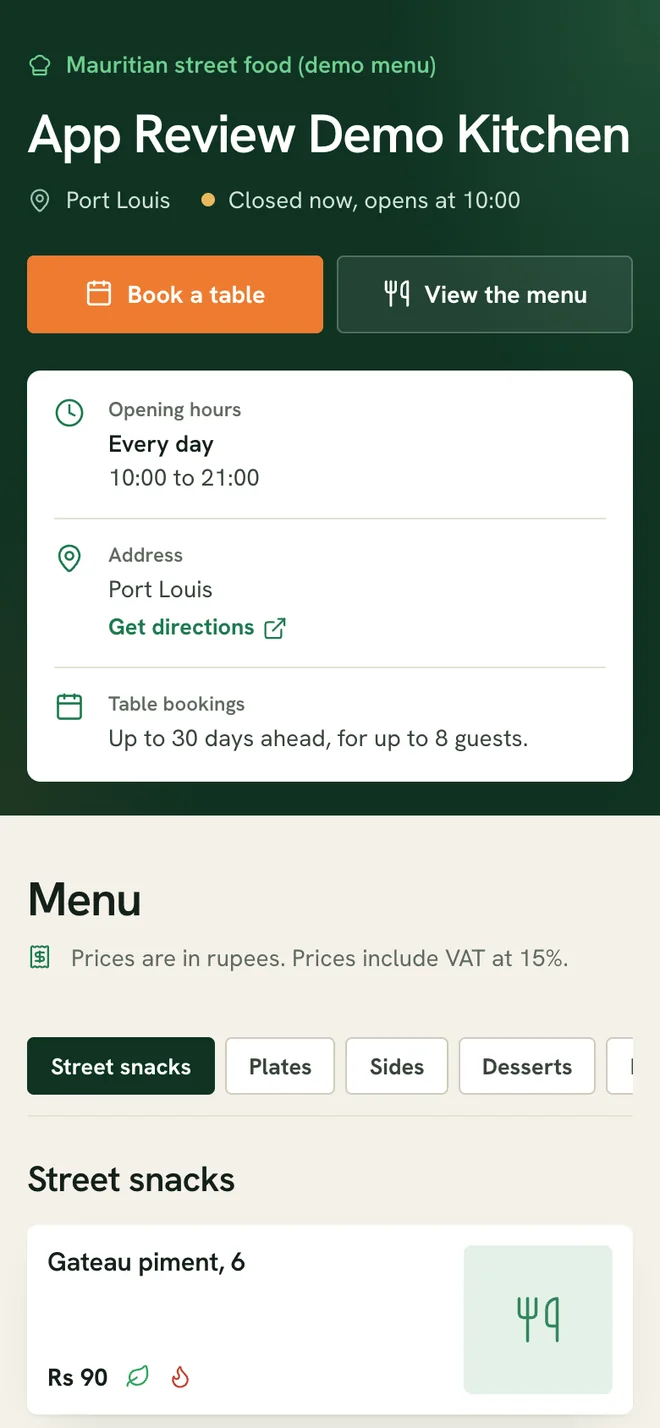
The restaurant’s public page
  • Guests can call a waiter or ask for the bill, with the payment method and split
  • Only waiters can change or remove items once they are sent
  • A thank-you with the receipt after payment
02

Online bookings with WhatsApp confirmation

Guests book from your restaurant’s page. Ferculon checks their number with a WhatsApp code, or an email code if WhatsApp fails, then sends the confirmation, a reminder and any cancellation.

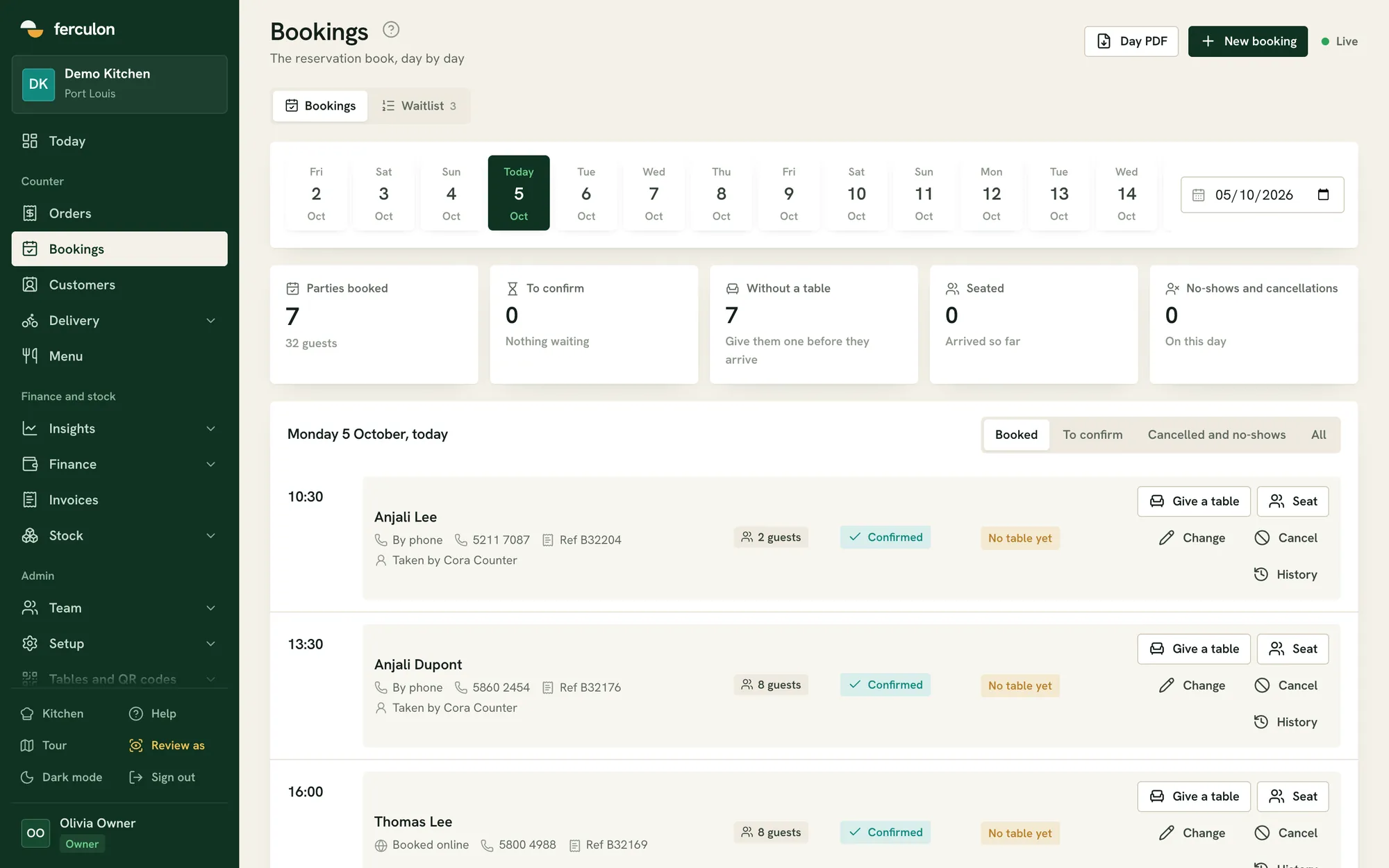
The bookings calendar
Monday 5 October, today
Sat3Sun4Today5Tue6Wed7
10:30Anjali LeeBy phone, 2 guests
13:30Anjali DupontBy phone, 8 guests
16:00Thomas LeeBooked online, 8 guests
  • Set how far ahead guests can book
  • Closed days and special days follow your opening hours
  • Turn off online bookings on chosen dates while staff can still book
03

Pick-up and delivery orders

Your restaurant’s page takes pick-up and delivery orders. The counter accepts them, the kitchen marks them ready, and your own riders deliver them.

  • Last orders for each channel, which staff can override
  • Busy mode to pause online orders or add time
  • A live rider map with deliveries and the cash each rider holds
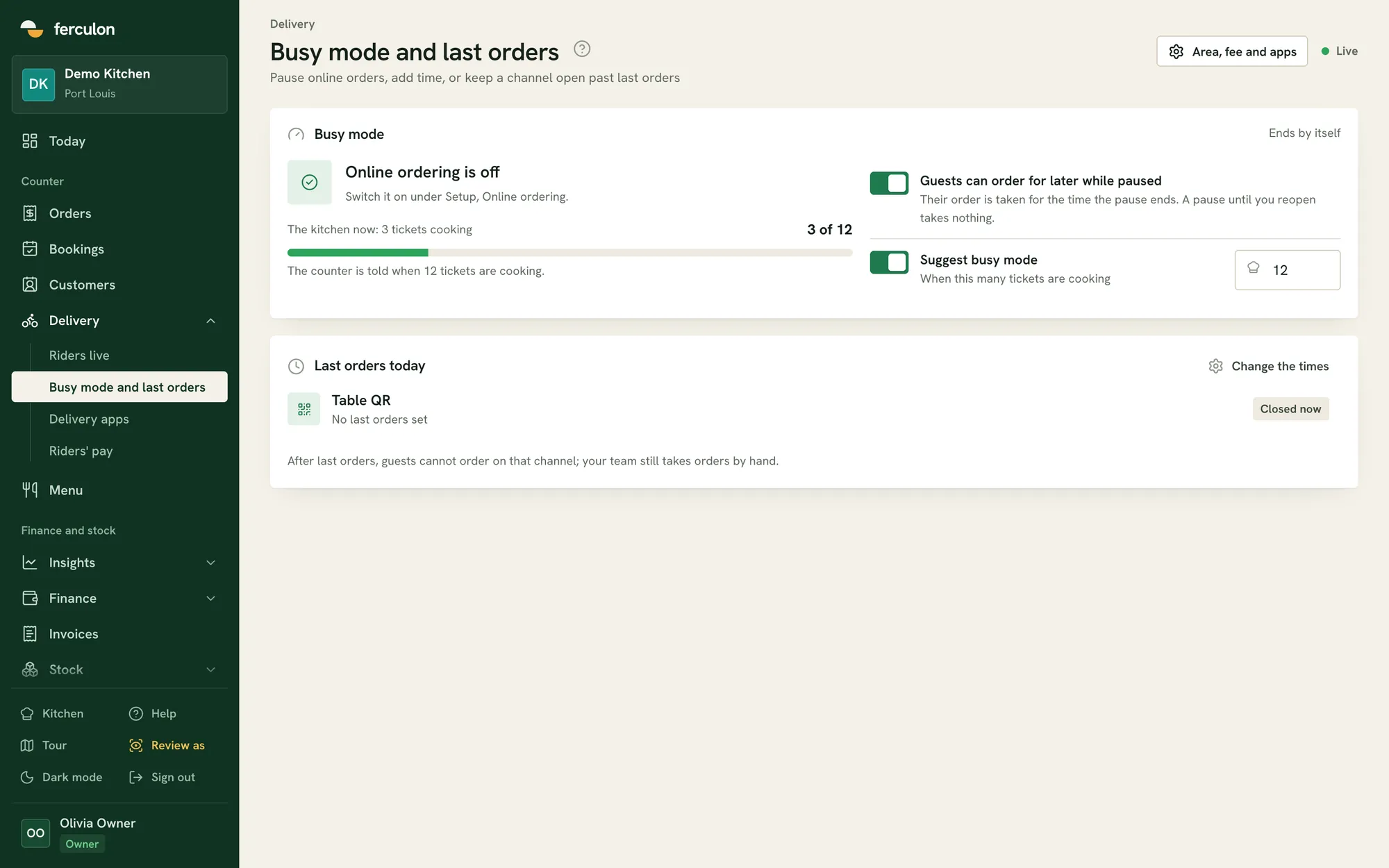
Busy mode and last orders settings
04

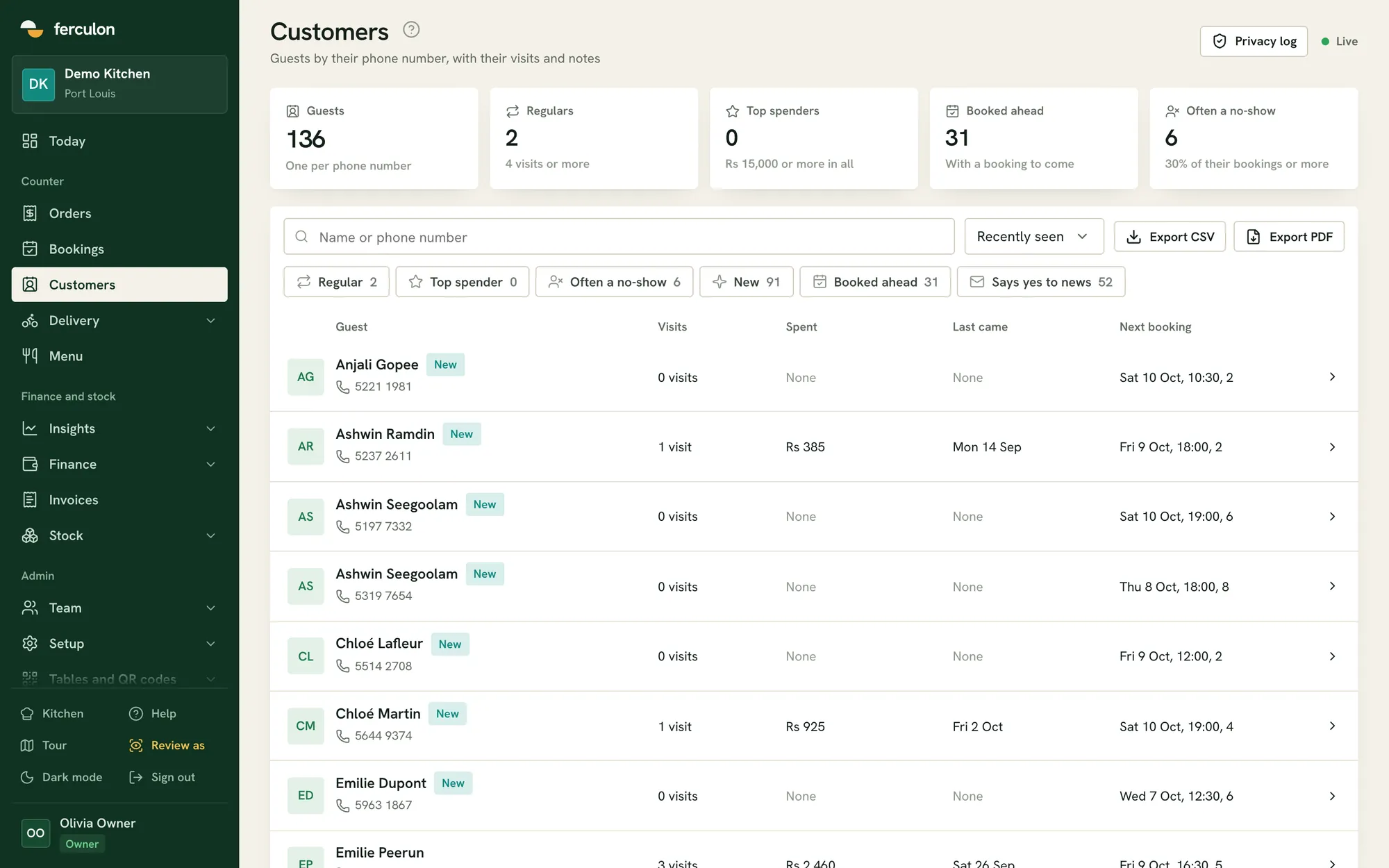
Customer records

Each guest is saved by phone number with their visits, spending, bookings and notes.

  • Regulars, top spenders and frequent no-shows
  • Guest emails use your restaurant’s name and colour
  • A privacy log of who viewed each record
Customer records by phone number

Guests and online questions

Do guests need an app to order from the table?

No. The QR code opens a web page on their phone. They only enter a name and mobile number.

Can we stop QR orders late in the evening?

Yes. Each channel has its own last orders time, set in minutes before closing. Staff can still take orders after it.

How are delivery fees worked out?

You set the delivery area and fee in Setup. Distance is currently measured in a straight line from the restaurant.

Can we take online orders without a delivery app?

Yes. Pick-up and delivery orders come from your restaurant’s own page, so no commission is taken, and they arrive on the same counter screen and kitchen display as everything else.

How is a booking confirmed?

The guest’s number is checked with a WhatsApp code, or an email code if WhatsApp fails. The confirmation, a reminder and any cancellation follow from there.

What happens when the kitchen cannot keep up?

Busy mode pauses online orders or adds time to the wait, and each channel has its own last orders time in minutes before closing that staff can override.