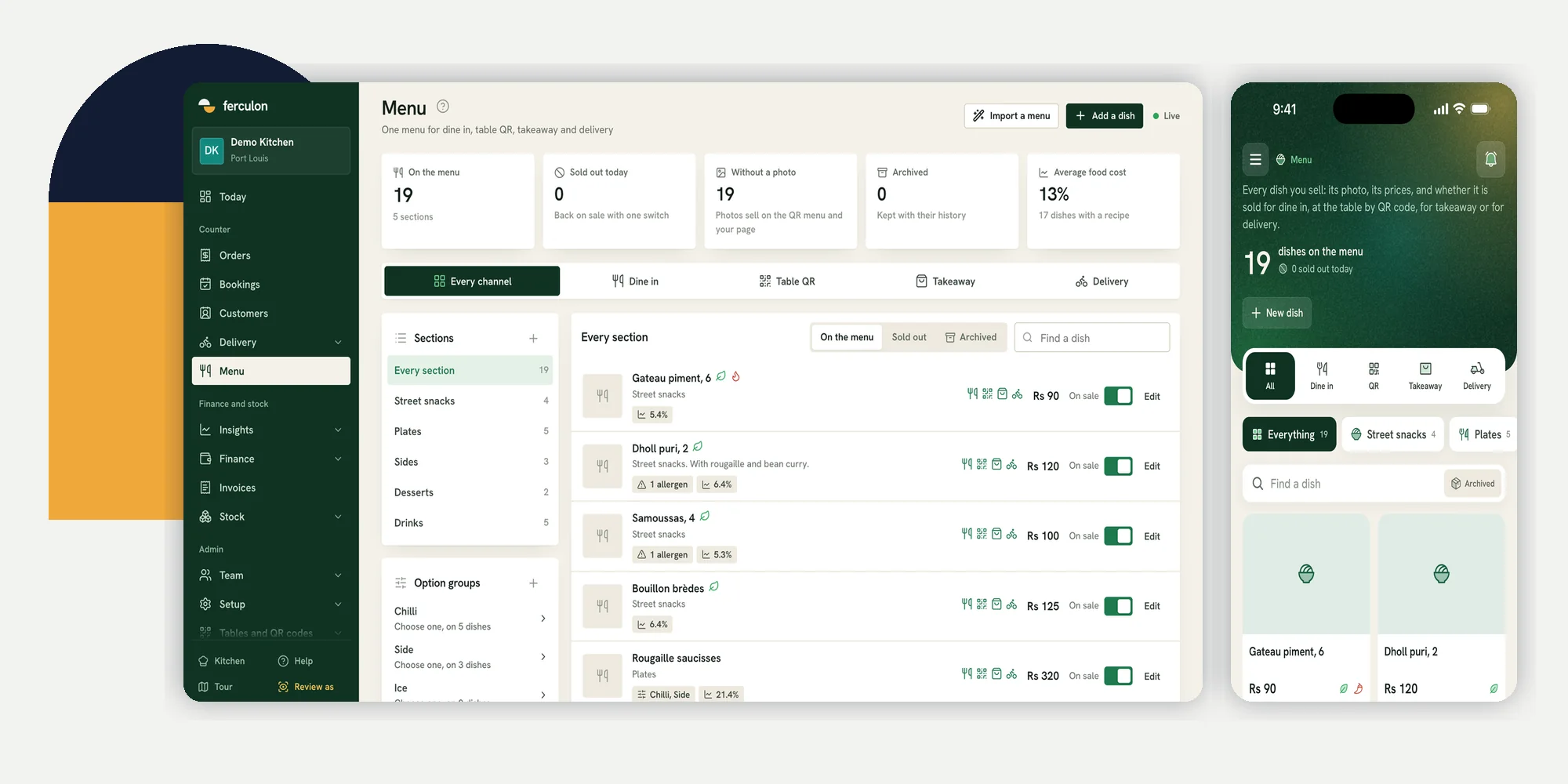
Restaurant menu software can mean a design tool for a printed card, or a working menu that staff and guests order from. A restaurant needs both if it prints menus, but they solve different problems. The working menu must hold the dishes, prices, options and availability that the counter, waiter, kitchen and guest page will use during service.
If you run a restaurant in Mauritius, begin with one real dish and follow it through each way you sell it. A good-looking PDF does not tell a waiter whether a dish is sold out or a cook which option the guest chose. The Ferculon back office is one example of an operational menu: it shows dishes by section and by sales channel, while the counter app has its own menu view. The screenshots in this guide are from a demo restaurant; their dishes and amounts are examples.
| Job | A design tool should handle | An operational menu should handle |
|---|---|---|
| Printed card | Layout, typography and export | The source dish names and prices to check before printing |
| Taking orders | No live order state | Dishes, options, channels and the price used on the bill |
| Guest ordering | A visual QR menu mock-up | The actual dishes available to order on a phone |
| Sold-out dish | A new file to distribute | An availability change visible to staff and guests |
| Reviewing margins | No recipe record | A recipe cost beside the dish, if ingredients are kept current |
Choose restaurant menu software for the live menu, not just its appearance
Search results for menu software often show menu makers. They can help a designer make a paper card or poster. Ask a different question before buying a tool for service: when someone changes a dish, where must that change appear? List the waiter device, counter, kitchen, table QR menu and the restaurant’s own online page. If staff must edit several copies, identify who owns each update and how the team checks them before opening.
- Design: A print-ready card needs readable type, sensible grouping and room for the descriptions guests need.
- Order entry: Staff need the correct dish, options, price and channel when they add it to an order.
- Guest view: A guest menu needs the current dish and availability, not a photograph of yesterday’s board.
- Kitchen hand-off: The ticket needs the selected dish and options in a form the cook can act on.
Keep the printed card in the process if guests use one. The useful discipline is to treat the live operational menu as the record to check against the print file. After a price or recipe change, give someone responsibility for the printed version too. Software cannot quietly update paper already on tables.
Build dishes and sections that the team can recognise
Start with clear sections, then make one dish complete before entering the whole menu. Record its name, a short description, the base price, the section, the kitchen station and any options. A guest should understand what they are choosing. A counter worker should be able to find the same item quickly. A cook should be able to read the resulting ticket without asking the waiter to translate a nickname.
For a side choice or a size, create an option group with the choices and any price change. Decide whether a choice is required before saving it. Test the order with the default choice and with a changed choice. In Ferculon, sections and option groups are edited in the menu; the kitchen workflow shows the resulting ticket by course and station. The owner still needs to decide which choices are sensible to offer.
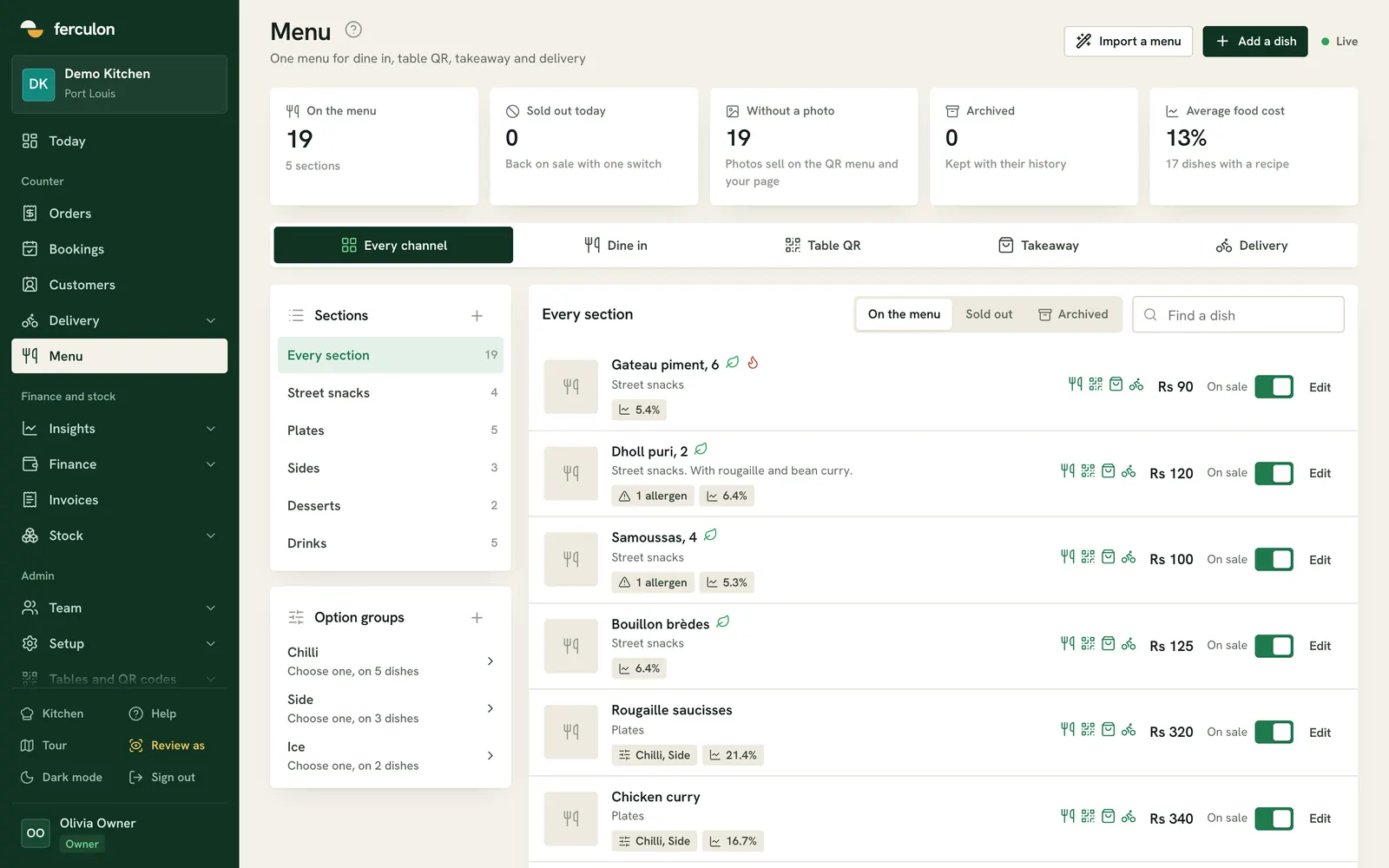
A menu import can save typing, but it does not remove the review. Ferculon’s menu import reads a photographed menu, PDF or Word file into proposed dishes with prices, sections, allergens and options. The owner selects which dishes to add; a price that cannot be read is left out rather than guessed. Compare each proposed item with the original, especially prices, names and food information, before using it in service.
Set where each dish can be sold
One dish may be fine at a table but unsuitable for delivery. Another may need a different takeaway price because packaging changes the sale. Make the channel decision on the dish itself, then inspect the menu through each channel. Do not assume a dish that exists in the office is automatically offered to every guest.
| Channel | What to inspect | What to test |
|---|---|---|
| Dine in | Dish, options and base price | A waiter adds the dish to a table |
| Table QR | Guest description, labels and availability | A guest scans the correct table code |
| Takeaway | Eligible dishes and any takeaway price | Counter staff open a takeaway order |
| Delivery | Eligible dishes and any delivery price | The restaurant’s own ordering page shows the right choices |
Ferculon stores a channel switch for dine in, table QR, takeaway and delivery on each dish. The office menu can be viewed through a channel filter, and it can hold a separate takeaway or delivery price when needed. The guest ordering page uses the restaurant’s menu for its own channels. This does not mean a third-party delivery marketplace uses the same settings; check that service separately if you use one.
Handle a sold-out dish before the next guest orders it
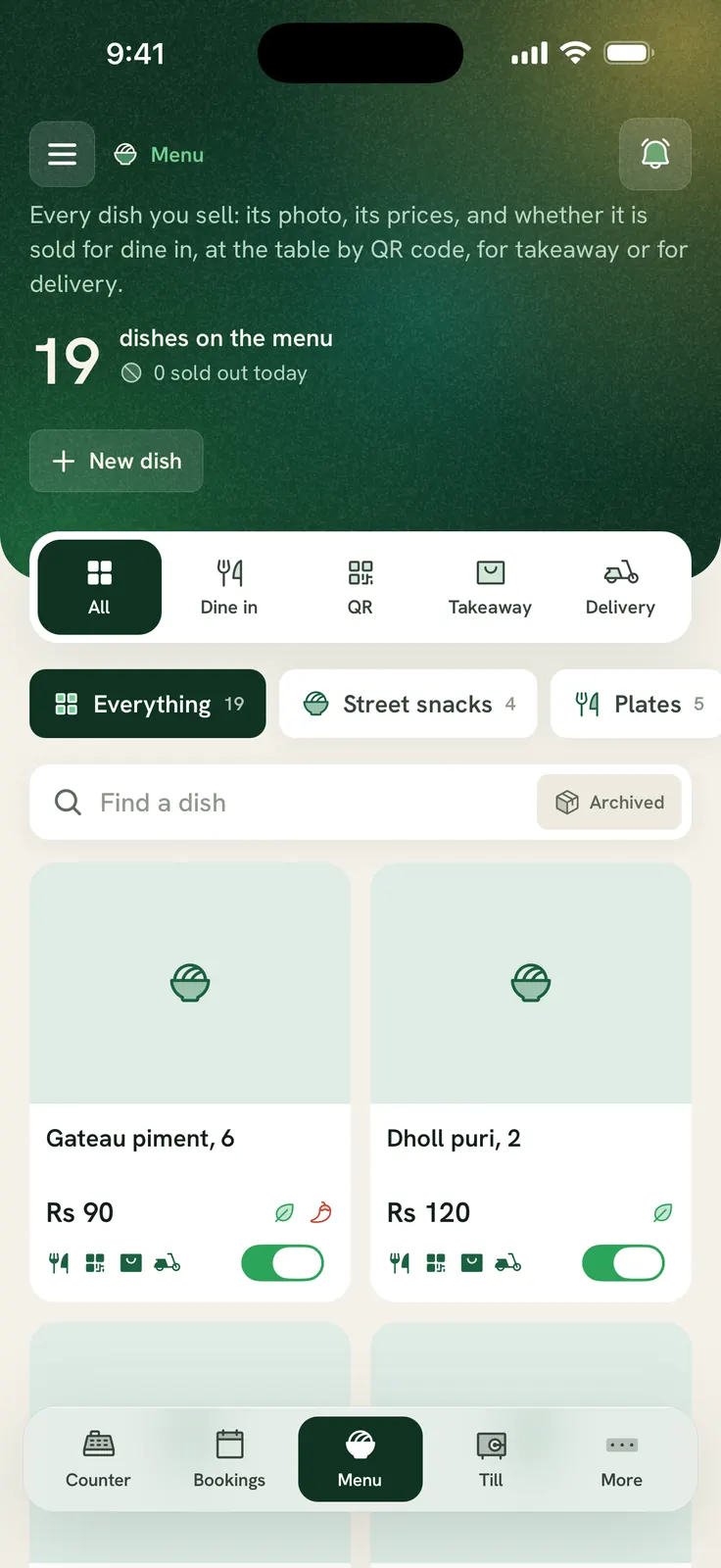
During service, the most useful menu change is often the simplest: a dish has sold out. Agree who can switch it off, who tells the kitchen and who checks the guest page. In Ferculon, staff with the appropriate menu availability permission can mark a dish sold out. The guest menu greys it out, and the office and counter menu show its status. That is a service control, not a substitute for the kitchen telling the floor what remains.
- Confirm the shortage. Ask the cook whether the whole dish is unavailable or whether an option can be changed.
- Switch the dish off. Check the office or counter menu and the guest view after the change.
- Tell the floor. Staff may already be talking to a guest who has an older menu open.
- Restore it only after checking stock. A screen can be turned back on before the ingredients arrive if nobody checks.
If you maintain recipes and ingredient movements, Ferculon can use key ingredients to take a dish off the menu when one runs out. That depends on accurate recipes, stock counts, deliveries and waste entries. Use the inventory guide to test those inputs. For a quick manual change, use the sold-out switch and verify the result on a guest phone.
Check prices, options and food information before publishing
A dish card needs more than a name. Compare the base price with the counter, the QR menu and any channel-specific price. Add an option that costs extra and check the resulting order total. Then check the description and the labels a guest will see. If staff use an allergen field, the kitchen must review its accuracy against the actual recipe and preparation process. A software field cannot verify ingredients or cross-contact in a real kitchen.
- Prices: Test the base dish and a priced option in each channel you use.
- Options: Check a required choice, an optional choice and the kitchen ticket that follows.
- Photos: Use a current photograph of the dish served, or leave the photo slot empty.
- Food information: Have the kitchen review descriptions, labels and allergen entries before guests see them.
- Recipes: If you use menu profit, keep ingredients and portions current so the cost has a useful basis.
The menu engineering guide is for deciding which dishes to keep, promote or revise from sales and recipe cost. This guide is about making the chosen menu accurate wherever orders start. The two jobs meet when a price or recipe decision is put into the live menu and then checked on a real order.
Run one menu change through a whole service
Ask a manager, counter worker and cook to perform a small test with a demo order. Use a dish your restaurant genuinely sells, with a choice that changes its price. Watch the screens rather than relying on a feature list. Keep a paper note of anything that appears in one place but not another.
- Enter the dish. Give it a section, description, base price, options and the correct kitchen station.
- Choose channels. Leave one channel off and check that the dish does not appear there.
- Take an order. Add an option and ask the kitchen to read the ticket.
- Change availability. Mark the dish sold out and check both the staff and guest views.
- Review the record. Compare the order, bill and menu price. Check who can change the dish again.
- Update the print card. If the restaurant prints one, check the file and the copies on tables.
Give the same test to any system you are considering. Ask how your team will be trained, how menu data can be exported, and who handles a menu mistake during service. For Ferculon’s commercial terms, use pricing. If you want to run the test with your own dishes, request a walkthrough.
Questions people ask
What is restaurant menu software?
It can be a tool for designing a printed menu or a live system that holds the dishes staff and guests can order. For service, check that prices, options and availability reach the waiter, counter, kitchen and guest channels you use.
Can I import a printed menu into Ferculon?
Yes. Ferculon can read a photographed menu, PDF or Word file into proposed dishes. You select what to add and should review every price, section, option and food detail before service.
Can I use different prices for takeaway and delivery?
Ferculon can store a separate takeaway or delivery price for a dish. Check the price on an actual order in each channel before opening, including any option that changes it.
What happens when a dish sells out?
A permitted staff member can mark it sold out in Ferculon. It is greyed out on the guest menu, while staff see its status. Confirm the change on a guest phone and tell the floor team.
Does menu software replace an allergen check?
No. A field can display the information entered, but the kitchen must check ingredients and preparation. Review descriptions and labels when recipes or suppliers change.