Cloud POS in Mauritius means running restaurant software as an online service instead of keeping its application server on site. It can lighten the equipment and maintenance workload, but your own connection, devices and staff still matter. Start with one workflow you want to improve.
What would you like to improve first?
Mauritius has already made real digital progress
The Statistics Mauritius ICT report records household internet access rising from 72.6% in 2020 to 85.8% in 2024. The report was published in 2026, but these household figures describe 2024.
More households have internet access
% of households
Statistics Mauritius, ICT 2025, Table 6
The Bank of Mauritius annual report, page 86 shows 19.4 million MauCAS instant-payment transactions in FY2024–25, up from 9.9 million the previous year. This includes transfers between people. It is not a count of restaurant bills.
Instant payments have grown
million transactions
Bank of Mauritius, Annual Report 2024–25, page 86
| Signal | What it suggests | What to check yourself |
|---|---|---|
| More connected households | A wider base for online services | Wi-Fi and mobile coverage in your restaurant |
| More instant payments | Changing payment habits | How your guests actually prefer to pay |
| A digital blueprint | Investment in infrastructure and skills | Whether your team is ready for a new workflow |
What cloud POS in Mauritius changes during service
The NIST cloud definition describes software delivered over a network from shared computing resources. In a hosted service, the provider runs the application infrastructure. The useful question for an owner is how the floor, kitchen and office share one order.
- Take the order. Record it near the table or at the counter. Ask whether the same reference follows it throughout service.
- Prepare it. Check that the kitchen receives the right dishes and changes without a second entry.
- Close it. See how the bill and paid sale appear in the office view. Test every hand-off in a demo.

- It does not fix a broken hand-off by itself. People still need clear rules for accepting, preparing and closing an order.
- It does not replace every device. Printers, card terminals and dependable screens may still be part of service.
- It does not guarantee uptime at your venue. Check the actual connection, power and supplier fallback before moving a live shift.
Choose devices for the job, not for their size
A large terminal can run cloud software; a tablet can run local software. The screen does not tell you where records live. A suitable existing computer, tablet or phone may work, but check operating-system support, battery condition, screen readability and peripheral connections first.
| Job | A practical check |
|---|---|
| Busy counter | Would a stable mount and larger screen help? |
| Hot kitchen | Is the screen positioned and protected for the work? |
| Printing and payments | Which printer, drawer and card terminal are still needed? |
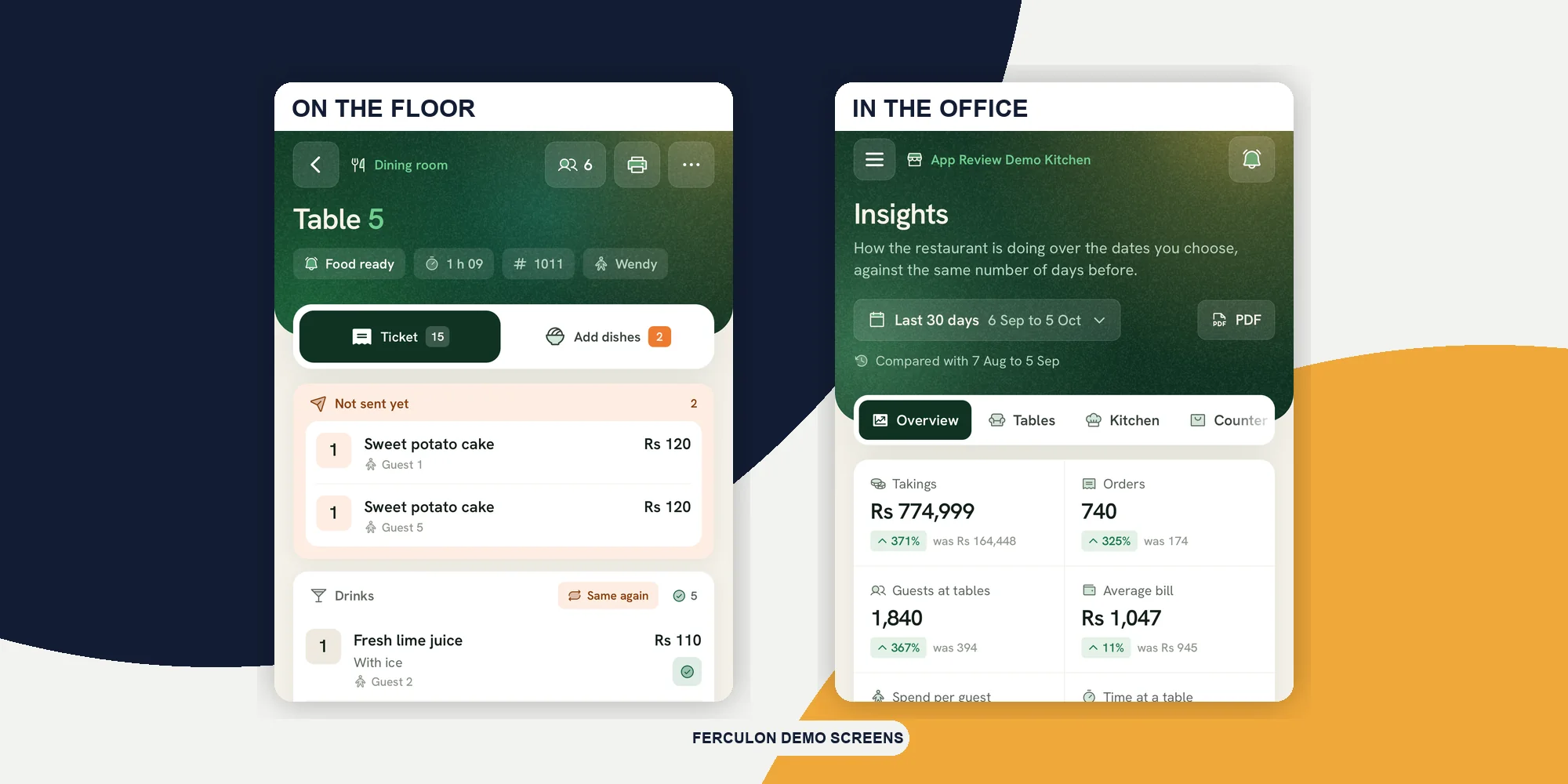
For example, Ferculon’s back office adapts to a phone screen, while its kitchen display runs in a browser or app. These are different screens for different jobs. The demo image below shows the office view, not a customer result.

Compare the whole cost, not just the machine
Hosted software can remove local server administration from the restaurant’s workload. The NCSC shared-responsibility guidance is a reminder that work still remains with the customer. Check who owns each task in the contract.
| Task | What to check |
|---|---|
| Server and updates | Who operates the application and installs updates? |
| Backups and exports | How are records restored or moved? |
| On-site equipment | Who maintains screens, network and printers? |
| People and support | Who manages access, training and urgent help? |
A lower local maintenance burden can save money if it replaces costs you would otherwise pay. It is not an automatic saving. Compare future equipment, software, connectivity, support, migration and training costs on the same tax basis. There is no verified Mauritius-wide saving percentage to apply to your restaurant.
What would each option cost?
Enter your own estimates in Mauritian rupees. Blank means unknown; enter 0 only when a cost really is zero. These are not supplier prices.
How this estimate works
Upfront + (monthly × months) + (annual × months ÷ 12). Annual figures are treated as recurring averages. Include future costs only, on the same tax basis, and avoid counting support twice. Add financing, transaction fees and exit costs to your estimates where relevant. This simple comparison excludes inflation, discounting, residual value, downtime and unpriced staff time. A lower estimate is not a performance or savings guarantee.
The calculator uses your entries in this page and does not save or submit them. Reloading clears them.
Practise the internet outage before a busy shift
National figures cannot tell you whether the connection reaches your terrace or survives a power cut. Test the actual working areas at trading hours. A charged tablet may still need a router, printer and backup power.
- Interrupt the connection. Ask the supplier to show which order, kitchen, bill and payment actions still work.
- Record the fallback. Decide who switches procedures and how staff record order references, items and payment status.
- Recover together. Reconcile the records after service returns, checking for duplicate orders or conflicting changes.
Offline behaviour varies by product, device and action. A general “works offline” promise is not enough. The POS setup guide has a fuller rehearsal sequence.
Find one useful next step for your restaurant
Tick what you have genuinely tested. The checklist will suggest a next step; it does not score or certify your restaurant.
What have you already checked?
This is a planning checklist, not a certification or industry score. Your answers stay in this page and reset when it reloads.
Give training its own time. In the World Bank’s 2023 Mauritius Enterprise Survey, 18% of surveyed firms named an inadequately educated workforce as their biggest business obstacle. This is a cross-sector historical finding, not a restaurant technology measure.
Try one workflow, listen to the team, and keep equipment that still works. Ask for a sample data export before committing; UK Government guidance on cloud lock-in recommends considering open standards and formats. The order tracking guide offers a practical workflow to test.
Sources checked on 18 October 2026. This guide is not tax or legal advice. Choosing cloud software does not establish MRA compliance; Ferculon does not transmit fiscal invoices to the MRA Electronic Billing System.
Questions people ask
Is Mauritius ready for cloud POS?
The growth in household internet access and instant payments provides a strong foundation for exploring cloud services. Each restaurant still needs to check its own connection, supported equipment, staff readiness and fallback procedure. National figures cannot guarantee conditions at one venue.
Does cloud POS cost less to maintain?
It can reduce local server upkeep because the provider operates the hosted infrastructure. Devices, printers, connectivity and training still need attention. Compare the full quoted cost over the same period instead of assuming a universal saving.
Do we have to replace our current POS hardware?
Not necessarily. Ask whether your existing devices and peripherals are supported, secure and suitable for the job. A large terminal can run cloud software too, so size alone is not a reason to replace it.
Will a cloud POS keep working when the internet drops?
That depends on the product, device and action. Ask the supplier to demonstrate orders, kitchen tickets, printing and payments during an interruption, then show recovery. Test and document the fallback before relying on it during service.
How can we try cloud software without changing everything at once?
Choose one workflow, record how it works today and run a controlled trial with the staff who use it. Check costs, data exports and recovery before expanding. Keep equipment that remains supported and useful.