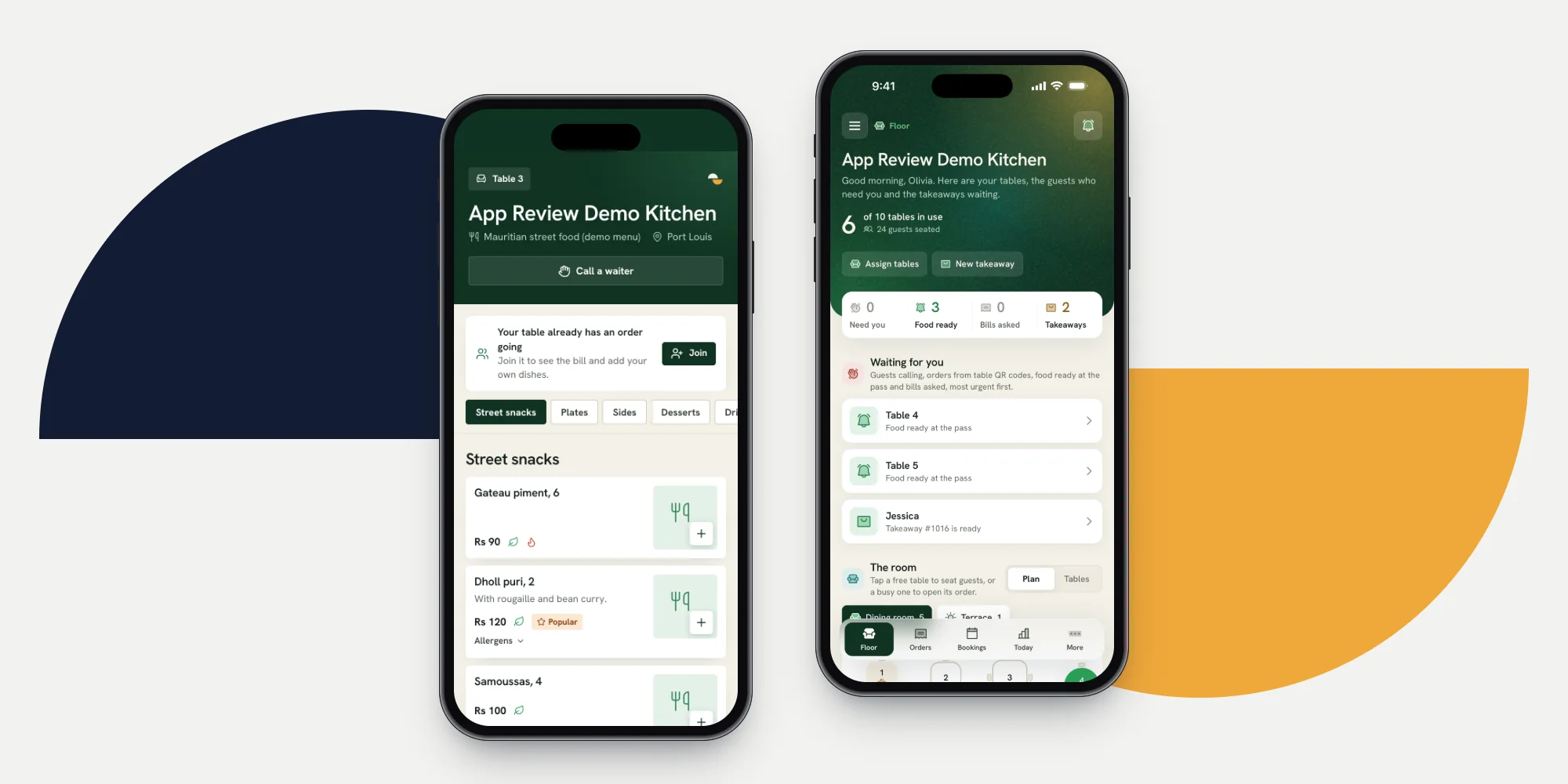
QR code ordering for restaurants lets a guest order from their own phone by scanning a code printed for their table. The order lands on the same bill a waiter would open, goes to the kitchen and is paid at the end like any other.
This guide explains each step as it works in Ferculon, and what to check when you set it up.
How table QR ordering works, step by step
- The guest scans the code on the table. Each code belongs to one table only, so the order knows where it is going before the guest types anything.
- The menu opens in the phone’s browser. No app to install. Dishes marked sold out in the kitchen are greyed out while the page is open.
- The guest gives a name and a mobile number. Before the first order they confirm the number with a code, so an order cannot come from someone who is not at the table.
- The order is sent. Depending on the restaurant’s setting it goes straight to the kitchen, or waits for a waiter to accept it first.
- The table’s waiter is told. Their phone shows that the table has ordered, and the room view shows the table as in the kitchen.
- Follow-up orders join the same bill. A second round of drinks or a dessert lands on the order the waiter already has.
- The guest can call a waiter or ask for the bill from the same page, saying how they want to pay and how to split it.
- Staff take the payment, and the guest gets a thank-you with the receipt. The next scan of that code starts a fresh order for the next party.
Who sees what at each step
This table shows which screen is updated at each step of a QR order.
| Moment | Guest | Kitchen | Waiter | Counter |
|---|---|---|---|---|
| Order sent | Order confirmed on the page | Ticket by course | “Table 4 ordered” | Order in the list |
| Course cooked | Nothing to do | Marks the course ready | “Starters ready for table 4” | Table shows food ready |
| Waiter called | Taps call a waiter | Nothing | Told which table | Told which table |
| Bill asked | Chooses method and split | Nothing | Told, with the method | Told, with the method |
| Paid | Receipt on the page | Nothing | Table turns free | Takings updated |
Straight to the kitchen, or accepted by a waiter first
The first decision a restaurant makes is whether a table’s order goes straight to the kitchen or waits for a waiter. Both are reasonable, and Ferculon lets you choose in Setup:
- Straight to the kitchen is fastest. It suits a busy room where the menu is simple and most orders are drinks and dishes without questions.
- A waiter accepts first lets someone check allergies and the table before the kitchen starts. It suits a room where guests often ask for changes, or where the waiter is expected to greet every table before it orders.
In both cases, only the table’s waiter is notified, not every phone in the restaurant.
What QR ordering does not replace
QR code ordering has limits:
- Some guests prefer a waiter. Guests with questions about a dish often want to talk to someone. Keep QR ordering as an option, not the only way to order.
- Allergies need a person. A page can list allergens, but a guest with a serious allergy should talk to someone who can ask the kitchen. That is one reason to choose “a waiter accepts first”.
- The guest needs a connection. The page works on the guest’s mobile data or your Wi-Fi. Where neither reaches, the waiter takes the order as usual.
- Payment still goes through staff. In Ferculon the guest asks for the bill from the page, and the payment is taken at the table or the counter in cash, by card or by MCB Juice.
Setting it up in a restaurant
Setting up QR code ordering in Ferculon takes six steps:
- Draw the floor plan with every table, area by area, so each table has a label guests and waiters agree on.
- Print the codes from Tables and QR codes. Every table gets its own. If a card is lost or a photo of a code is shared, reissue it and the old code stops working at once.
- Choose how orders arrive: straight to the kitchen, or accepted by a waiter first, and whether the call a waiter button shows.
- Set last orders for table ordering, in minutes before closing. After that, guests cannot order from the code, while waiters can still take an order past it.
- Check your opening hours. Orders from the code are refused while the restaurant is closed, so the hours need to be right, including special days.
- Assign tables to waiters for each service, so “table 4 ordered” reaches the person who looks after table 4.
Questions to ask before you choose a system
Questions to ask before choosing a QR ordering system:
- Do follow-up orders land on the same bill, or does every order open a new one?
- Is the waiter of that table told, or everyone at once?
- Can a guest change an order after the kitchen has started it?
- Does ordering stop at last orders and when you are closed, and can staff still override it?
- Does the order reach your kitchen display by course, or as one long ticket?
- What does the guest have to give, and how is their number checked?
- Can you reissue one table’s code without reprinting the rest?
To see how Ferculon handles each of these, contact us.
Questions people ask
Do guests need to download an app to order from the table?
No. The code opens a web page in the phone’s browser. The guest gives a name and a mobile number, confirms the number with a code before the first order, and orders.
Can guests pay from the QR page?
In Ferculon the guest asks for the bill from the page and says how they want to pay and split it. The payment itself is taken by staff at the table or the counter.
Can two people at the same table order from their own phones?
Yes. A second phone can join the table, and its orders land on the same bill.
What stops someone ordering from home with a photo of the code?
Each code works only for its own table, the guest confirms their number before the first order, and a code can be reissued at any time so the old one stops working at once.
Does QR ordering mean fewer waiters?
No. It handles simple orders, but waiters still greet tables, serve, handle allergies and take orders from guests who prefer to speak to someone.